
Quick Answer
How do you manage a large Gujarati wedding guest list?
Build one master spreadsheet with every guest's name, relationship, phone number, side, city, and headcount. Then add a Y/N column per event (Garba, Pithi, Wedding, Reception) to create per-event sub-lists — this is what stops over-inviting and under-inviting. Collect RSVPs over WhatsApp, since response rates run three to four times higher than email or Google Forms. Past 100–150 guests, a spreadsheet alone can't send personalised invitations or track RSVPs at scale — a dedicated platform like Weddingkart, built on the WhatsApp Business API, handles per-event invitations, RSVP collection, and live headcounts automatically.
Last updated:
400–700
guests in an average mid-range Gujarati wedding
6–8
separate events across four to five days
3–4x
higher RSVP response rate on WhatsApp vs. email or forms
<30%
response rate when waiting for guests to call back
Last updated:
All PostsHow to Manage Your Gujarati Wedding Guest List Without Losing Your Mind
The master list, per-event sub-lists, and WhatsApp RSVP collection — the three things that decide whether your final week is calm or chaotic
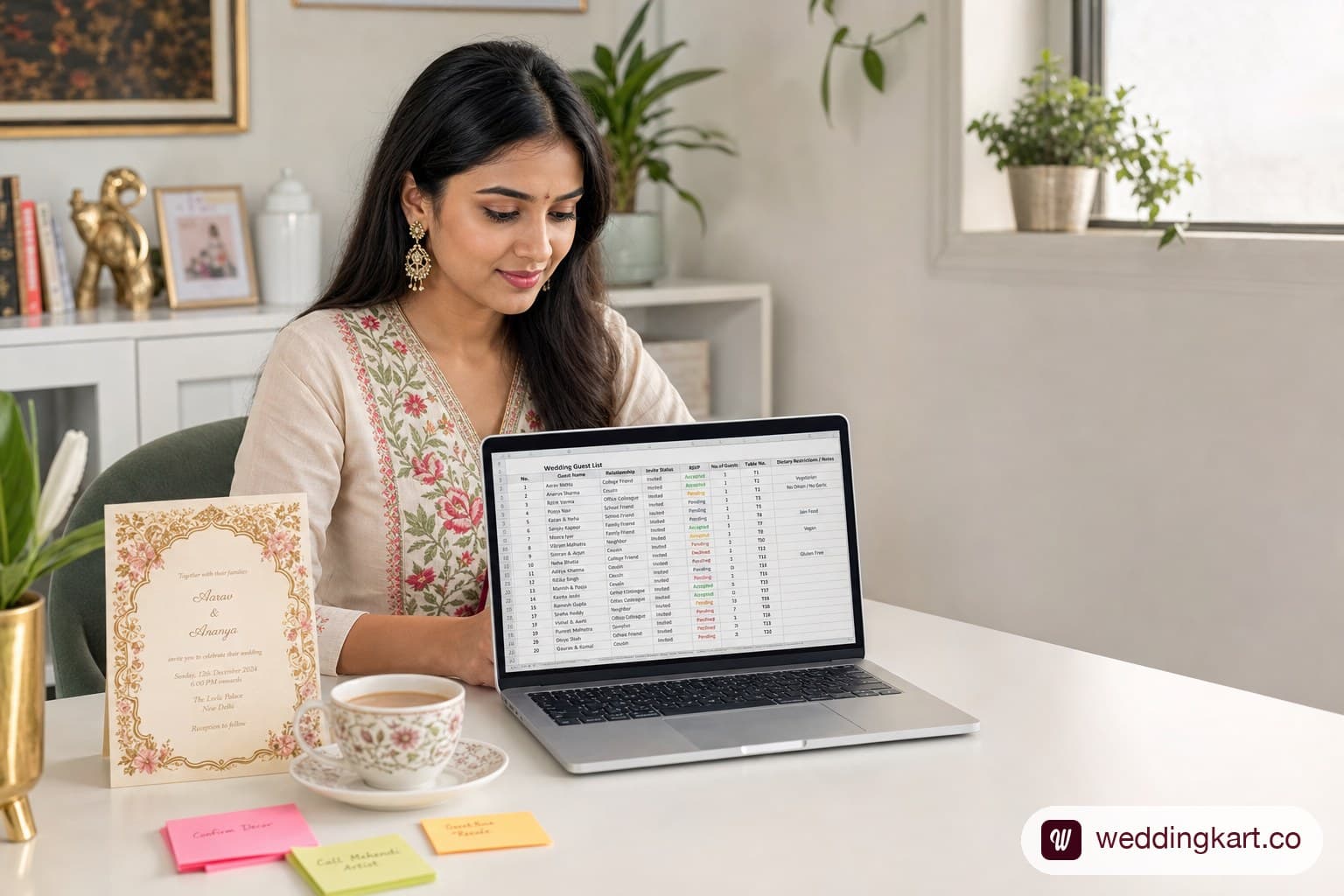
If you are planning a Gujarati wedding in Ahmedabad, you already know that 'small and intimate' is rarely in the vocabulary. The average mid-range Gujarati wedding involves 400–700 guests, spread across 6–8 separate events over four to five days. And each event has a different subset of those guests.
Managing this with a shared phone contact list and WhatsApp groups is a recipe for chaos: duplicate messages, guests attending events they were not invited to, no-shows you never followed up with, and a caterer demanding a headcount you cannot confidently give them the night before.
This guide walks you through a structured, step-by-step system for managing your Gujarati wedding guest list — from building the master list to collecting RSVPs without pestering people. It works whether you are managing things yourself with a spreadsheet or using a dedicated tool.
Why Indian Wedding Guest Lists Are a Unique Challenge
Western wedding planning guides assume a single event, one invitation, and a clear RSVP deadline. Indian weddings — and Gujarati weddings in particular — operate on a completely different logic:
- Multiple events, multiple sub-lists. Your Garba night might have 500 guests. Your Pithi might have 40. The Mehndi might have 200 women. Each event needs its own invitation and headcount.
- Family politics around who gets invited to what. Inviting a business contact to the main wedding but not the Garba is a deliberate signal. Managing these tiers requires precision.
- Guests who 'confirm' but bring uncounted family members. A common reality in Indian weddings. If your RSVP system does not ask for headcount, your caterer will be short.
- Phone-averse guests and WhatsApp-only guests. Your nani will not fill out a Google Form. Your college friends will not respond to a phone call. You need multiple channels.
- Last-minute confirmations and cancellations. Indian wedding RSVPs are rarely finalised until 48 hours before the event.
The system below is designed around these realities, not against them.
Step 1 — Build Your Master Guest List
Before you think about events or invitations, you need a single master list of every person you are considering inviting. This is your source of truth for everything that follows.
Categories to Include
Organise your master list into these broad categories to make event assignment easier later:
- Immediate family (both sides): parents, siblings, their spouses and children
- Extended family: uncles, aunts, cousins (both maternal and paternal, both families)
- Childhood friends and college friends
- Workplace colleagues and professional contacts
- Neighbours and family friends (the 'community' invites)
- The groom's side of the family (if building a joint list)
Columns You Need in Your Spreadsheet
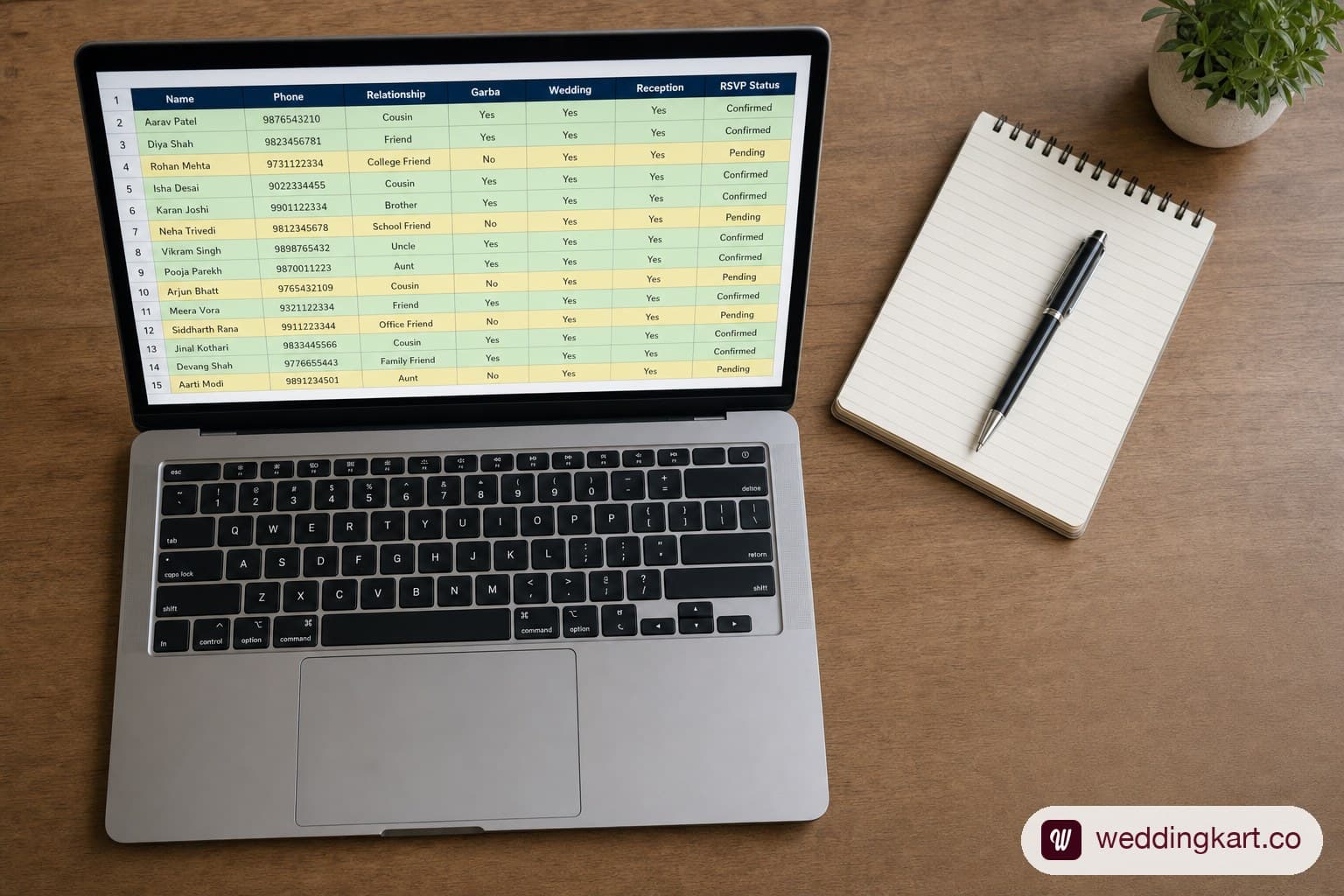
Whether you use Excel, Google Sheets, or a dedicated tool, your master list needs at minimum these columns:
| Column | Why You Need It |
|---|---|
| Full Name | For personalised invitations — "Dear Rameshbhai" not "Dear Guest" |
| Relationship | Determines which events they attend and the tone of your message |
| Phone (WhatsApp) | Primary communication channel for 90% of guests in India |
| Side (Bride/Groom) | Essential for venue seating and event organisation |
| City / Location | Identifies outstation guests who need hotel and transport information |
| Events Attending | Per-event columns: Garba ✓, Pithi ✓, Wedding ✓, Reception ✓ |
| Headcount | How many people in their party — never assume one invite = one person |
| RSVP Status | Pending / Confirmed / Declined / No Response |
| Dietary Requirements | Even in vegetarian weddings, allergies and preferences matter |
| Notes | Anything specific — elderly guest needing seating, outstation arrival date |
Copy this wedding guest list template
Create a spreadsheet with one row per guest and the ten columns from the table above — Full Name, Relationship, Phone (WhatsApp), Side, City/Location, one Y/N column per event (Garba, Pithi, Wedding, Reception), Headcount, RSVP Status, Dietary Requirements, and Notes. That single sheet is your master list, your per-event sub-lists (via filter), and your RSVP tracker in one place — no separate template needed.
For a ready-made version of this template, see: Weddingkart's Wedding Guest List App.
Step 2 — Manage Multiple Events Separately
Once your master list is complete, the next step is to create per-event sub-lists. This is the most important structural decision in Gujarati wedding guest management — without per-event lists, you will either over-invite (embarrassing and costly) or under-invite (offensive to family members who expected to be included in a particular event).
Creating Per-Event Sub-Lists (Garba, Pithi, Wedding, Reception)
The easiest approach: add a column for each event in your master spreadsheet and mark it Y/N for each guest. Then filter by each event column to create your sub-list for sending invitations and tracking RSVPs.
Typical guest segmentation by event for a 500-guest Gujarati wedding:
| Event | Typical % of Guest List | Who to Include |
|---|---|---|
| Chandlo Matli | 5–10% | Immediate family only |
| Gol Dhana / Engagement | 20–30% | Both families + close friends |
| Mehendi Night | 40–60% (women only) | Female friends and family |
| Garba Night | 80–100% | All guests — this is the big one |
| Pithi Ceremony | 10–15% | Close family only |
| Main Wedding (Mandvo) | 80–100% | All guests |
| Reception | 60–80% | All + business contacts who may not attend Mandvo |
Your per-event sub-lists are what you use to send targeted invitations. A guest on the Garba Night list gets a Garba invitation. A guest on the Reception list gets a Reception invitation. They do not need to receive (and should not receive) invitations to events they are not attending.
Step 3 — Collecting RSVPs Without the Chaos
RSVP collection is where most Gujarati wedding guest management breaks down. The traditional approach — waiting for guests to call back — results in a response rate under 30% and a chaotic final week of chasing phone calls.
WhatsApp RSVP Collection
WhatsApp is the most effective RSVP channel for Indian weddings in 2026. Response rates for WhatsApp-based RSVPs are consistently three to four times higher than email or Google Forms, because the message lands where the guest is already active.
The simplest WhatsApp RSVP structure:
- Send the personalised invitation with event details
- Ask for a simple reply: 'Reply 1 to confirm for Garba Night, 2 to confirm for Wedding, 3 for both, 4 if you cannot attend'
- Follow up once (and only once) with non-responders, two weeks before the event
For a full WhatsApp RSVP strategy including button-based responses that get 3x more replies, see: RSVP by WhatsApp: Why One-Tap Buttons Get 3x More Responses Than Forms.
The biggest issue with manual WhatsApp RSVP collection: personalization. Sending 'Dear Rameshbhai' to 500 different people from your personal phone is not just time-consuming — it is practically impossible. Which brings us to the tools.
Step 4 — Tools to Manage the Guest List
You have two realistic options for managing a Gujarati wedding guest list at scale:
- Excel / Google Sheets: Free and familiar. Works well for the master list and per-event segmentation. The problem is RSVP collection and sending invitations — you still have to do both manually, which does not scale beyond 100–150 guests.
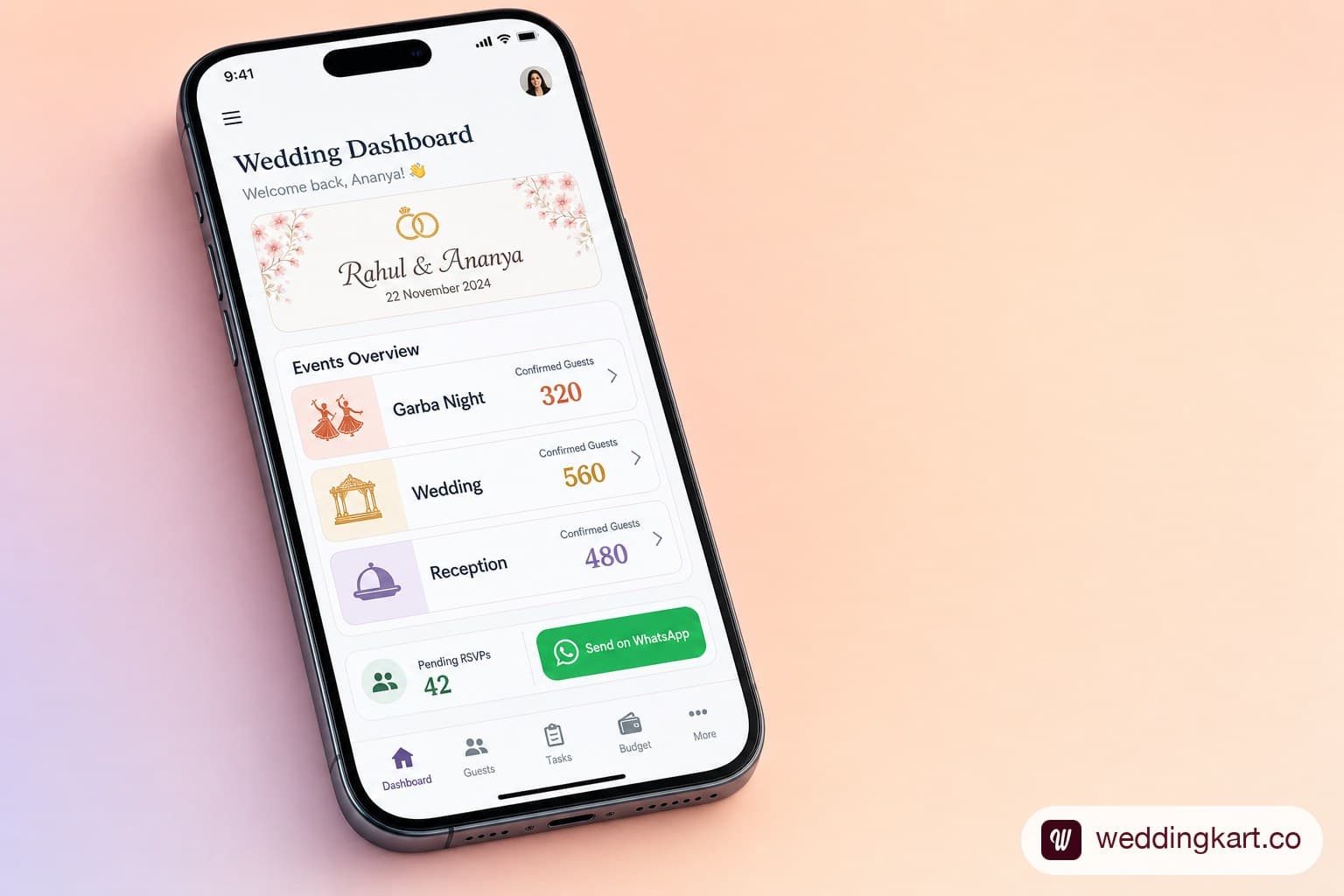
- Dedicated guest management platform: Tools like Weddingkart are designed specifically for Indian multi-event weddings. They sync with your guest list, let you send per-event WhatsApp invitations from a business number, collect RSVPs automatically, and give you live headcount dashboards.
See also: Weddingkart + Excel: The Perfect Partnership for Wedding Guest Management — how to use both together for the best of both worlds.
How Weddingkart Solves the Guest List Problem
Weddingkart is a WhatsApp-based guest communication platform built specifically for Indian multi-event weddings. Here is what it does differently from a spreadsheet:
- Upload your master guest list once (Excel or manual entry)
- Assign guests to events — the platform handles the per-event segmentation
- Send personalised WhatsApp invitations to each event's guest list from a dedicated business number — no personal number risk
- Collect RSVPs via WhatsApp reply buttons — guests tap once to confirm
- Track per-event headcounts in real time — your caterer gets accurate numbers
- Send automated reminders to non-responders without you lifting a finger
For the full picture on how Indian wedding RSVP collection works at scale, see: The Indian Wedding Guest List & RSVP Playbook.
Final Thoughts
A 500-guest, 7-event Gujarati wedding guest list is manageable — but only if you build the right system before you start sending a single invitation. The master list, the per-event segmentation, and the RSVP collection channel are the three variables that determine whether your final week is calm or chaotic.
Start building your master list the moment you set your wedding date. The earlier you start, the more time you have to catch gaps, correct mistakes, and ensure every person who should be at each event actually shows up.
💌 Build your complete Gujarati wedding guest list in one place
Weddingkart lets you build your complete Gujarati wedding guest list, assign guests to specific events, send personalised WhatsApp invitations, and collect RSVPs — all in one place. Used by top wedding planners in Ahmedabad.
Try Weddingkart Free →Frequently Asked Questions
How do I make a wedding guest list?
Start with one master spreadsheet listing every person you are considering, organised by category (immediate family, extended family, friends, colleagues, neighbours). Give it columns for name, relationship, phone number, side, city, and headcount — then add a Y/N column for each of your wedding events so you can filter the master list into per-event sub-lists.
What should a wedding guest list template include?
At minimum: full name, relationship, WhatsApp number, side (bride/groom), city (to flag outstation guests who need hotel info), one column per event you're hosting, headcount per invite, RSVP status, dietary requirements, and a free-text notes column. For a multi-event Indian wedding, the per-event columns matter more than any other field — they are what stop over-inviting and under-inviting.
How do I organize a wedding guest list in Excel?
Use one sheet, one row per guest, and one column per event with a Y/N entry — not separate sheets per event. Separate sheets get out of sync the moment you update a guest's details in one but not the other. Filter the single master sheet by each event column to generate that event's working list.
What is the best app for tracking a large Indian wedding guest list?
Excel or Google Sheets work well up to roughly 100–150 guests, for the master list and per-event segmentation. Beyond that, sending personalised WhatsApp invitations and tracking RSVPs manually stops scaling — a dedicated platform like Weddingkart, built on the WhatsApp Business API, handles per-event invitations, RSVP collection, and live headcounts on top of the same guest data.
By Mayank JaiswalLast updated
Was this article helpful?
Share