
Quick Answer
Are WhatsApp RSVP buttons better than Google Forms for weddings?
Yes. WhatsApp one-tap reply buttons remove every friction point that causes form drop-off - no link clicking, no browser loading, no form filling. Guests tap a single button inside WhatsApp to confirm attendance and headcount. Response rates typically reach 75-85%, compared to 40-50% with Google Forms.
Last updated:
RSVP by WhatsApp: Why One-Tap Buttons Get 3x More Responses Than Forms
The Google Form link has become the default RSVP method for Indian weddings. A planner sends it on WhatsApp, waits a few days, checks the responses - and finds that roughly half the guest list never opened it. Then begins the manual follow-up: calling aunts, nudging cousins, asking relatives to remind their families.
This is not a guest behaviour problem. It is a friction problem. The form asks guests to do five things when one would have been enough.
Key Takeaways
- WhatsApp reply buttons remove link-clicking and form-filling friction.
- One-tap RSVP typically drives much higher completion than Google Forms.
- Weddingkart captures headcount directly from the button a guest taps.
- Non-responders can be followed up separately via the dynamic “RSVP: Not Responded” group.
The Two Paths to an RSVP
Put yourself in a guest's position. You receive a WhatsApp message inviting you to a wedding and asking you to confirm attendance. Here is what happens next, depending on which method the planner used.
Via Google Form link
- 1Receive WhatsApp message with Google Form link
- 2Tap the link - browser opens (maybe slowly)
- 3Form loads - may ask to sign in to Google
- 4Fill in name, attendance, headcount, maybe dietary preferences
- 5Tap Submit - hope it worked, no confirmation in WhatsApp
5 steps - each one is a chance to drop off
Via WhatsApp reply buttons
- 1Receive WhatsApp message with reply buttons at the bottom
- 2Tap "Attending - 2 People" (or whichever applies)
- 3Done. Response recorded instantly. Thank-you message arrives.
1 tap - response recorded with no drop-off possible
The difference is not cosmetic. Every step between seeing a request and completing it is a moment where a guest gets interrupted, loses interest, or simply decides to do it later - and later never comes.
Why Response Rates Collapse with Forms: The Friction Points
Each step in the Google Form path introduces a distinct failure mode. Here is what happens at each one:
Context switching
Form
Tapping a link breaks them out of WhatsApp. They're now in a browser - a different app, a different context.
WhatsApp Button
Everything happens inside WhatsApp. No app switch, no loading screen.
Load time
Form
Google Forms can take 3–8 seconds to load on mobile, especially on slower connections. Most guests give up.
WhatsApp Button
Buttons are part of the message itself. They load instantly with the message.
Account friction
Form
Some Google Forms prompt guests to sign in. For older guests or guests without a Google account, this is a dead end.
WhatsApp Button
No account required. No login. One tap, anonymous or identified by their phone number.
Input effort
Form
Even a simple form requires typing, selecting dropdowns, and scrolling. On mobile keyboards, this is friction.
WhatsApp Button
No typing whatsoever. The options are pre-built. Guest sees their answer and taps it.
Confirmation
Form
After submitting a form, the guest is left in a browser tab. No feedback in WhatsApp. No sense of closure.
WhatsApp Button
The planner can send an automatic thank-you message immediately via WhatsApp. Guests feel acknowledged.
Repeatability
Form
If a guest wants to change their response, they need the form link again, which is buried in chat history.
WhatsApp Button
Can be resent or updated from the planner side with zero friction.
When you stack these six friction points together, losing half your responses is not surprising. Reaching 40–50% on a Google Form RSVP is considered decent. With WhatsApp reply buttons, response rates consistently reach 70–85% - and the remaining 15–30% are genuinely non-responsive guests who wouldn't have filled the form either. The tap-to-respond flow is wired into the Weddingkart guest list app so responses come back into the same list you're already tracking.
What the Buttons Actually Look Like
Weddingkart's RSVP message uses Meta-approved WhatsApp template buttons - the kind that appear as tappable chips below the message body. Unlike the 24-hour “interactive message” buttons, these work on any message, to any guest, at any time - no prior conversation required.

Wedding Invite
Channel
Dear Rahul,
We'd love to know if you'll be joining us! Please let us know whether you're attending - it helps us plan accommodations and logistics.
This message has been sent to you by the Kapoor Family
Tap “See all options” to see how the bottom sheet looks
The live RSVP template has 10 buttons: “Not Attending” plus “Attending - 1 Person” through “Attending - 9 People”. This means the planner gets an automatic headcount from each guest - not just a yes/no - without asking any follow-up questions.
When a guest taps a button, Weddingkart's backend receives the response via WhatsApp webhook within seconds, maps it to the correct guest and wedding using the original message ID, and writes the RSVP status and headcount to the guest record in real time.
The RSVP Journey: From First Tap to Smart Follow-Ups
Even with button-based RSVP, some guests will not respond in the first round. The standard approach - resending the RSVP message to the full guest list - annoys guests who already confirmed. Here is the full flow from first message to final follow-up, and how Weddingkart handles every step automatically:
Guest receives the RSVP on WhatsApp
An interactive message arrives with the wedding card and one-tap reply buttons. No app, no link, no form - just a tap.

Wedding Invite
Channel
Dear Rahul,
Will you be attending Priya & Arjun's wedding? Tap a button to confirm.
Guest receives the RSVP on WhatsApp
An interactive message arrives with the wedding card and one-tap reply buttons. No app, no link, no form - just a tap.
Wedding Invite
Channel
Dear Rahul,
Will you be attending Priya & Arjun's wedding? Tap a button to confirm.
Guest taps a button to reply
One tap is all it takes. The guest picks their headcount - Attending 1, 2, 3 people, or Not Attending - and the response flies back to Weddingkart in milliseconds.
Quick reply sent
“Attending - 2 People” - tapped in 4 seconds after opening the message.
10:42 AM ✓✓
Guest taps a button to reply
One tap is all it takes. The guest picks their headcount - Attending 1, 2, 3 people, or Not Attending - and the response flies back to Weddingkart in milliseconds.
Quick reply sent
“Attending - 2 People” - tapped in 4 seconds after opening the message.
10:42 AM ✓✓
Automated reply fires instantly
The moment Weddingkart receives the tap, it sends a personalised confirmation back - no human involvement. Attending guests get a 'Thank You', declining guests get a warm farewell. Both messages are fully customisable.
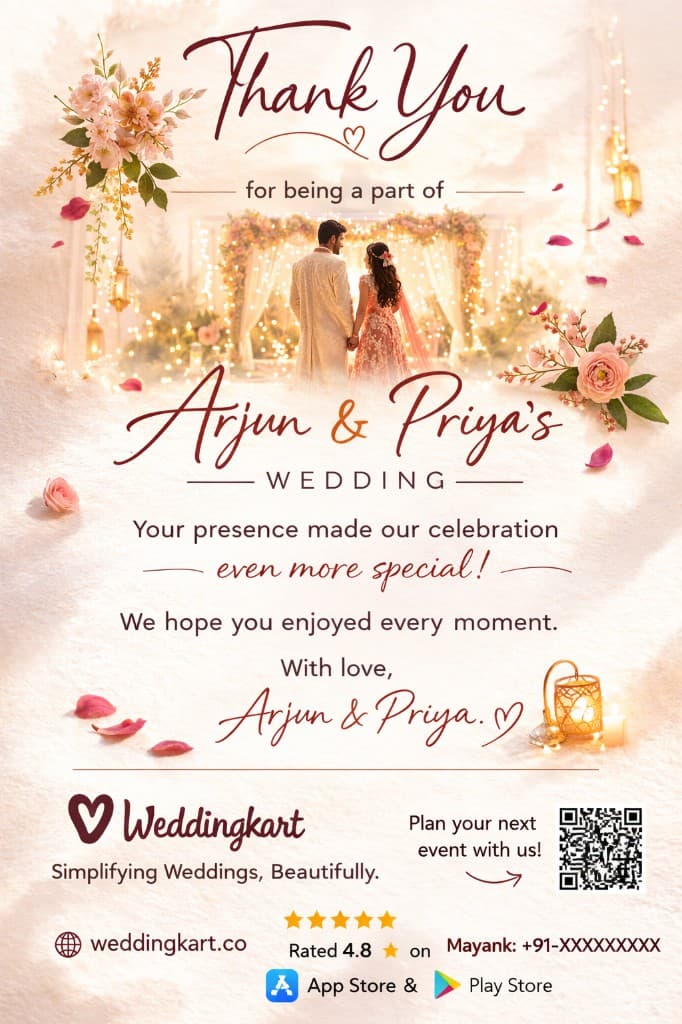
✅ Attending
Thank you! We're excited to celebrate with you 🎊
Sent instantly
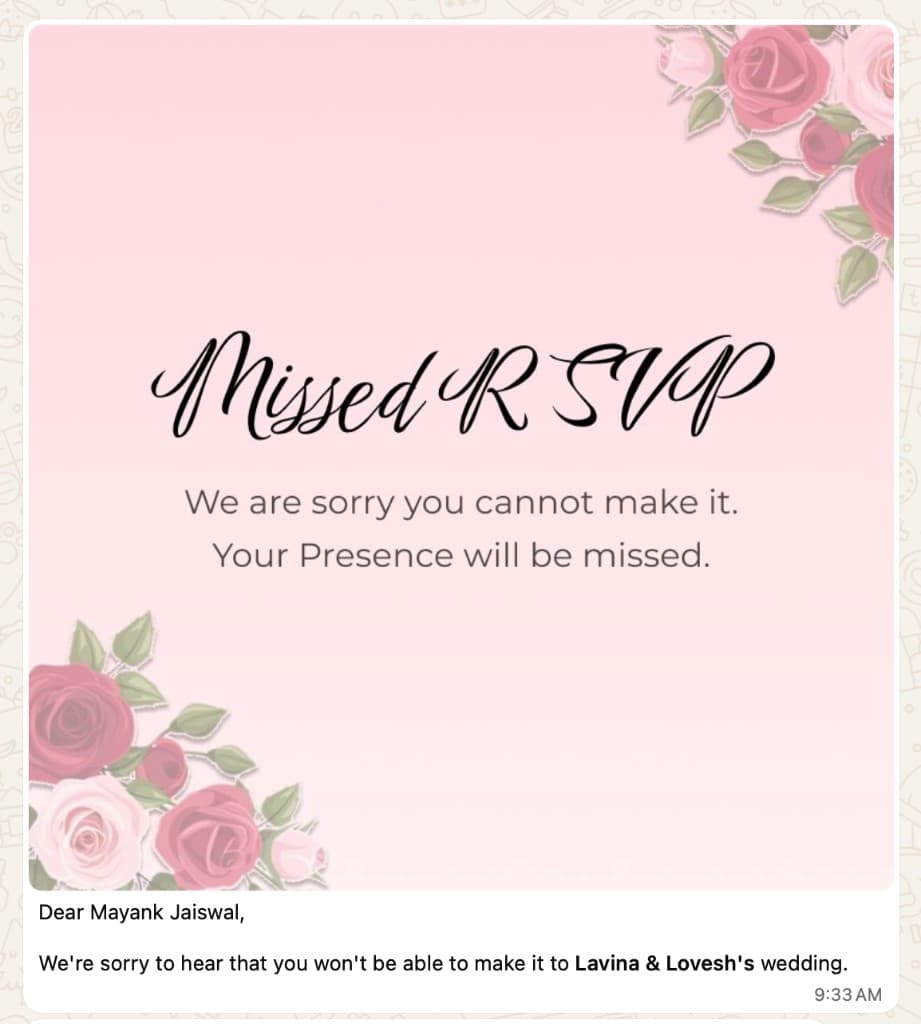
❌ Not Attending
Sorry you can't make it. Your presence will be missed 💐
Sent instantly
Automated reply fires instantly
The moment Weddingkart receives the tap, it sends a personalised confirmation back - no human involvement. Attending guests get a 'Thank You', declining guests get a warm farewell. Both messages are fully customisable.
✅ Attending
Thank you! We're excited to celebrate with you 🎊
Sent instantly
❌ Not Attending
Sorry you can't make it. Your presence will be missed 💐
Sent instantly
Manager sees live RSVP status in the app
Every tap instantly updates the dashboard. Attending, Not Attending, and Not Responded counts refresh in real time - no manual tallying, no chasing guests for confirmations.
Weddingkart app · updates in real time
Manager sees live RSVP status in the app
Every tap instantly updates the dashboard. Attending, Not Attending, and Not Responded counts refresh in real time - no manual tallying, no chasing guests for confirmations.
Weddingkart app · updates in real time
Follow up - only with people who haven't replied
The "RSVP: Not Responded" group is created automatically. Select it, send the reminder, done. Guests who already confirmed never see a second RSVP message.
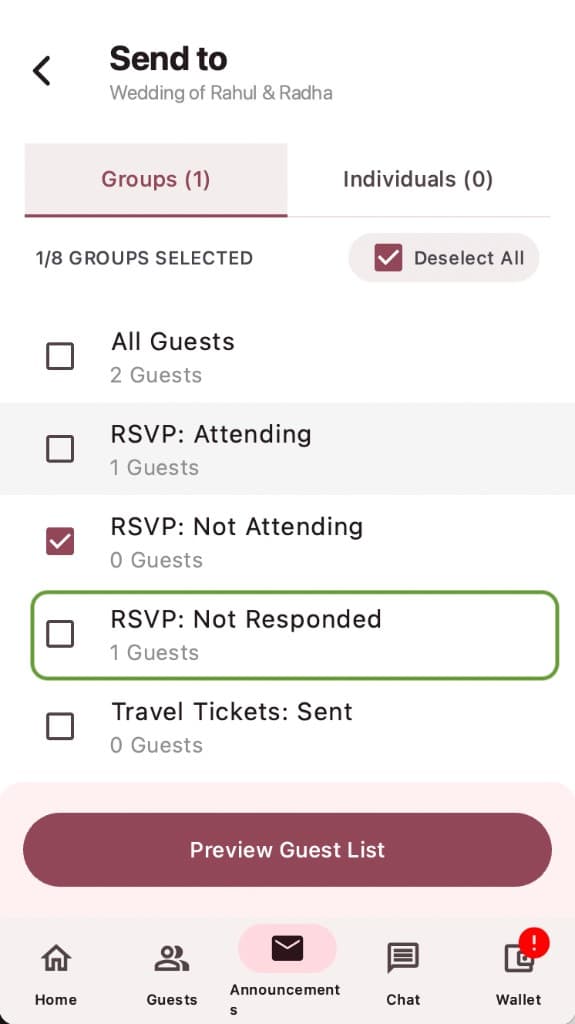
Select RSVP: Not Responded and hit “Preview Guest List” - confirmed guests are never disturbed.
Follow up - only with people who haven't replied
The "RSVP: Not Responded" group is created automatically. Select it, send the reminder, done. Guests who already confirmed never see a second RSVP message.
Select RSVP: Not Responded and hit “Preview Guest List” - confirmed guests are never disturbed.
The RSVP: Not Responded group updates in real time - the moment a guest taps any button they leave that group automatically. Sending the reminder to only this group means confirmed guests never see a second RSVP request.
The same logic applies in both directions: built-in groups for “RSVP: Attending” and “RSVP: Not Attending” let you send different post-confirmation messages to each segment - transport details to those coming, a heartfelt note to those who couldn't make it.
What Good RSVP Response Rates Look Like
Based on weddings managed through Weddingkart, here is what the numbers typically look like once the WhatsApp button RSVP is in use:
>25%
Response threshold
Where planners typically start asking for referrals - guests are engaged enough to recommend Weddingkart
75%
Strong response milestone
Reached routinely on weddings with 100+ guests. The caterer headcount is now reliable.
~90%
With one follow-up to non-responders
Sending a second RSVP message to the not-responded group closes most of the remaining gap
Compare this to Google Form RSVP, where 40–50% is a respectable outcome and reaching 70% typically requires multiple rounds of manual follow-up via personal WhatsApp or phone calls.
Data note: performance ranges in this article are based on Weddingkart-managed wedding campaigns and internal product observations; exact results vary by guest mix, event size, and reminder timing.
Why WhatsApp Is the Right Channel for Wedding RSVPs in India
The channel matters as much as the mechanic. WhatsApp messages in India have a 98% open rate - virtually every message sent through WhatsApp Business API is read. Email RSVPs get a 20–30% open rate on a good day. Google Form links sent over WhatsApp benefit from the open rate, but lose guests at the link-clicking step.
Wedding guests in India - from 18-year-olds to 75-year-olds - are WhatsApp-native. They know how to tap a button. They do not all know how to navigate a form in a browser, find a Submit button on mobile, or check whether their response was recorded.
The button meets the guest exactly where they are, in the app they use all day, with zero learning curve. The same adoption advantage holds across NRI households in the Gulf, US, UK, and Canada - even where the host country isn't WhatsApp-native, the diaspora wedding guest list is. We break it down country by country in where WhatsApp wins versus email, and for multi-timezone NRI guest lists specifically, see this guide.
The Setup on Weddingkart
Setting up a WhatsApp button RSVP on Weddingkart takes under five minutes:
- Add your guest list - import from Excel or add guests manually. Each guest gets up to three phone numbers.
- Create an RSVP announcement - choose the RSVP template, fill in the wedding details (bride, groom, date, venue, personal message), and optionally attach a digital invitation image.
- Send or schedule - send immediately to all guests, to specific groups (bride-side, groom-side, outstation, etc.), or schedule it for a specific date and time.
- Watch responses come in - the dashboard updates in real time as guests tap their buttons. Headcount is calculated automatically.
- Follow up with non-responders - resend to the “Not Responded” group only. Guests who already confirmed see nothing.
Get Started
Weddingkart is free to explore. You get 30 free credits to try the app with every feature unlocked and no restrictions - WhatsApp button RSVP, headcount collection, auto-replies, and non-responder targeting all work out of the box. Pick a paid plan once you run out of free credits.


Questions about setting up RSVP for your next wedding? WhatsApp us at +91 92176 10045 - we'll walk you through the setup.
Related reading
Best WhatsApp Wedding Invitation & RSVP Tools in India →
Eight tools ranked for Indian weddings - real pricing, the WhatsApp API cost model, and which fits your event.
How to Schedule Wedding Announcements on WhatsApp →
Send venue directions, ceremony start alerts, and guest reminders automatically - at the exact right time.
Weddingkart + Excel: The Perfect Partnership for Wedding Guest Management →
RSVP data, travel tickets, and ID cards - all synced back into your existing spreadsheet automatically.
Multi-Event Wedding RSVP Tracking →
Track RSVPs separately for the mehndi, sangeet, wedding, and reception - not one combined count.
Free Wedding Hashtag Generator Tool →
Explore Weddingkart's free tool and generate personalised hashtag ideas instantly.
Feature: RSVP Tracking →
One-tap WhatsApp responses and live counts for every event - see how it works.
Was this article helpful?
Share