
Quick Answer
Why does my spreadsheet count not match my app's guest list?
Because a master spreadsheet and the system you actually send from drift apart the moment one is edited and the other is not. With the Weddingkart connector switched on, you can ask Claude in plain English which records differ and it names the rows, instead of you comparing two lists by eye. In the case below a planner's sheet said 110 and the app said 109; Claude found the one guest in about a minute.
Last updated:
110 in the sheet, 109 in the app: how Claude found the missing wedding guest
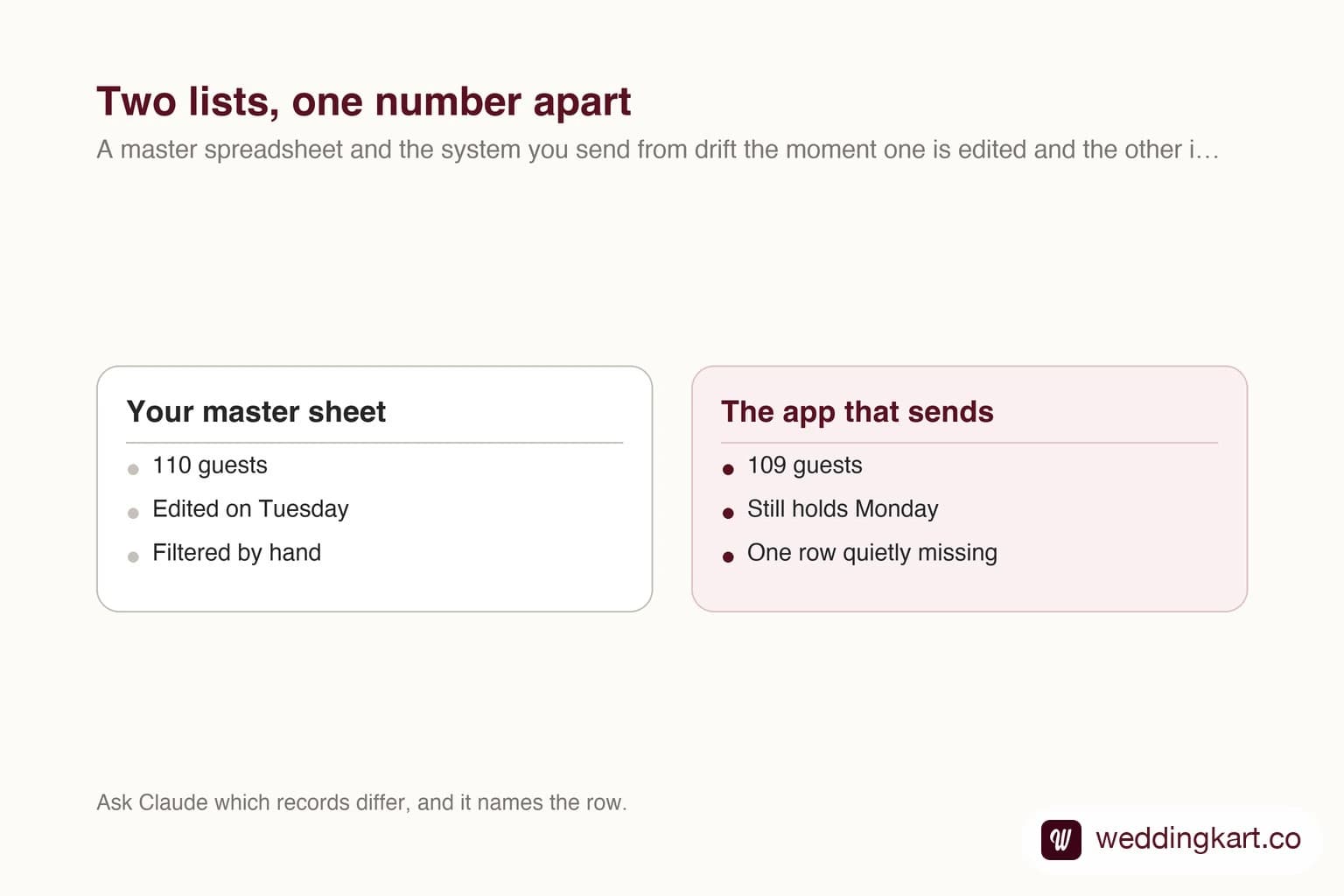
Manvi (not her real name — it has been changed for privacy) had the announcement ready to go: one WhatsApp message for the Chennai guests staying at the Sheraton, leaving out everyone also booked at the ITC. Her Google Sheet, filtered the same way, said 110 people. Weddingkart said 109 would get it.
One guest. It is the kind of gap planners lose an evening to, two lists side by side, row against row, until the eyes give up. And it is the kind of gap that matters. The one person missing from a hotel message is the one who walks up to the wrong check-in desk.
Short version: Manvi asked Claude, with the Weddingkart connector switched on, who was missing. In about a minute Claude named the guest. His hotel cell was blank in the sheet, but in Weddingkart he was still tagged ITC, so the announcement’s “skip ITC“ rule dropped him. Claude also caught a spelling mismatch she hadn’t asked about.
Every name in the screenshots is masked too. The numbers, the question and Claude’s answer are exactly as they happened.
The setup: one sheet, two hotels, 190 guests
The couple’s in-house guest list lives in a Google Sheet, with a column for each hotel and one for the city each guest is coming from. When it was imported into Weddingkart, each of those columns became guest groups: location=chennai (129 guests), sheraton=sheraton (189), itc=itc (74), and so on.
To build the announcement, Manvi told Weddingkart to send to guests who are in both the Chennai and the Sheraton groups, and to skip anyone in itc=itc. The app showed its working: 129 picked, 20 skipped, 109 will get this.
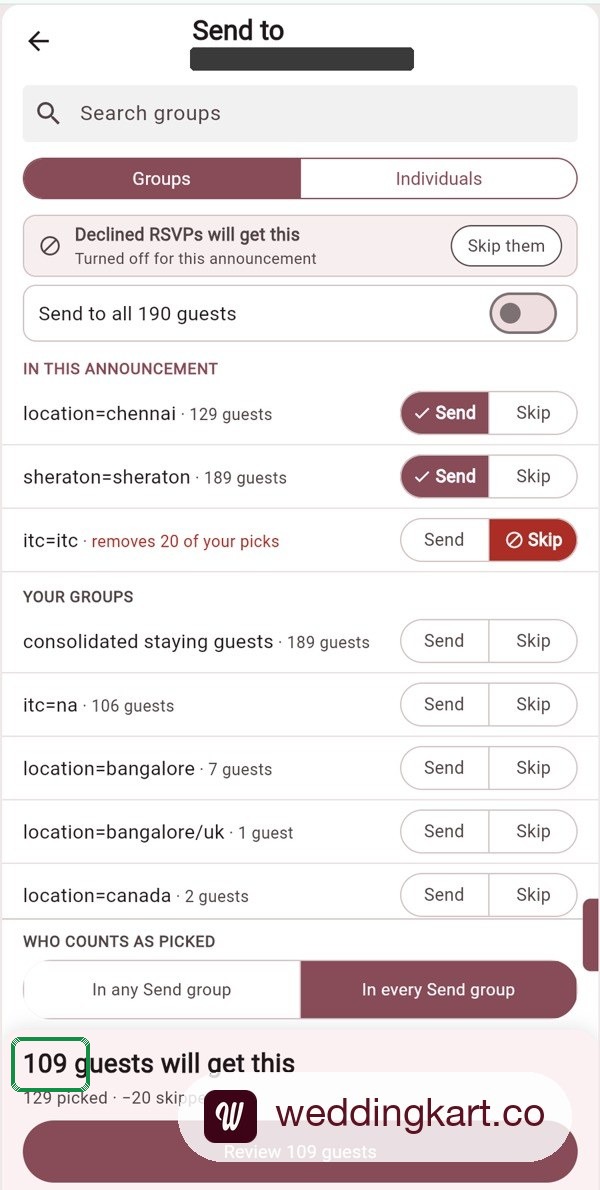
The sheet, filtered to Chennai with the ITC column blank or “NA“, showed 110 rows. Both numbers were honest. They were counting slightly different lists, and nobody could see where.
What she asked Claude
Manvi uses Claude with two connectors switched on: Google Drive, so it can open her sheet, and Weddingkart, so it can read the live guest list. She pasted the sheet link, attached screenshots of both screens, and asked one plain question: who is missing?
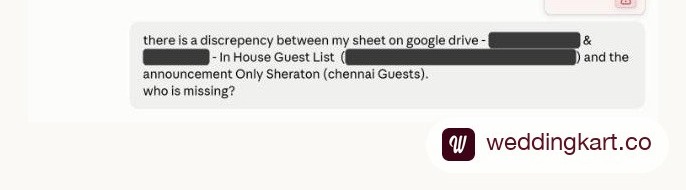
Notice what she didn’t do. No formulas, no VLOOKUP, no exporting a CSV from the app. She named the sheet, named the announcement, and showed the two numbers that disagreed.
What Claude found
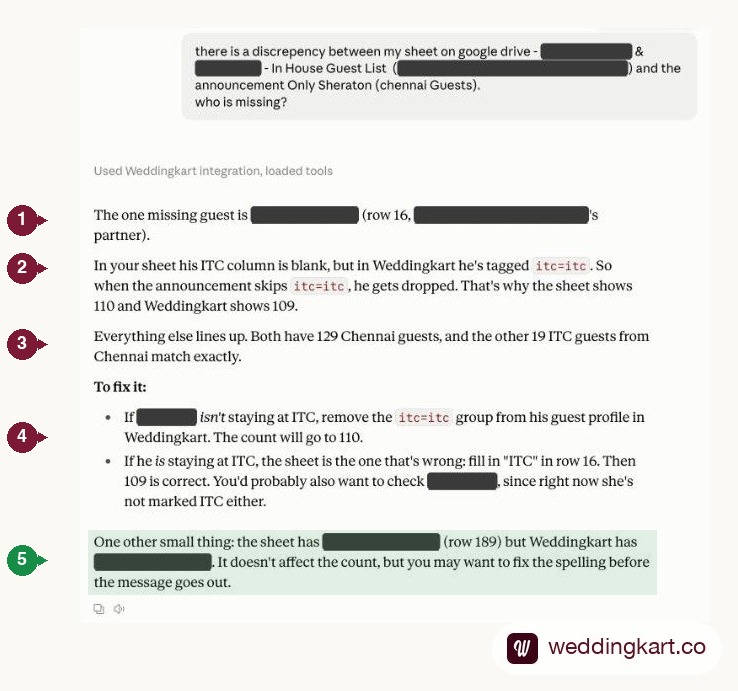
- It named the guest, and the row. Not “there is a difference” — the actual person, at row 16, so there was nothing left to hunt for.
- It explained why. His hotel cell was blank in the sheet, but in Weddingkart he was still tagged
itc=itc. The announcement skips that group, so he dropped out. That is the whole 110-versus-109. - It proved the rest matched. Both sides had 129 Chennai guests, and the other 19 tagged ITC lined up exactly — so the one difference could be trusted as the only difference.
- It gave both fixes, without guessing. If he is not staying at ITC, drop the tag in the app. If he is, the sheet is the one that is wrong. Only the planner knows which, so Claude did not pick for her.
- It found a second problem nobody asked about. A guest’s surname was spelled one way in the sheet and another in the app. It changed no count, which is exactly why it was invisible — and it would have gone out inside a personalised message.
We had run the same check earlier that day the long way, by pulling both lists and matching every phone number. Same guest. Claude got there from a chat window, and it spotted the spelling mismatch that our own check missed.
Why a sheet and an app drift apart
Nobody really made a mistake here. The sheet is a living document; the import is a snapshot of it. Someone clears a cell on Tuesday because a booking changed, and the app still remembers Monday. Multiply that by 190 guests, two hotels and three people editing, and a one-guest gap is close to inevitable.
Two habits help. Treat the app as the list that sends and the sheet as the list that plans, and when the sheet changes, change that guest in the app the same day. And when the numbers don’t match, don’t hunt by eye. Ask for the difference.
One quirk worked in Manvi’s favour. A guest’s city had been typed “CHennai“. A sheet filter shows that as its own value; Weddingkart ignores capitalisation, so that guest still landed in the Chennai group. If you are moving a planning sheet into groups for the first time, this walkthrough covers the other traps.
How to ask Claude the same thing
- Connect Weddingkart to Claude: Customize, then Connectors, then Add custom connector. Paste
https://mcp.weddingkart.co/mcpand sign in with the phone number you use in Weddingkart. Step-by-step screenshots are on our Claude and ChatGPT page. - Switch on the Google Drive connector too, if your list lives in Google Sheets.
- In a new chat, name both sides: paste the sheet link, and give the announcement or group name exactly as it appears in Weddingkart.
- Attach screenshots of the two numbers that disagree. They show Claude which filters you used.
- Ask one plain question: “Who is missing?“ or “Which guests are in one list and not the other?“
Manvi’s first attempt was a one-liner. The answer got sharp when she wrote the question out in full sentences, with the link and screenshots attached. That is the whole trick: the more of your setup Claude can see, the less it has to guess.
What the connector can and can’t do
- It reads your weddings, guests, groups, RSVPs, events and travel.
- It shows only what your role sees in the Weddingkart app: admin, member or view-only.
- It cannot send WhatsApp messages, edit guests or spend credits. The fix here, removing one tag, Manvi made herself in the app.
- It works in ChatGPT too, with the same connector address.
Try it on your own list
If your guest list lives in a sheet and your sends live in Weddingkart, connect the two in Claude once and let it do the matching. Setup takes about two minutes at weddingkart.co/ai. New to Weddingkart? Start here.
Tools referenced in this post
Try Weddingkart for your wedding
Guest lists, WhatsApp invites, RSVPs, countdowns and more - the AI layer for Indian weddings.
Related reading
Frequently Asked Questions
Can Claude compare my Google Sheet with my Weddingkart guest list?
Yes, when both the Google Drive connector and the Weddingkart connector are on in the same chat. Give it the sheet link and say which announcement, group or filter to compare against.
Can Claude change my guest list?
No. The Weddingkart connector is read-only. Claude tells you what to change; you change it in the app.
What is a Claude connector?
A connector lets Claude read from another service while you chat. Weddingkart's connector uses MCP, the open standard that both Claude and ChatGPT support, so you add it once with a web address and sign in.
Does it work with ChatGPT?
Yes. In ChatGPT, open Plugins, click Add, then Create custom MCP server, and paste the same address. Full steps are on the setup page.
Does it cost extra?
The connector is included with Weddingkart. Your Claude or ChatGPT plan is billed separately by that provider.
Will Claude see my guests' phone numbers?
Only when a question needs them, and only for weddings your role can see in the app.
Was this article helpful?
Share
By Weddingkart TeamLast updated