
Weddingkart's 4 Ways to Message Wedding Guests
Last updated:
Quick Answer
How does Weddingkart send messages to wedding guests?
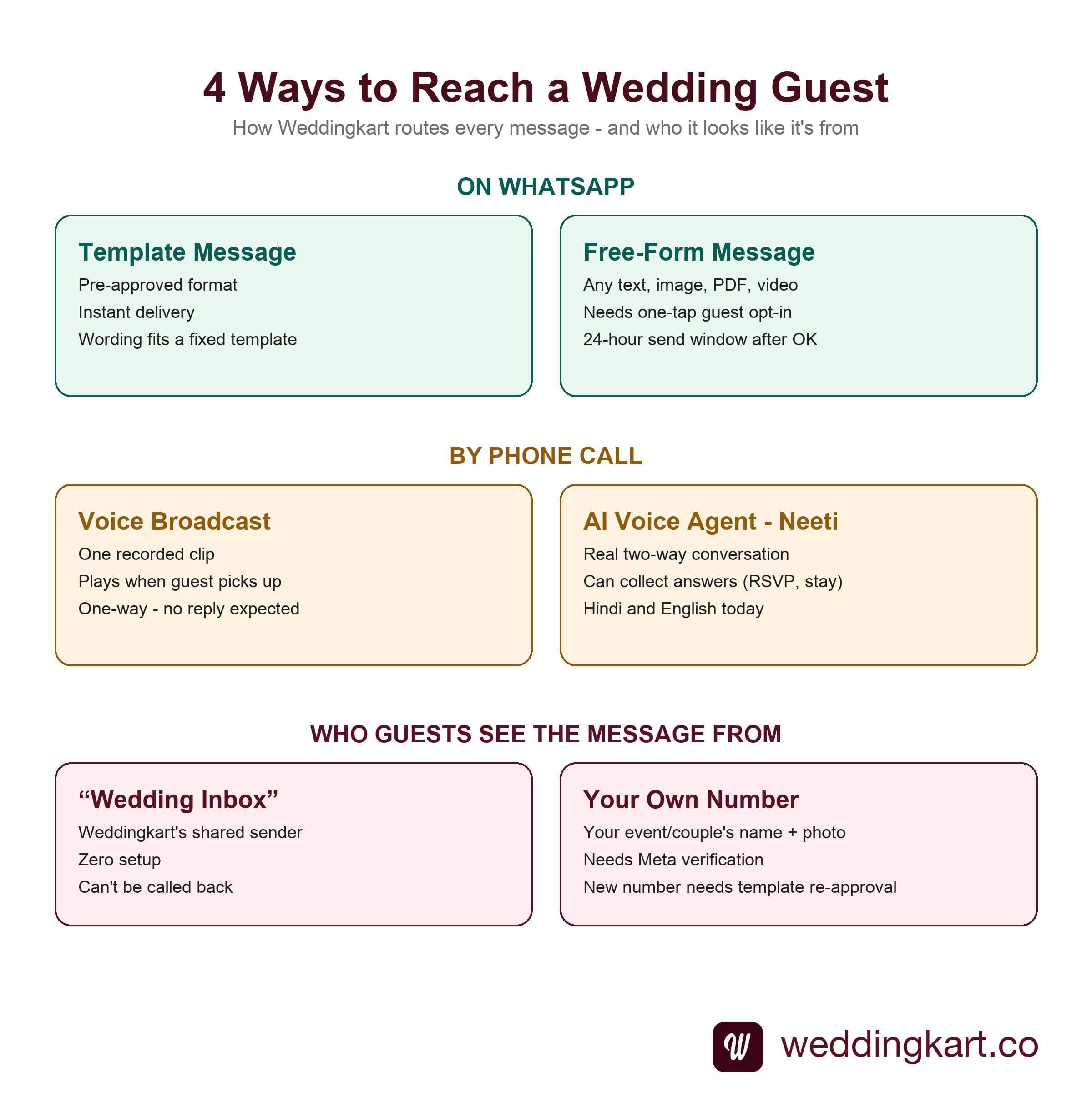
Four channels, chosen per message rather than per wedding: WhatsApp template messages for instant, pre-approved sends; WhatsApp free-form messages for anything a template can't hold, unlocked by a one-tap guest opt-in; a voice broadcast that plays a recorded clip to every guest who picks up; and Neeti, an AI voice agent that has a real phone conversation and can collect information, not just deliver it. Messages can come from Weddingkart's own shared sender or from your own verified WhatsApp Business number.
Last updated:
Most guides to "WhatsApp wedding invites" stop at one channel. Weddingkart runs four, because a 600-guest Indian wedding doesn't have one kind of guest - it has a 24-year-old cousin who reads every message the second it lands, and a 72-year-old great-aunt who has never once tapped an RSVP button in her life. Here's exactly how each channel works, the real tradeoff behind each one, and which one we'd reach for first.
Two ways to send on WhatsApp
Both run through the official WhatsApp Business API - never a personal number, never browser automation. The difference is what WhatsApp's own policy allows before you've heard back from the guest.
WhatsApp - Template messages
Hundreds of pre-approved formats. Instant delivery, no opt-in needed.
Templates are Meta-approved message shapes - a fixed skeleton ("You're invited to [event] on [date] at [venue]") with variable fields you fill per guest. Because Meta has already cleared the format, the message can be sent cold, to any guest, the moment you hit send. The tradeoff is fit: your exact wording sometimes needs to be massaged to sit inside an approved template rather than typed exactly as you'd write it by hand.
Use it for: Save-the-dates, formal invites, RSVP nudges, day-of logistics - anything time-sensitive that can't wait on an opt-in tap.
WhatsApp AnnouncementsWhatsApp - Free-form messages
Any text, image, PDF, or video - after a one-tap opt-in.
Free-form has none of the template's wording restrictions - write exactly what you mean, attach exactly the file you have. The catch is permission: WhatsApp requires it before any unstructured content can land. Weddingkart automates the ask as a short prompt - "there's an update for [couple]'s wedding" with OK and STOP buttons. One tap on OK opens a 24-hour window in which the real message sends immediately.
Use it for: A wardrobe-planner PDF, a full-resolution video invite, a long personal note - anything a template's fixed fields can't hold.
WhatsApp AnnouncementsWhat the opt-in actually looks like
Before a free-form message can send, the guest gets one short prompt: something like "There's an update for Priya & Rohan's wedding", with two buttons - OK and STOP. A tap on OK opens a 24-hour window in which the actual message - the wardrobe PDF, the video invite, the freely-worded note - delivers immediately. No form, no separate app, one tap.
This isn't Weddingkart being cautious for its own sake - it's WhatsApp's policy for every business sender on the platform. Templates get pre-cleared by Meta so they can skip this step; anything outside a template can't.
Two ways to call a guest
Not every guest lives on WhatsApp. A phone call still reaches the great-aunt who doesn't use messaging apps, and the two options here differ in one important way: whether the call is a delivery or a conversation.
Voice broadcast
Record once. Every guest who picks up hears the same clip.
Upload or record a short audio clip - the bride's father inviting a guest personally, a baraat-timing change, a thank-you after the wedding - choose the guest list, and Weddingkart calls each one and plays it. It's deliberately one-way: no reply is expected or possible mid-call. Works on any phone, WhatsApp or not, which makes it the reliable channel for guests who don't use messaging apps at all.
Use it for: Elder relatives, a personal touch from the family, or any announcement that genuinely doesn't need a response.
Voice Call BroadcastsAI voice agent (Neeti)
A real phone conversation - hand it a task, it talks and listens.
Neeti calls the guest and has an actual back-and-forth in natural language, in 40+ languages, including 12 Indian languages. Give her any task: deliver information, or - more often - collect it. "Ask everyone on the groom's side whether they need a hotel room" turns into 200 real phone calls, each one a genuine conversation, with the answer written straight into the guest's record.
Use it for: The non-responder bucket two weeks out, open-ended questions a button can't capture (dietary needs, stay preference), or any guest who won't reply to text.
AI Voice AgentNeeti's conversations aren't scripted IVR menus - she can handle a genuine follow-up ("wait, is the Sangeet in Delhi or Udaipur?") on the same call. Read the full walkthrough in Collect 500 RSVPs in 30 Minutes.
Two ways guests see who's messaging them
Independent of which of the four channels you use, there's a separate choice: whose number and name appears to the guest.
Weddingkart's shared sender
The default. Zero setup.
Every message sends from Weddingkart's own verified number. Guests see a WhatsApp channel named "Wedding Invite" - recognisable, compliant, and never at risk of the number itself being blocked mid-campaign. The one thing you give up is branding: guests see "Wedding Invite," not your company's name, and the number cannot be called back.
Your own WhatsApp Business number
Your name and photo. Some setup, some caveats.
Connect your own WhatsApp Business number and take it through Meta's verification. Once approved, guests see your event company's registered name as the channel - the name has to match your business, but you can still add the couple's photo. All sending still happens inside the Weddingkart app rather than on a separate device tied to that number. Free-form messages work on the new number right away - only template messages need Meta to re-approve them first, so budget a few days for that step before you can send templates from it, not the week of the wedding.
Our honest take: start on the shared sender. It's live in minutes and most guests never notice or care that the channel says "Wedding Invite" rather than your event company's name. Only take on your own number when a specific reason justifies the Meta approval lead time - an event management company running dozens of weddings under one brand, for instance, where the channel name is part of the client-facing product. Doing it "just because it sounds more official" for a single wedding is lead time you don't get back in the week before the event.
All four channels, side by side
| Channel | Guest reply? | Content freedom | Setup before first send |
|---|---|---|---|
| WhatsApp template | Yes, freely | Fixed fields, fast fit | None - send immediately |
| WhatsApp free-form | Yes, freely | Any text/image/PDF/video | One-tap opt-in (24h window) |
| Voice broadcast | No - one-way | One recorded clip | None - record/upload and send |
| AI voice agent (Neeti) | Yes - live conversation | Any task you script | None - define the goal and send |
Frequently asked questions
What are the four ways Weddingkart can message a wedding guest?+
Two run over WhatsApp - template messages (pre-approved formats, instant delivery) and free-form messages (any text, image, PDF, or video, but only after the guest opts in). Two run over a phone call - voice broadcasts (a recorded clip played to every guest who picks up) and the AI voice agent (a real, two-way spoken conversation that can collect information, not just deliver it).
Why do I need guest permission for a free-form WhatsApp message?+
WhatsApp's own policy requires it. Templates get pre-approval from Meta, so they can be sent cold. Free-form content has no such approval, so WhatsApp requires the business to first get an explicit signal from the guest - a tap on a button - before anything unstructured can be delivered. Weddingkart automates that ask as a single "there's an update for the [couple]'s wedding, OK to send it?" prompt.
Do I have to choose one channel for the whole wedding?+
No. Most weddings mix all four: templates for the save-the-date and formal invite, free-form for a wardrobe PDF or a video the template can't hold, a voice broadcast for the elders who don't reply to text, and the AI voice agent for the non-responder bucket two weeks out. The right channel is a per-message decision, not a wedding-wide one.
What is the difference between the two voice options?+
A voice broadcast is one-way on purpose - you record or upload a clip, it plays when the guest picks up, and the call ends. The AI voice agent is a real conversation - it can ask a question, wait for the answer, handle a follow-up, and write the result (an RSVP, a headcount, a stay preference) straight into the guest's record.
More questions answered on the full Weddingkart FAQ. And even on the official platform, delivery isn't guaranteed for every guest - see why some WhatsApp sends still fail even on the official platform.
Try all four channels on 50 free credits
Import a small guest list, send a template message, try a free-form PDF, and see the delivery dashboard update per guest - before committing to a plan.
By Mayank JaiswalLast updated
Was this article helpful?
Share