
Quick Answer
What should you send wedding guests, and when?
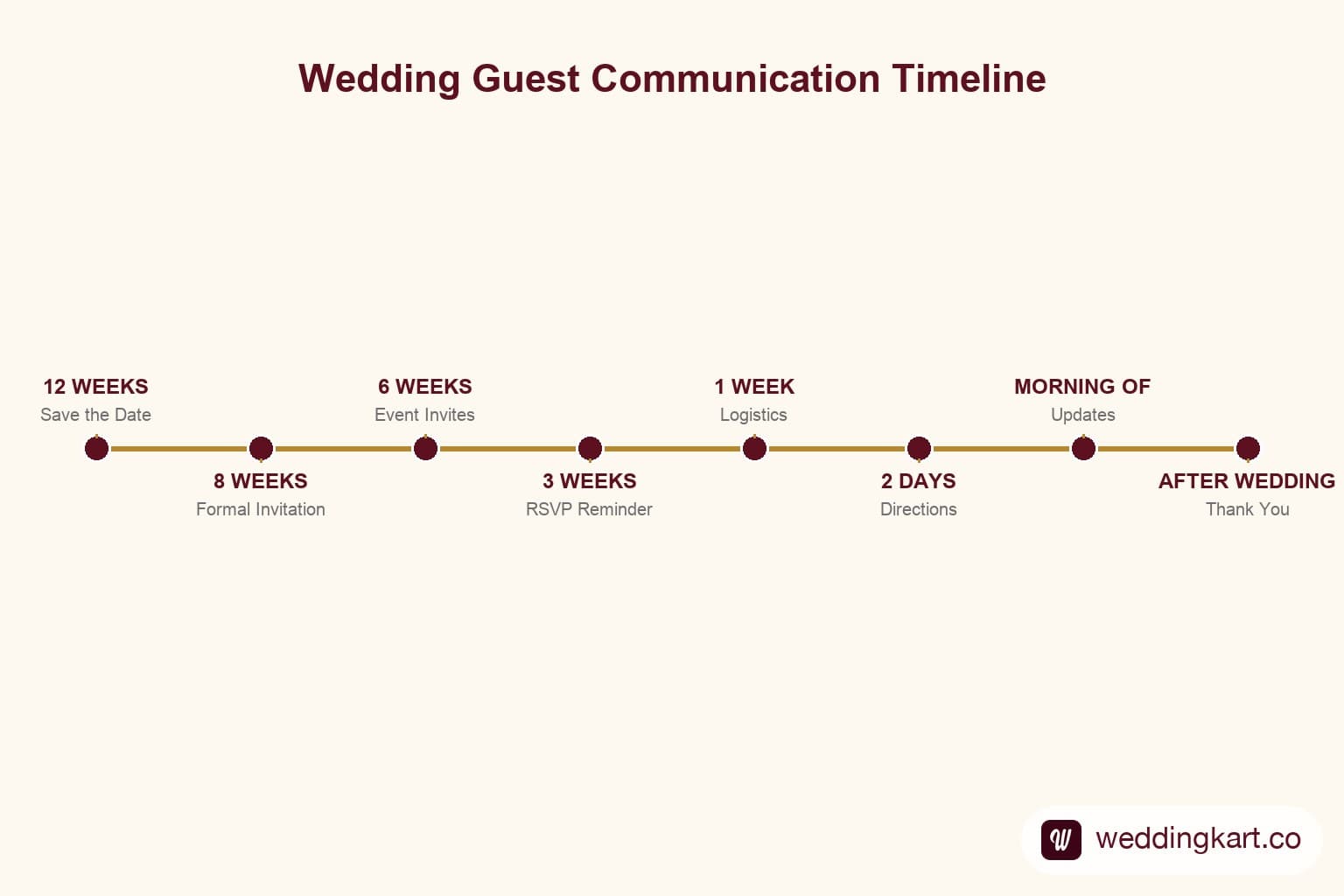
Run an 8-stage timeline: Save the Date (12 weeks out, date and city only), Formal Invitation (8 weeks, full event details), Event-Specific Invitations (6 weeks, per-event dress code and logistics), RSVP Reminder (3 weeks, only to non-responders), Final Confirmation & Venue Details (1 week), Logistics & Directions (2 days, mainly for outstation guests), Morning-of Timing Updates, and a Thank You message within 48–72 hours after. Send each stage only to the guest segment it applies to — not your whole list every time — and collect RSVPs via WhatsApp rather than forms, since WhatsApp consistently gets 3–4x higher response rates.
Last updated:
8
stages in the complete communication timeline
12 weeks
before the wedding the Save the Date goes out
3–4x
higher response rate on WhatsApp vs. forms
2
RSVP reminders max — a third reads as nagging
Last updated:
All PostsComplete Wedding Communication Timeline: What to Send Guests & When
A 12-week guest communication timeline with ready-to-use templates for every stage — from Save the Date to thank-you
Picture the typical Indian wedding communication strategy: one WhatsApp forward of the invitation two weeks before the wedding, followed by 50 panicked individual messages with venue directions the night before. Then silence — until a guest calls to ask where to park.
This reactive approach is both stressful for the host and frustrating for the guest. Guests who do not know when to expect communication, what events to attend, or how to find the venue arrive late, confused, or not at all.
A structured communication timeline transforms this completely. When you know exactly what to send, when to send it, and to whom, you can plan your entire guest communication strategy in one sitting — and then automate most of it. This guide gives you that timeline, complete with message templates for every stage.
Why Communication Is the Most Underrated Part of Wedding Planning
Most wedding planning checklists cover vendors, venues, and attire in exhaustive detail. Guest communication gets a single line: 'Send invitations.' But for a 400–600 guest Gujarati wedding with six to eight events, guest communication is an operational challenge on par with catering and decoration.
Done well, it creates a guest experience where everyone feels informed, respected, and excited. Done poorly, it creates 200 individual WhatsApp queries to answer the week before your wedding — exactly when you need to be focusing on everything else.
The structured timeline below is built around a Gujarati multi-event wedding, but the logic applies to any large Indian wedding. Each stage includes what to send, to whom, the right tone, and a ready-to-use template.
The Complete 12-Week Guest Communication Timeline
12 Weeks Before — Save the Date
Purpose: Alert guests to block their calendar. Details are secondary at this stage.
What to send: Date and city only. No venue details yet (those often change). No event-by-event breakdown. Just the wedding date and the city.
Who receives it: Your entire guest list — everyone you are considering inviting to any event.
Tone: Excited and warm. This is good news. Let the tone reflect that.
Template
"Dear [Name] — We have some wonderful news. [Bride] & [Groom] are getting married! Save the date: [Month & Year 2026] in Ahmedabad. Formal invitations coming your way soon. Cannot wait to celebrate with you! With love, [Family Name]"
For more Save the Date template options: Creative Save the Date WhatsApp Messages (Templates).
8 Weeks Before — Formal Invitations
Purpose: The official invitation, including all the events the guest is being invited to.
What to send: Personalised invitation with event names, dates, times, and venue details. Attach a Kankotri PDF or video if you have one. Include the RSVP request.
Who receives it: Your segmented event lists. Each guest receives invitations only for the events they are attending.
Tone: Formal and warm. This is the official invitation — it should feel respectful and personal.
Template
"Dear [Name], with the blessings of the almighty and the love of our families, we joyfully invite you to celebrate the wedding of [Bride] & [Groom]. [Event 1]: [Date], [Time], [Venue] [Event 2]: [Date], [Time], [Venue] Google Maps: [link] Kindly confirm your attendance by replying to this message. We look forward to celebrating with you. With warm regards, [Family Name]"
For full invitation templates including Gujarati-script options, see: How to Send Gujarati Wedding Invitations via WhatsApp to 500+ Guests.
6 Weeks Before — Event-Specific Invitations
Purpose: Send detailed, separate invitations for each specific event (Garba Night, Mehendi, etc.) to the relevant sub-lists.
What to send: Event-specific details — including dress code, what to expect, and any special requirements (e.g., Garba Night: wear comfortable footwear for dancing; Reception: formal dress code).
Who receives it: The per-event sub-lists only. Garba Night guests get a Garba invitation. Mehendi guests get a Mehendi invitation.
Template
"Dear [Name] — Garba Night is almost here, and we cannot wait to dance with you! All the details: 💃 Garba Night 📅 [Day, Date] 🕖 7:30 PM (dancing starts at 9 PM) 📍 [Venue], [Address] 🗺 Maps: [link] 👗 Dress Code: Chaniya Choli / Kediyu — the more traditional, the better! Reply 'Yes' to confirm your spot. See you on the dance floor! [Family Name]"
3 Weeks Before — RSVP Reminder
Purpose: Nudge non-responders to confirm.
What to send: A brief, polite reminder to those who have not yet responded to the invitation. Do not send this to guests who have already confirmed.
Tone: Gentle and warm — not pressuring. Frame it as wanting to make sure you have their spot ready.
Template
"Dear [Name] — We are getting close to [Event Name] and would love to confirm your spot! Could you let us know if you will be joining us? Simply reply 'Yes' to confirm or 'Sorry, cannot make it' if you are unable to. No pressure either way — we just want to make sure we have you accounted for. With love, [Family Name]"
Still No Reply? The Polite Escalation Workflow
A fixed number of nudges, then stop — that's the whole workflow. Send this same RSVP reminder once (not on a loop). If there's still no reply 3-4 days before the event, send one final, more direct message only to the remaining non-responders:
Template
"Dear [Name] — We are finalising our guest list for [Event Name] on [Date] and would love to know if we should save you a spot. Please reply by [cutoff date/time] so we can plan seating and catering accurately. Hope to see you there! [Family Name]"
If that second message also goes unanswered, don't send a third WhatsApp - it reads as nagging. Instead, have the host or whichever family member added the guest make one phone call. A call from a relative signals care; a third automated-feeling text from the couple usually doesn't.
The tone should also shift by who you're nudging. An elderly relative or your parents' generation expects the respectful aap register and, ideally, the second nudge routed through whichever parent added them rather than a direct message from the couple. A close friend or cousin can get a one-line casual nudge and rarely needs a second message at all. A colleague or distant relative should get both written reminders kept formal, with the phone-call step skipped entirely - a personal call from someone they don't know well can land as intrusive rather than caring.
Set a hard cutoff 24-48 hours before your caterer's final headcount is due, and default anyone still unconfirmed to "not attending" for catering purposes - you can seat a surprise arrival on the day, but you can't un-cook a meal that was never ordered.
1 Week Before — Final Confirmation & Venue Details
Purpose: Share practical logistics with confirmed guests.
What to send: Venue address with a fresh Google Maps link, parking instructions, entry gate details, timing reminders, and dress code refresher. This is a logistics message — keep it clear and scannable.
Template
"Dear [Name] — [Event Name] is one week away and we are so excited to see you! Here are all the details you need: 📍 Venue: [Venue Name], [Full Address] 🗺 Google Maps: [link] 🅿 Parking: [Parking instructions] 🚪 Entry Gate: [Gate number/direction] ⏰ Doors Open: [Time] | Ceremony Begins: [Time] 👗 Dress Code: [Dress code] Any questions, reach us at [contact number]. Cannot wait to celebrate with you! [Family Name]"
2 Days Before — Logistics & Directions
Purpose: Final reminder for guests attending imminent events.
What to send: A brief, practical message with the day-before logistics — mainly for outstation guests who may be travelling. Include hotel check-in details if you have arranged accommodation, transport pickup timings, and a reiteration of the venue pin.
Template
"Dear [Name] — So glad you are making it to Ahmedabad for [Event Name]! Here is what you need to know: 🏨 Hotel: [Hotel Name] — check-in from [Time] 🚌 Transport: [Pickup point and time, if applicable] 📍 Venue: [Address] | Maps: [link] 📞 Day-of contact: [Name & Number] See you soon! [Family Name]"
Morning of Event — Timing Updates
Purpose: Real-time reminder for guests attending that day.
What to send: A brief morning message to all confirmed guests for that event. This is the message that prevents late arrivals and lost guests. Include the ceremony start time, key entry point, and a live-share maps link if possible.
Template
"Good morning [Name]! Today is the day 🌸 A quick reminder: ⏰ [Event Name] begins at [Time] sharp 📍 [Venue Name], [Address] | Maps: [link] 🚗 [Parking / Valet note] We cannot wait to see you. Drive safe! [Family Name]"
For scheduling these messages to send automatically, see: How to Schedule Wedding Announcements on WhatsApp — And Never Miss a Message.
After the Wedding — Thank You Messages
Purpose: Close the loop with warmth and gratitude.
What to send: A personalised thank-you message within 48–72 hours of the final event. Mention the event they attended. If you can include a wedding photo, even better.
Template
"Dear [Name] — We are still glowing from the most beautiful days of our lives. Thank you so much for being with us to celebrate [Bride] & [Groom]'s wedding. Your presence, love, and blessings meant everything to us. We look forward to many more celebrations together. With gratitude and love, [Family Name]"
Message Templates for Each Stage
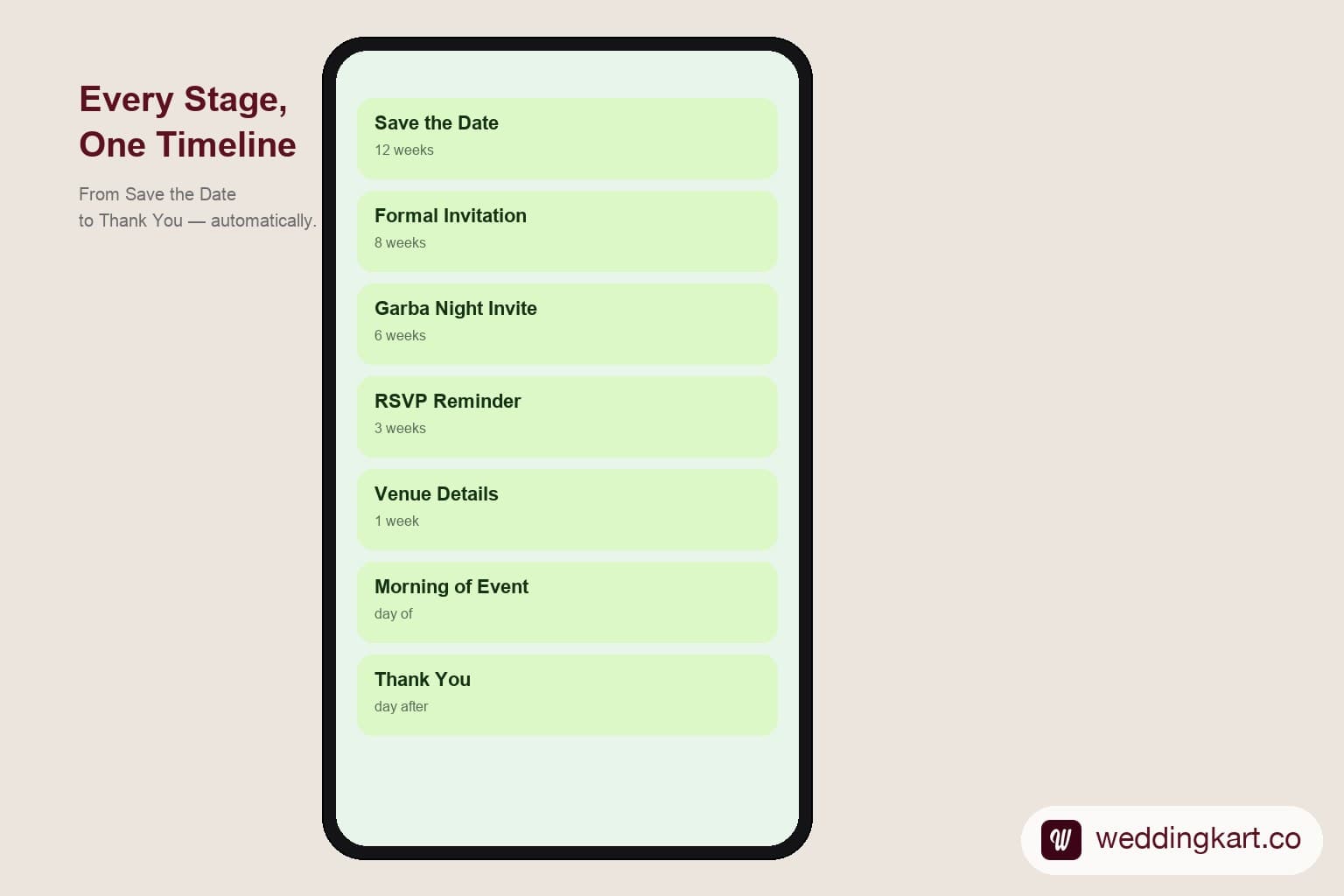
All templates above are written for WhatsApp delivery and are designed to be sent as personalised messages (with the guest's name merged in). If you are using a platform like Weddingkart, you can upload all these templates, assign them to the relevant stage, and schedule them to deploy automatically at the right time.
Managing Communication Across Different Guest Segments
Not all your guests should receive all your messages. Your communication strategy needs to account for these distinct segments:
| Guest Segment | Communication Approach |
|---|---|
| Immediate family (both sides) | All 8 stages. Personal tone. Phone calls for major updates. |
| Extended family | Stages 1, 2, 3, 5, 6, 7, 8. Semi-formal WhatsApp. |
| Friends (college, workplace) | Stages 1, 2 (event-specific), 4, 5, 6, 8. |
| Business contacts | Stages 2 (Reception invite only), 5, 8. |
| Outstation guests | All stages, plus extra logistics updates (hotel, transport). |
| Elderly guests | Stages 1, 2, 5, and personal phone calls at stages 4 and 6. |
How to Automate This Entire Timeline
The challenge with a structured communication timeline is execution. Manually sending personalised WhatsApp messages to 500 guests across 8 stages is hundreds of hours of work — and the risk of sending the wrong message to the wrong guest at the wrong time is high when done manually.
Weddingkart allows you to pre-schedule this entire communication timeline. Here is how it works:
- Upload your segmented guest list with event assignments
- Set up each message template with personalisation variables (guest name, event details)
- Schedule each message to send on the correct date, to the correct guest segment
- Weddingkart sends each message via WhatsApp Business API — personalised, on time, automatically
- Delivery and read tracking happen in real time — you know exactly who received and read each message
- RSVP responses are tracked automatically — no manual chase needed
For destination weddings that require an extended communication window, see: Destination Wedding Communication: A Planner's Timeline.
💌 Set it up once. It runs itself.
Weddingkart lets you pre-schedule every message in this timeline — from Save the Date to Thank You — to go out automatically on the right date, to the right guests, with their names personalised.
See How Weddingkart Works →By Mayank JaiswalLast updated
Was this article helpful?
Share