
Quick Answer
How do WhatsApp Business API webhooks work?
You host an HTTPS endpoint and register it with Meta. Meta first verifies it with a GET carrying hub.mode, hub.verify_token and hub.challenge, which you must echo back. After that, Meta POSTs JSON to it whenever something happens - an inbound message from a person, or a status update on a message you sent. Every POST is signed with an X-Hub-Signature-256 header you should verify against your app secret. Your endpoint must return 200 quickly; if it is slow or errors, Meta retries, and those retries can pile up faster than your server drains them.
Last updated:
How WhatsApp Webhooks Actually Work
Sending on WhatsApp is the easy half. A successful POST to Meta means only that your message was accepted for delivery - it says nothing about whether it arrived, whether anyone read it, or whether the recipient replied. All of that comes back to you later, as HTTP callbacks to an endpoint you host.
Webhooks are where most WhatsApp integrations quietly go wrong, because they mostly work in development and then behave differently under real load.
Registration: the handshake nobody remembers
Before Meta sends you anything, it verifies you own the endpoint. It issues a GET request with three query parameters: hub.mode, hub.verify_token and hub.challenge.
Your job is to check that hub.verify_token matches the token you configured, then respond 200 with the raw value of hub.challenge as the entire body. Not wrapped in JSON. Not with a trailing newline your framework helpfully added. The raw string.
Verification failing silently is the single most common reason a new integration receives nothing at all. Meta will not retry it on a schedule and there is no alert - the endpoint simply never becomes active.
The payload is nested deeper than you expect
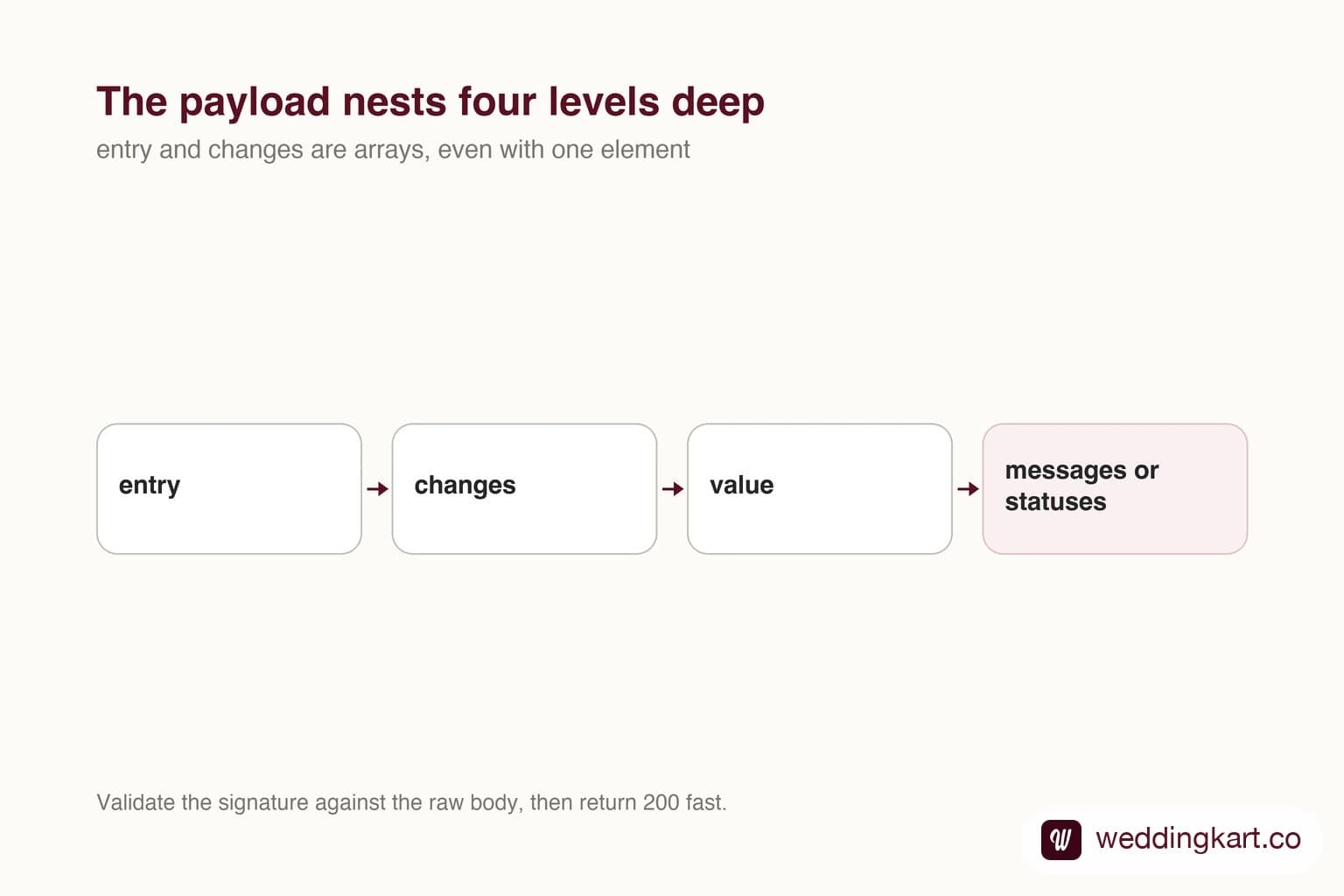
Once active, Meta POSTs JSON. Everything of value sits four levels down, and every level is an array.
{
  "object": "whatsapp_business_account",
  "entry": [{
    "id": "<WABA_ID>",
    "changes": [{
      "field": "messages",
      "value": {
        "messaging_product": "whatsapp",
        "metadata": {
          "display_phone_number": "918828210065",
          "phone_number_id": "<PHONE_NUMBER_ID>"
        },
        "statuses": [{
          "id": "wamid.HBgMOTE...",
          "status": "delivered",
          "timestamp": "1757318400",
          "recipient_id": "919876543210"
        }]
      }
    }]
  }]
}
Two fields inside value matter. messages carries inbound messages from people. statuses carries updates on messages you sent. A single POST can contain several of either, and it can contain both.
Write the parser defensively. entry and changes are arrays even when they almost always have one element, and code that indexes [0] will drop events the day Meta batches two together. That day arrives during your busiest hour, not your quietest.
Verify the signature, and verify it against the raw body
Every POST carries an X-Hub-Signature-256 header: an HMAC SHA-256 of the request body, keyed with your app secret, prefixed sha256=. Your endpoint is a public URL that accepts JSON and mutates your data. Verify it.
The detail that costs people an afternoon: it must be the raw bytes as received. Most web frameworks parse JSON before your handler runs, and if you re-serialise that parsed object to compute the hash, key ordering and whitespace will differ from what Meta signed. The signature will never match and the error tells you nothing useful. Capture the raw body before parsing.
If you run more than one Meta app against a single endpoint, note that each app signs with its own secret. A setup that only knows the primary secret will reject every callback from the second app as unauthorised - which looks, from the outside, exactly like a broken integration rather than a configuration gap.
Acknowledge fast, process later
This is the piece of advice that gets ignored until it causes an outage, so here is ours.
Meta expects a prompt 200. If your handler does real work first - writing rows, resolving a guest, firing a notification - you are holding the connection open while Meta waits. Meta does not wait indefinitely. It abandons the request and retries.
We learned the shape of this the expensive way. Our API ran a small pool of synchronous workers, and a burst of inbound replies arrived faster than they drained. Response times climbed past twenty seconds, at which point Meta began abandoning callbacks mid-request - and then retrying them. The retries joined the same queue as the originals. A traffic spike that should have caused slowness instead caused a compounding backlog and an outage that lasted thirteen minutes.
The fix is architectural, not a tuning parameter. Validate the signature, push the payload onto a queue, return 200. Do the actual work in a background worker. A webhook handler should be one of the least interesting pieces of code you own.
At least once, not exactly once
Because Meta retries, you will receive duplicates. Not occasionally - routinely, whenever the network hiccups or your server takes a moment too long.
Deduplicate on the WhatsApp message id, the wamid. string. It is stable across retries. Anything that has a side effect - sending a reply, deducting a credit, notifying a human - must be idempotent against it, or your users will get double replies during exactly the incidents where they are already unhappy.
Ordering is not guaranteed either
A message’s status normally progresses sent → delivered → read. The callbacks announcing those transitions do not reliably arrive in that order. Receiving delivered before sent is unremarkable.
So never let an arriving status blindly overwrite the stored one. Compare the payload’s timestamp, or rank the statuses and only ever move forward. Systems that write whatever arrived last will show messages flipping back from read to sent, and nobody will trust the dashboard again.
Absence of an event is not evidence of failure
The most common misreading of webhook data is treating a missing read status as a problem. If the recipient has read receipts disabled, that event will never exist - the message was read, and you will simply never know.
Design the user-facing language accordingly. “Delivered” is a fact. “Read” is a fact. “Not read” is an assumption, and presenting it as a failure generates support conversations you cannot resolve. We spell out how we present this distinction to non-technical users in our delivery tracking write-up.
A short checklist
- Echo
hub.challengeraw, and confirm the endpoint actually went active - Subscribe the business account to the fields you need, not just the app
- Capture the raw body before parsing, and verify
X-Hub-Signature-256 - Return 200 in milliseconds; queue the work
- Deduplicate on
wamid. - Order statuses by payload timestamp, never by arrival
- Alert on a drop in webhook volume, not only on errors - silence is the failure mode that hides
That last one is worth more than the rest combined. A webhook integration rarely fails loudly. It stops receiving, everything looks calm, and you find out from a customer three days later.
Tools referenced in this post
Try Weddingkart for your wedding
Guest lists, WhatsApp invites, RSVPs, countdowns and more - the AI layer for Indian weddings.
Call our AI assistant, any time: +91 92409 54071
Related reading
Frequently Asked Questions
Why is my WhatsApp webhook not receiving anything?
Work through four things in order. First, did verification succeed - Meta will not send events to an endpoint that never echoed hub.challenge correctly. Second, are you subscribed to the right fields? Subscribing the app is not the same as subscribing the business account to the messages field. Third, is your endpoint publicly reachable over HTTPS with a valid certificate - self-signed will not work. Fourth, check whether you are returning a non-200; Meta backs off endpoints that keep failing.
How do I verify the X-Hub-Signature-256 header?
Compute an HMAC SHA-256 of the raw request body using your app secret, prefix it with "sha256=" and compare against the header using a constant-time comparison. The critical detail is that it must be the raw bytes as received. If your framework has already parsed the JSON and you re-serialise it to check the signature, key order and whitespace will differ and the hash will never match.
Does a WhatsApp read receipt always arrive?
No, and building on the assumption that it does causes a lot of false alarms. If the recipient has read receipts turned off, you will never receive a read status for them - delivered is the end of the line. Group messages behave differently too. Treat the absence of a read event as unknown, not as failure.
Are WhatsApp webhooks delivered in order?
Not guaranteed. It is entirely normal to receive a delivered status before the sent status for the same message, particularly under load or after a retry. Store the status timestamp from the payload rather than the time you received it, and never let an older status overwrite a newer one in your database.
Can one endpoint serve multiple WhatsApp apps?
Yes, but signature verification becomes the trap. Each Meta app has its own app secret, and a payload signed by app B will never validate against app A’s secret. If you serve several apps from one endpoint you need to hold every relevant secret and try them, or route by app before verifying. Configuring only the primary secret produces a confusing failure where all inbound traffic from the other app is rejected as unauthorised.
Was this article helpful?
Share
By Weddingkart TeamLast updated