
Quick Answer
Which access token should I use for the WhatsApp Business API?
Use a system user token. The temporary token shown in Meta's developer dashboard expires within about 24 hours and exists only for testing - shipping it is the most common reason a working integration stops overnight. A system user is a non-human account inside your business portfolio that holds long-lived credentials, and it is what production should authenticate with. Structurally, a Meta Business Portfolio owns your WhatsApp Business Account, which owns your phone numbers; permissions and tokens attach at the portfolio and system-user level, which is why who owns the portfolio matters more than any other setup decision.
Last updated:
WhatsApp API Access Tokens Explained
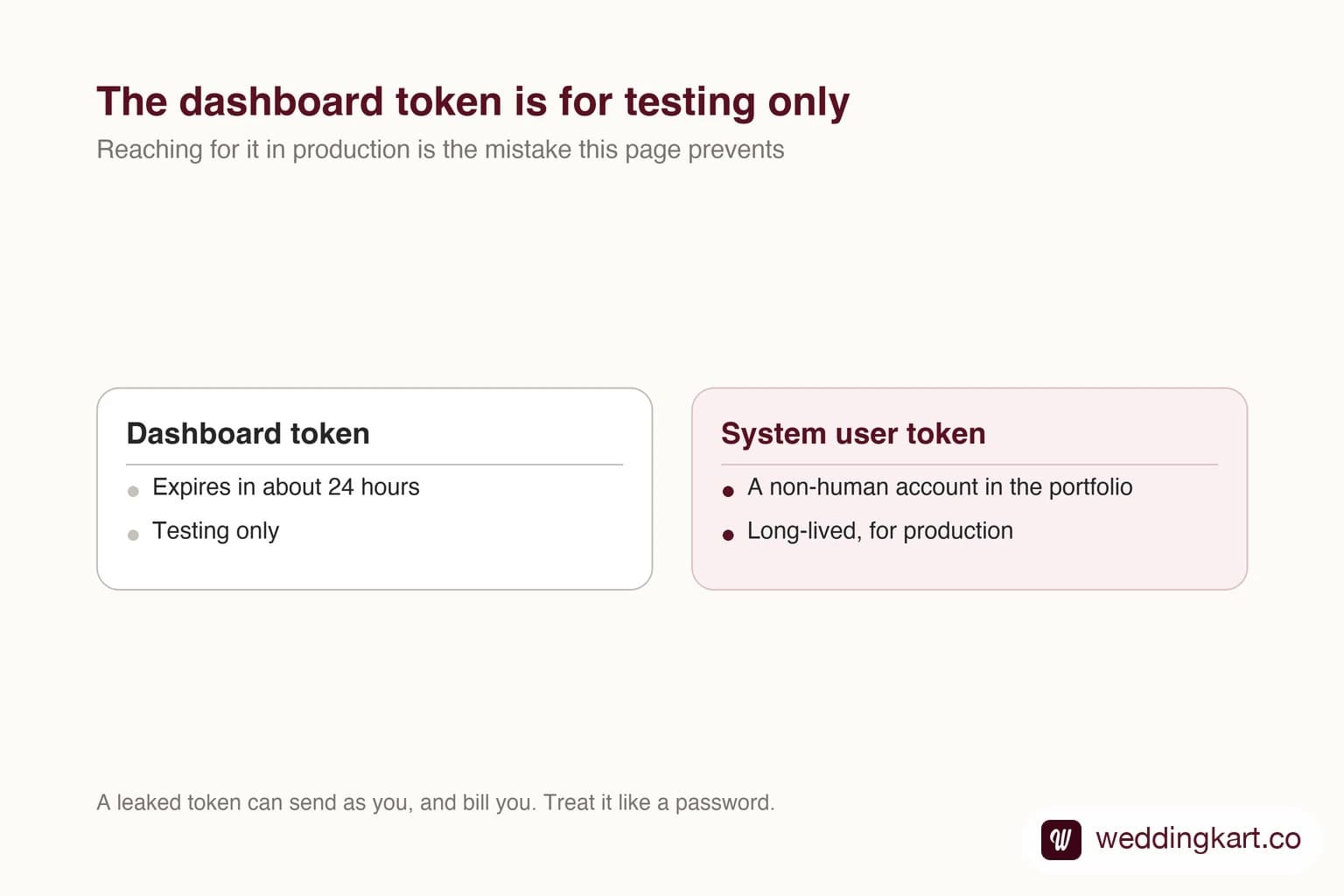
Almost every WhatsApp integration has the same first outage, and it happens about a day after the first successful message. Everything worked, nobody changed anything, and now every request returns an authentication error.
The cause is nearly always the same: someone shipped the token from the developer dashboard. It is right there, it works immediately, and it is explicitly temporary.
The hierarchy, because permissions follow it
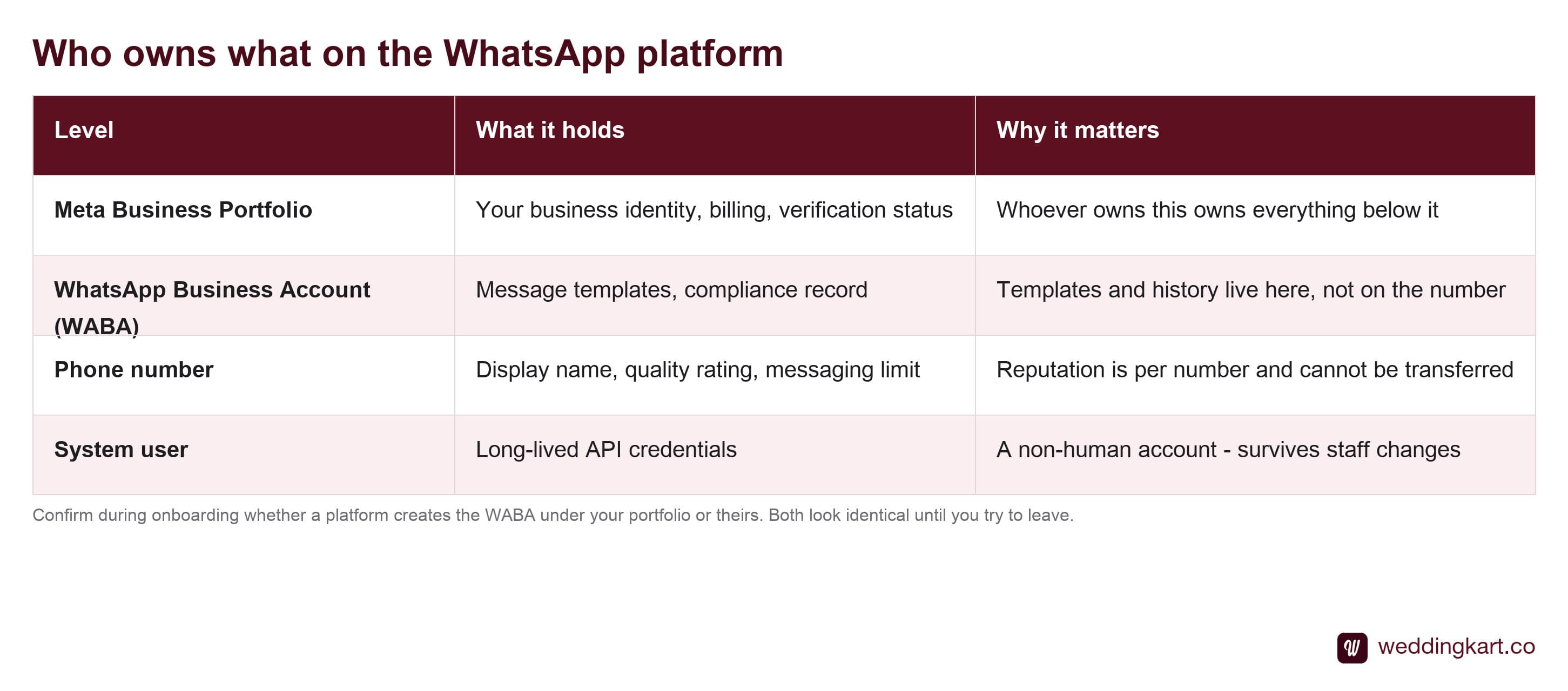
The level that matters commercially is the top one. The portfolio owner owns everything beneath it — the business account, the numbers, the templates, and the sending reputation those numbers have built.
This is the question to ask any platform before you connect, and it is easy to forget because onboarding looks identical either way: is the WhatsApp Business Account being created under my business portfolio, or yours? The answer determines whether you can leave with your number intact. Ask it during Embedded Signup, not during a migration.
Which token to actually use
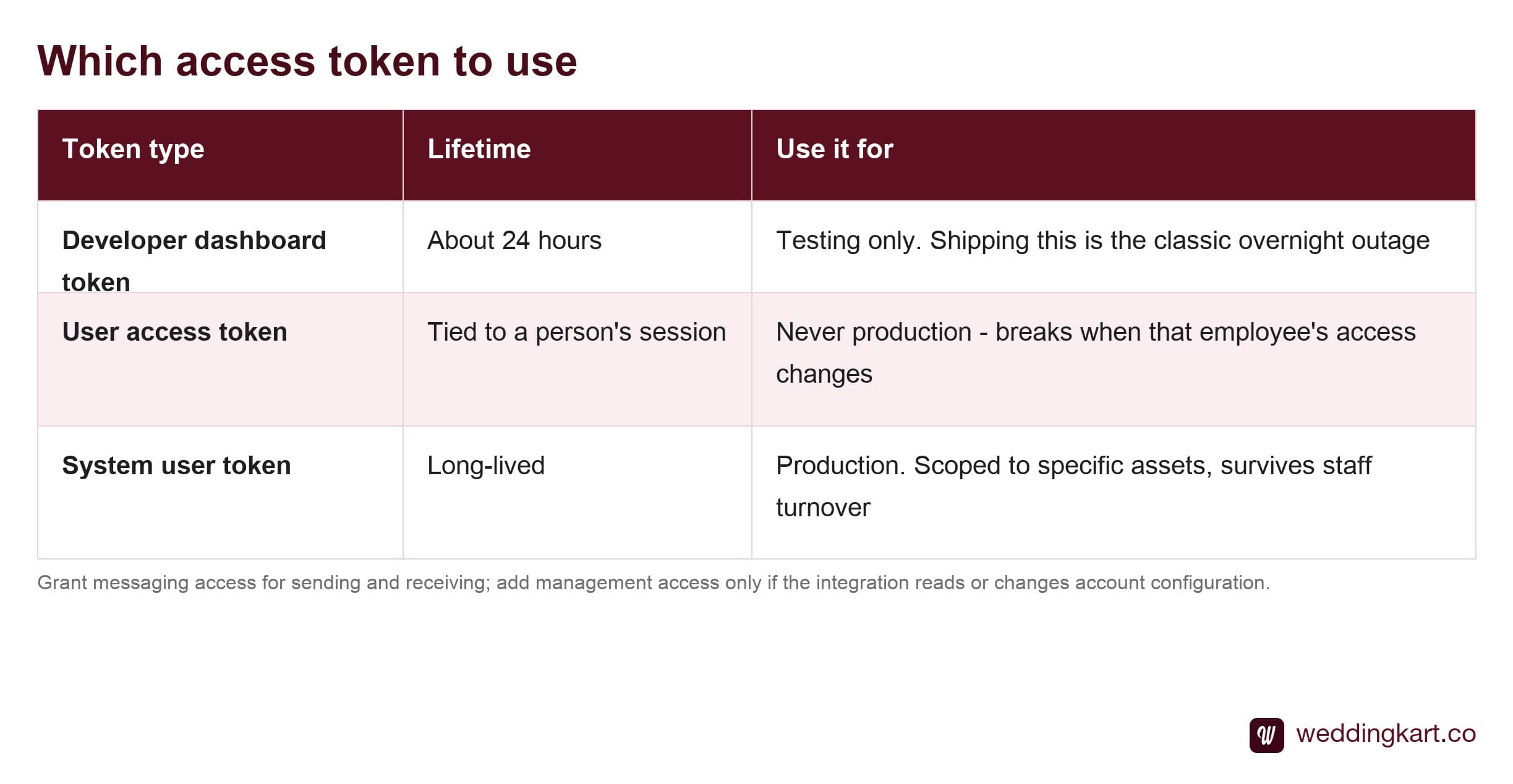
The system user is the answer for anything running unattended, and the reason is worth stating plainly: it is not a person. A token tied to an employee’s account inherits that employee’s lifecycle — their password resets, their permission changes, their eventual departure. Production credentials should not be able to be revoked by HR.
Scope it down
When you assign a system user access, you choose which assets it can touch and what it may do: messaging access for sending and receiving, management access for reading and changing account configuration.
Grant only what is used. There is a strong pull in the other direction during development, where broad permissions make errors go away, and the broad grant then survives to production because nothing forces you to revisit it. A long-lived token with full management scope is a materially worse thing to leak than one that can only send messages.
Treat the token like a database password
It is worth being concrete about the blast radius, because “keep secrets safe” is easy to nod along to and ignore.
A leaked WhatsApp token lets someone send messages as your business, to anyone, billed to you at your per-message rate. The financial cost is usually the smaller problem. The messages an attacker sends get blocked and reported by their recipients, and that damages the quality rating of your number — which continues to limit your reach after you have rotated the credential and closed the hole.
So: environment variables, never source control. Never in client-side code or a mobile app, where it can be extracted. Rotate on any suspicion rather than waiting for proof. And if you are storing tokens for multiple customers, encrypt them at rest and scope each one to only that customer’s account.
The failure worth planning for
Tokens can be invalidated for reasons outside your control — a permission change, a portfolio restriction, a security event on Meta’s side. When it happens, every send fails at once.
Build for it explicitly. Detect authentication failures as a distinct class rather than lumping them in with generic send errors, alert loudly when one occurs, and make sure the alert reaches someone who can generate a new token. An integration that retries an expired token indefinitely, quietly, is how a one-hour problem becomes a three-day one.
Tools referenced in this post
Try Weddingkart for your wedding
Guest lists, WhatsApp invites, RSVPs, countdowns and more - the AI layer for Indian weddings.
Related reading
Frequently Asked Questions
Why did my WhatsApp API token stop working after a day?
Because you were almost certainly using the temporary token displayed in the Meta developer dashboard, which is designed for testing and expires in roughly 24 hours. It is the single most common reason an integration works perfectly in development and dies overnight in production. The fix is to create a system user in your business portfolio, assign it access to the WhatsApp Business Account, and generate a long-lived token from there.
What is a system user in Meta Business Manager?
A non-human account that exists inside your business portfolio purely to hold API credentials. Because it is not tied to a person, its token does not break when an employee leaves, changes their password, or loses access - which is exactly why it is the right thing for production. You assign it explicit access to specific assets, so it can be scoped to only the WhatsApp Business Account it needs rather than to everything your business owns.
What permissions does a WhatsApp API token need?
For sending and receiving messages, the token needs WhatsApp business messaging access, and for reading or managing account configuration it needs WhatsApp business management access. Grant only what the integration actually uses. It is tempting to attach everything to avoid permission errors during development, but a broadly scoped long-lived token is a much larger problem if it ever leaks.
Who owns the WhatsApp Business Account - me or my provider?
Whoever owns the business portfolio it sits under, and this is worth confirming explicitly before onboarding rather than after. If the account was created under your portfolio, the number, its templates and its sending reputation stay yours if you change platforms. If it was created under a vendor’s portfolio, they are not yours to take. Both arrangements look identical while everything is working and very different on the way out.
What happens if my WhatsApp access token leaks?
Someone can send messages as your business and you pay for them - per delivered message, at your rates. Beyond the cost, messages sent by an attacker damage the quality rating of your number, which shrinks your reach in a way that persists after you rotate the credential. Treat the token like a database password: environment variables rather than source control, no client-side exposure, and rotate immediately on any suspicion.
Was this article helpful?
Share
By Weddingkart TeamLast updated