
Last updated:
All PostsWhatsApp Wedding Invitations for NRI Families: How to Invite Guests Across Countries
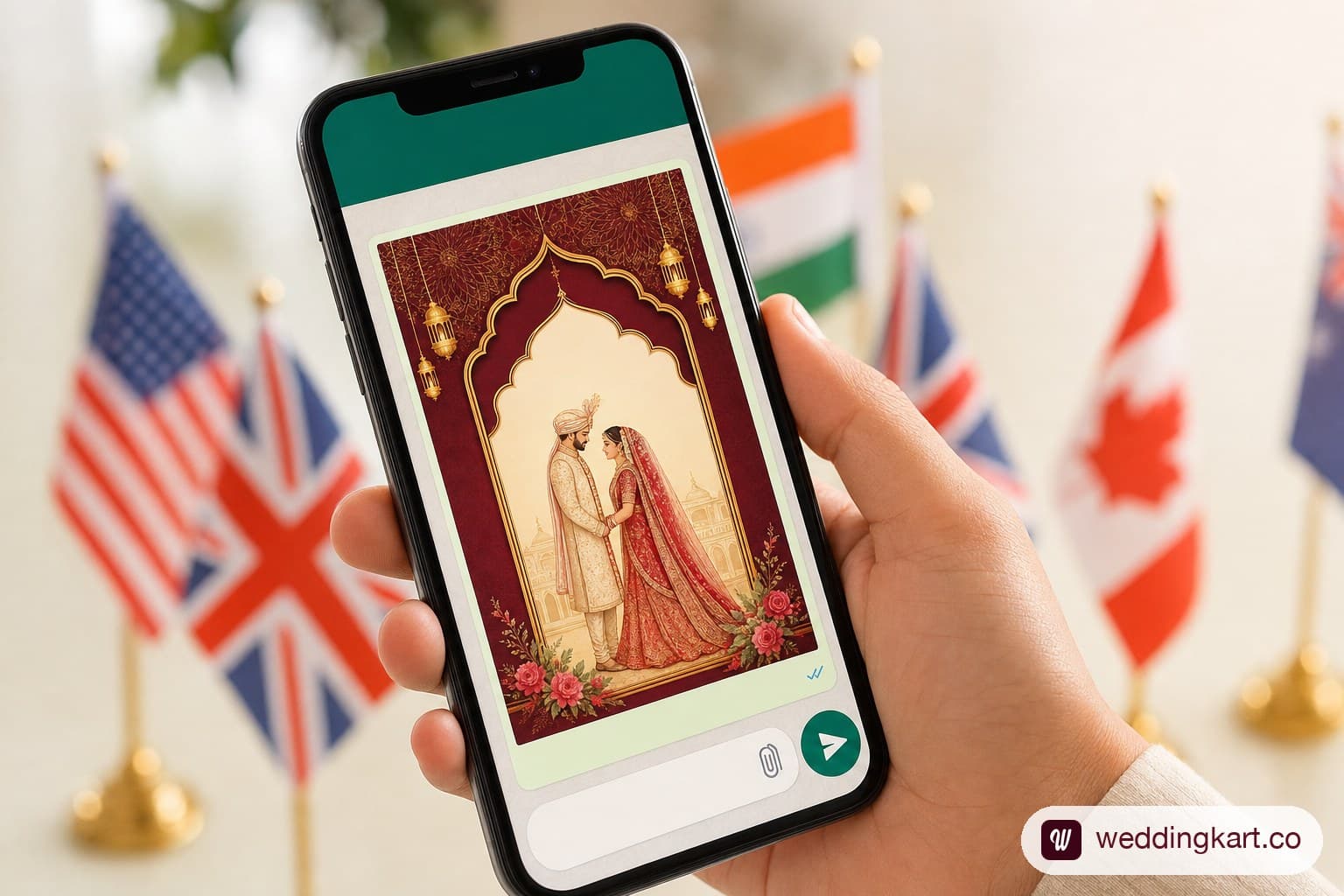
If your guest list looks anything like Priya and Arjun's — her side in Houston and Toronto, his side in Coimbatore and Chennai, and forty-odd cousins scattered between Leicester, Dubai and Melbourne — you already know that a printed card cannot do this job alone. It cannot reach a phone in three time zones in the same evening, it cannot show a live Google Maps pin, and it cannot tell you within minutes who has opened it. WhatsApp can do all three, which is why it has quietly become the default invitation channel for Indian weddings — and for NRI weddings specifically, it is close to the only channel that reliably works across every country your guest list touches.
More than 60% of Indian weddings now send at least part of their invitations over WhatsApp, and for couples planning from abroad that share is even higher, because it is free, instant, and already installed on every relative's phone from Ahmedabad to Auckland. This guide covers exactly how to write, format, and send WhatsApp wedding invitations to a guest list spread across countries — including the templates to copy, the international number formatting NRI couples get wrong, the best send times per time zone, and the real reason couples who try to do this from a personal number end up in trouble.
Why WhatsApp Is the Default Channel for NRI Wedding Invitations
For a local Indian wedding, WhatsApp is a convenience. For an NRI wedding, it is closer to a necessity. Postal invitations to five countries mean five different courier timelines, five customs processes, and no way to know if a card actually reached your cousin's flat in Wembley before the RSVP deadline. WhatsApp removes all of that friction:
- It is free and instant, regardless of whether the guest is in Ahmedabad or Atlanta — there is no per-message SMS charge and no courier fee.
- It is already the primary channel for the South Asian diaspora, even in countries like the US where WhatsApp is not the dominant messaging app for the general population. Families who grew up calling relatives in India over WhatsApp already have every uncle, aunt and cousin saved with an international number.
- It supports rich media natively — a designed invitation card, a short video invite, or a voice note from the bride's mother all land in the same thread as a text message.
- Delivery and read receipts give you a rough sense of who has actually seen the invite, which a printed card or a mass email never can.
- It works identically on both sides of a slow or expensive data connection — a text-based invitation loads even on patchy hotel Wi-Fi or a Gulf data plan, unlike a heavy wedding website.
See also: Online Wedding Invitations vs. Wedding Websites: What Works Best for NRI Weddings?
What to Include in a WhatsApp Wedding Invitation
An Indian wedding is rarely one event, and a good WhatsApp invitation should never try to cover all of them in a single generic message. Each function — Mehndi, Sangeet, Wedding, Reception — deserves its own message, with its own timing and dress code, sent to the guests actually invited to that function. Bundling four events into one wall of text is the single most common mistake NRI couples make, and it is the reason so many overseas guests show up on the wrong day in the wrong outfit.
Event Name, Date, Time, Venue With Google Maps Link
State the event by name (not just 'the wedding') along with the full day and date, start and end time, and the complete venue address. Then attach an actual Google Maps pin — not just the venue's name. An NRI guest landing in an unfamiliar Indian city cannot always type a Hindi-transliterated venue name into their maps app correctly; a tappable pin removes the guesswork entirely.
Dress Code Guidance (Critical for Overseas Guests)
A dress code line matters far more for guests flying in from abroad than for local guests. 'Garba night' means nothing to a colleague from London unless you specify chaniya choli or festive Indian wear; 'reception' means nothing to a cousin from Sydney unless you clarify semi-formal Indian or Western. If you are inviting non-Indian friends or colleagues who have never attended an Indian wedding, a one-line dress note (with a link to a fuller guide) saves them the anxiety of guessing.
See also: What to Wear to an Indian Wedding: A Guest's Guide
RSVP Deadline and Method
Every invitation needs an explicit RSVP deadline and a simple way to respond — ideally a reply directly in the WhatsApp thread ('Reply YES or NO') rather than a separate form guests have to leave the app to fill out. Set deadlines earlier for overseas guests, since they need lead time to book flights once they know the headcount is real.
Contact Person Details
Always name a single point of contact for questions — not the bride or groom, who will be unreachable in the final weeks. A phone number with country code and a name ('For any questions, message Rohan: +91 98XXX XXXXX') is enough.
WhatsApp Wedding Invitation Message Templates
Below are three ready-to-copy templates. Swap the bracketed placeholders for your details, and send each event as its own message rather than combining them.
Formal English Template
"With the blessings of our families, [Bride's Parents' Names] and [Groom's Parents' Names] joyfully invite you to celebrate the wedding of
[Bride's Name] & [Groom's Name]
- [Event Name] — [Day], [Date]
- [Start Time] onwards
- [Venue Name], [Full Address] — Map: [Google Maps link]
- Dress Code: [Dress code]
- Kindly RSVP by [date] to [Contact Name], [phone number]
We would be honoured to have you with us."
Casual / Close Family Template
"It's happening! [Bride's Name] and [Groom's Name] are tying the knot, and we want you there for every bit of the celebration.
- [Event Name] — [Date], [Time]
- [Venue], [City] — Map: [link]
- Wear something [dress code, e.g. 'colourful and comfortable']
- Let us know by [date] if you're in — reply to this message!"
Template for Non-Indian Guests
"We're getting married! This will be a traditional Indian wedding, and we'd love for you to be part of it. Here's everything you need to know:
- [Event Name] — [Date], [Time]
- [Venue], [Full Address] — Map: [link]
- What to wear: [brief guidance, e.g. 'bright colours welcome, avoid white and black'] — full guide here: [link to dress code guide]
- What to expect: this is a [duration]-hour ceremony with rituals in Sanskrit and Hindi — don't worry, we'll make sure you know what's happening
- RSVP by [date] to [contact name]"
Non-Indian guests appreciate the extra context far more than close family does — a short explainer removes the anxiety of attending a ceremony with no cultural reference point.
Sending to Guests in the US, UK, UAE & Canada — International Number Tips
International Number Formatting in WhatsApp
WhatsApp requires the full international format with a country code, not the local 10-digit number your guest normally uses. Save every contact this way from the start of your guest list, not the week before the wedding:
- United States & Canada: +1 followed by the 10-digit number (e.g. +1 713 555 0142)
- United Kingdom: +44, dropping the leading 0 (e.g. +44 7911 123456)
- UAE: +971 followed by the number without the leading 0
- Australia: +61, dropping the leading 0
- India: +91 followed by the 10-digit number
Re-formatting 300 numbers collected as plain local digits, six weeks before the wedding, is exactly the kind of task that eats an entire weekend. Build the habit of adding the country code the moment a number enters your guest sheet.
Best Time to Send Across Time Zones
India Standard Time (IST) is 5.5 hours ahead of the UK, 10.5 hours ahead of the US East Coast, 13.5 hours ahead of the US West Coast, and only 1.5 hours ahead of the UAE. Sending your invitation at a convenient hour in India often means it lands on a US guest's phone at 3am — and gets buried under the morning's messages by the time they wake up. A rough send-time guide for reaching each region during their morning-to-midday window:
- UAE & Gulf guests: send between 10:30am–1:00pm IST to land at 9:00am–11:30am Gulf time — same working day, minimal gap.
- UK guests: send between 1:30pm–4:00pm IST to land at 8:00am–10:30am UK time (adjust by an hour during British Summer Time).
- US East Coast guests: send between 6:00pm–8:00pm IST to land at 7:30am–9:30am EST.
- US West Coast & Canada (Pacific) guests: send between 8:30pm–10:30pm IST to land at 7:00am–9:00am PST.
If your guest list spans all four regions, this is exactly the kind of segmented, correctly-timed send that becomes unmanageable by hand — which is the problem the next two sections address.
The Problem With Sending Invitations Manually From Your Personal Number
Here is what actually happens when a couple tries to send 400–600 personalised WhatsApp invitations from their own phone number. WhatsApp does not publish a hard daily limit for personal accounts — instead, its systems watch behaviour. A phone number that suddenly sends near-identical messages to hundreds of contacts in a short window, especially to numbers that have never messaged that account before, looks exactly like a spam campaign to WhatsApp's automated detection, even though every recipient is a real relative.
What actually gets a number restricted is not the volume by itself but the ratio of blocks and spam reports to messages sent — even a small number of recipients marking the message as spam (which happens more than couples expect, especially from distant relatives who don't immediately recognise the sender) can trigger a review. On top of that, WhatsApp's own broadcast list feature on personal and Business app accounts is capped at 256 contacts per list, which means a 500-guest wedding cannot even be attempted as a single broadcast — it has to be split, copy-pasted, and sent as individual chats, which is both a spam signal in itself and, frankly, a full-time job the week before your wedding.
The couples who get their personal number restricted mid-wedding-season are not being careless — they are simply running into a system built to catch exactly this kind of one-to-many burst sending, regardless of intent.
How to Send Personalised Invitations to 500+ Guests Without Getting Blocked
The safe path is the same infrastructure real businesses use to message customers on WhatsApp: the official WhatsApp Business Platform (the Cloud API), sent through a dedicated business number rather than your personal one. Verified businesses on this platform operate on a messaging-tier system that starts around 250 conversations in a rolling 24-hour window and scales up to 1,000, then 10,000 and beyond as the number builds a good quality rating — a completely different system from the block-and-flag risk a personal number carries.
In practice, that means the workflow for a 500-guest NRI wedding should look like this:
- Upload your guest list once, with names, relationships, events invited, and correctly formatted international numbers.
- Auto-personalise each message with the guest's name, the specific event(s) they are invited to, and the correct venue and timing for that event.
- Send from a dedicated WhatsApp Business number, not your personal one — so your own phone number is never at risk, and family can still reach you normally.
- Track delivery, read, and response status per guest in real time, instead of scrolling back through hundreds of individual chats.
💌 WeddingKart lets you send personalised WhatsApp wedding invitations to every guest on your list — with their name, the right event, correct timings, and dress code — without typing a single message manually and without risking your personal number.
See How WeddingKart Works →See also: Best WhatsApp Wedding Invitation & RSVP Tools in India (2026)
How WeddingKart Handles WhatsApp Invitations for NRI Weddings
WeddingKart was built around the exact problem this article describes: an Indian wedding guest list that spans continents, multiple events, and hundreds of contacts who all need the right message at the right local time. Once your guest list is uploaded, WeddingKart auto-personalises each invitation with the guest's name, correct event, venue, and timing, then sends it from a dedicated WhatsApp Business number — scheduled per time zone, so your UAE relatives and your California cousins each get their invite at a sensible local hour instead of at 3am.
Delivery is tracked per guest — sent, delivered, read, and any failures flagged individually — so you know within minutes whether your 500 invitations actually reached 500 phones, rather than finding out weeks later that a WhatsApp number was mistyped.
See also: WhatsApp Delivery Tracking: Know Exactly Who Received, Read, and Ignored Your Message
See also: How to Schedule Wedding Announcements on WhatsApp — And Never Miss a Message
✈️ Managing invitations for a guest list across the US, UK, UAE, and India is where most NRI couples lose the most hours. WeddingKart handles the segmentation, the timing, and the personalisation automatically — so your invitations go out once, correctly, to everyone.
Start Free on WeddingKart →By Mayank JaiswalLast updated
Was this article helpful?
Share