
Quick Answer
What are WhatsApp interactive messages?
Interactive messages replace typing with tapping. There are three main kinds: reply buttons, which give up to three tappable options that send a structured response back to you; list messages, which open a menu of up to ten options across sections; and call-to-action URL buttons, which open a link without needing the number saved. The button caps are two different numbers and this trips people constantly: interactive reply-button messages allow three, while template quick-reply buttons go up to ten. The practical value is not aesthetic - a tapped button returns a machine-readable payload, so you know exactly what someone chose instead of trying to parse free text.
Last updated:
WhatsApp Interactive Messages Guide
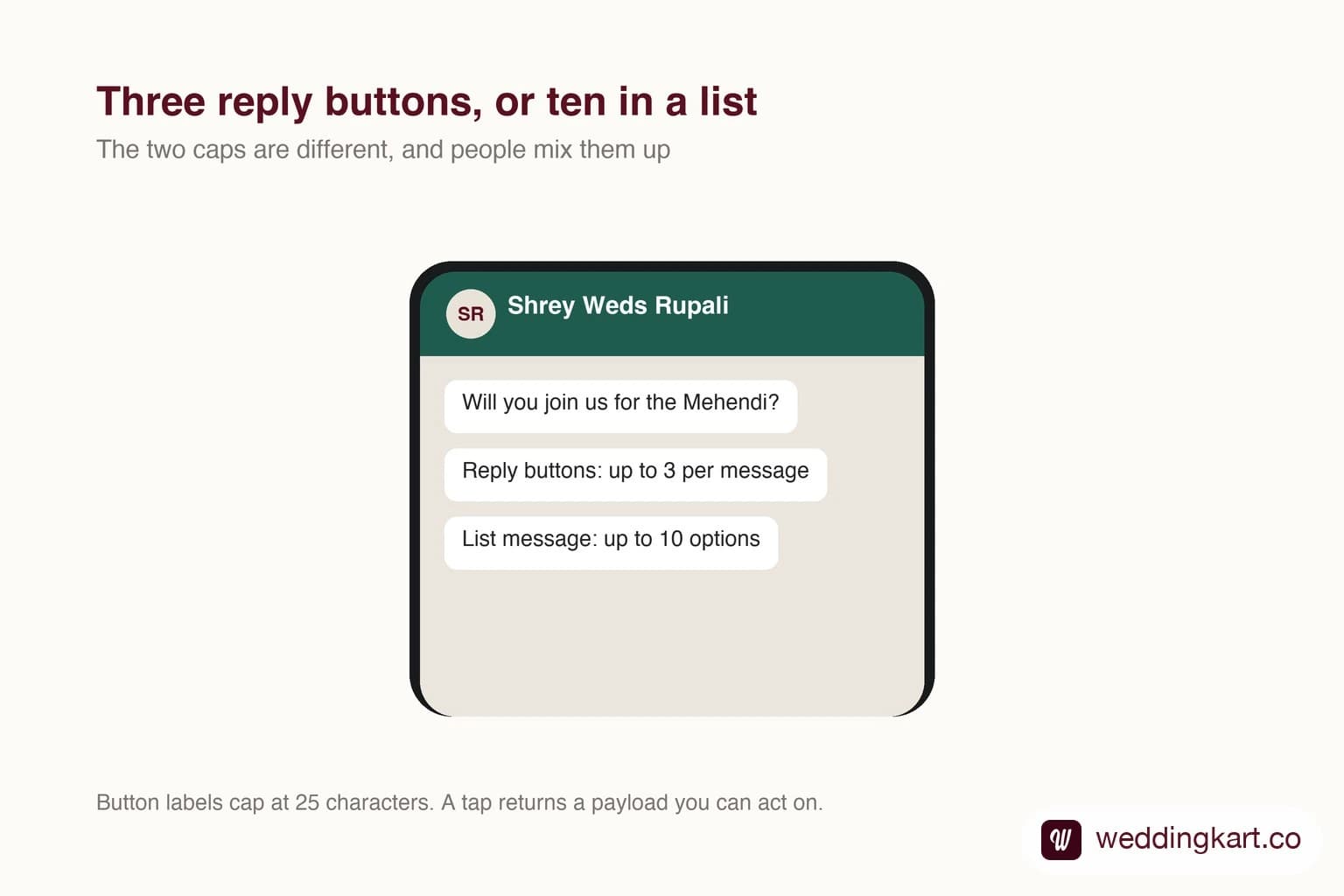
The difference between a message that asks people to reply and one that gives them something to tap looks cosmetic. It is not. It is the difference between receiving data and receiving prose you then have to interpret.
Anyone who has tried to count responses from free-text replies knows the problem. “Yes”, “yes 2”, “we’ll come”, “haan ji”, a thumbs up emoji, and a voice note. Every one of those is a human being answering clearly and a system failing to record it.
The three types
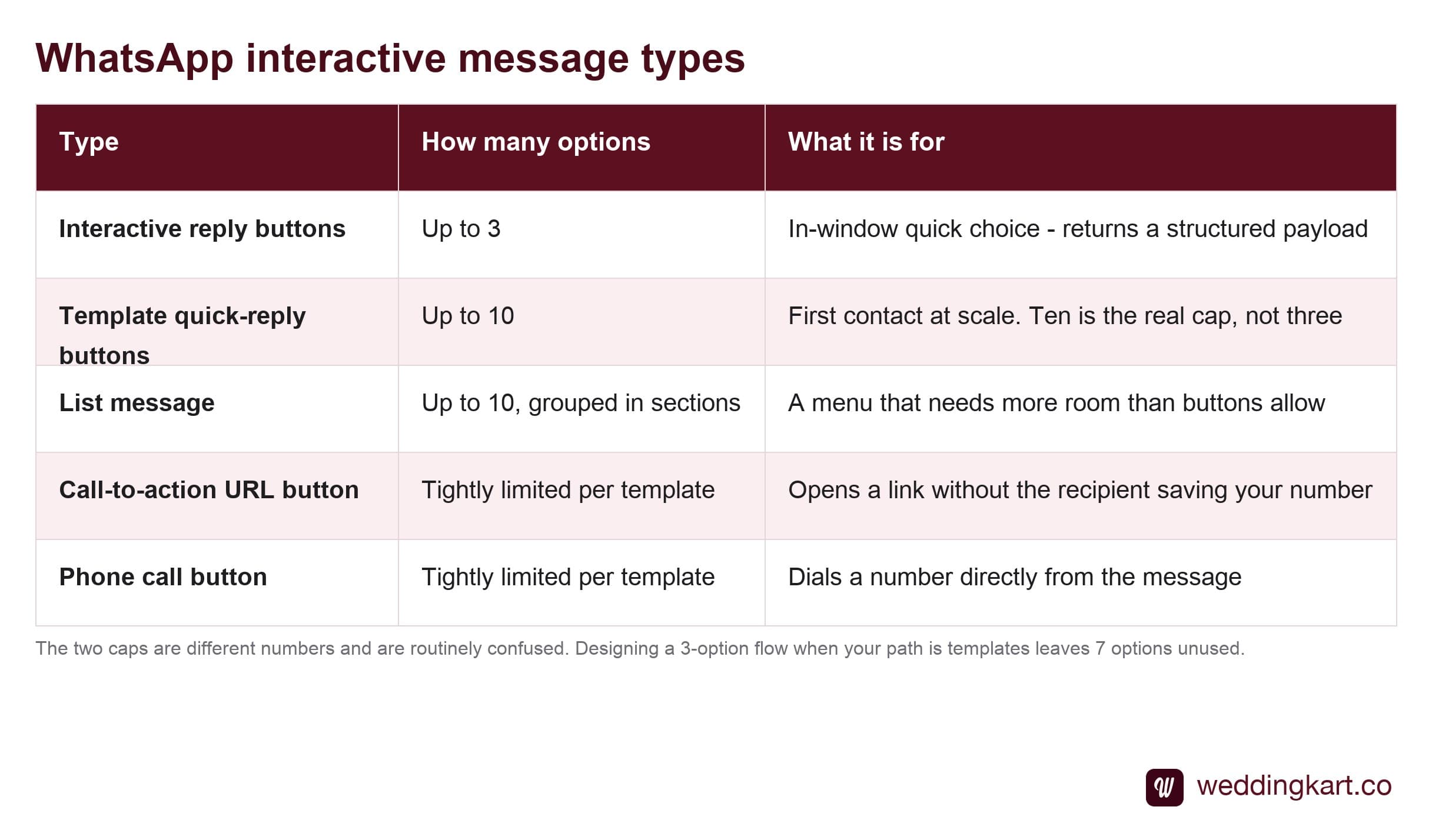
The choice between buttons and a list is mostly about how many options you have. But before you design around a three-option limit, check which path you are on — because the caps are two different numbers, and this is the single most common mistake in this area.
The limits that shape the design
Interactive messaging is one of the more tightly constrained parts of the platform, and the constraints are worth knowing before you design a flow around them rather than after.
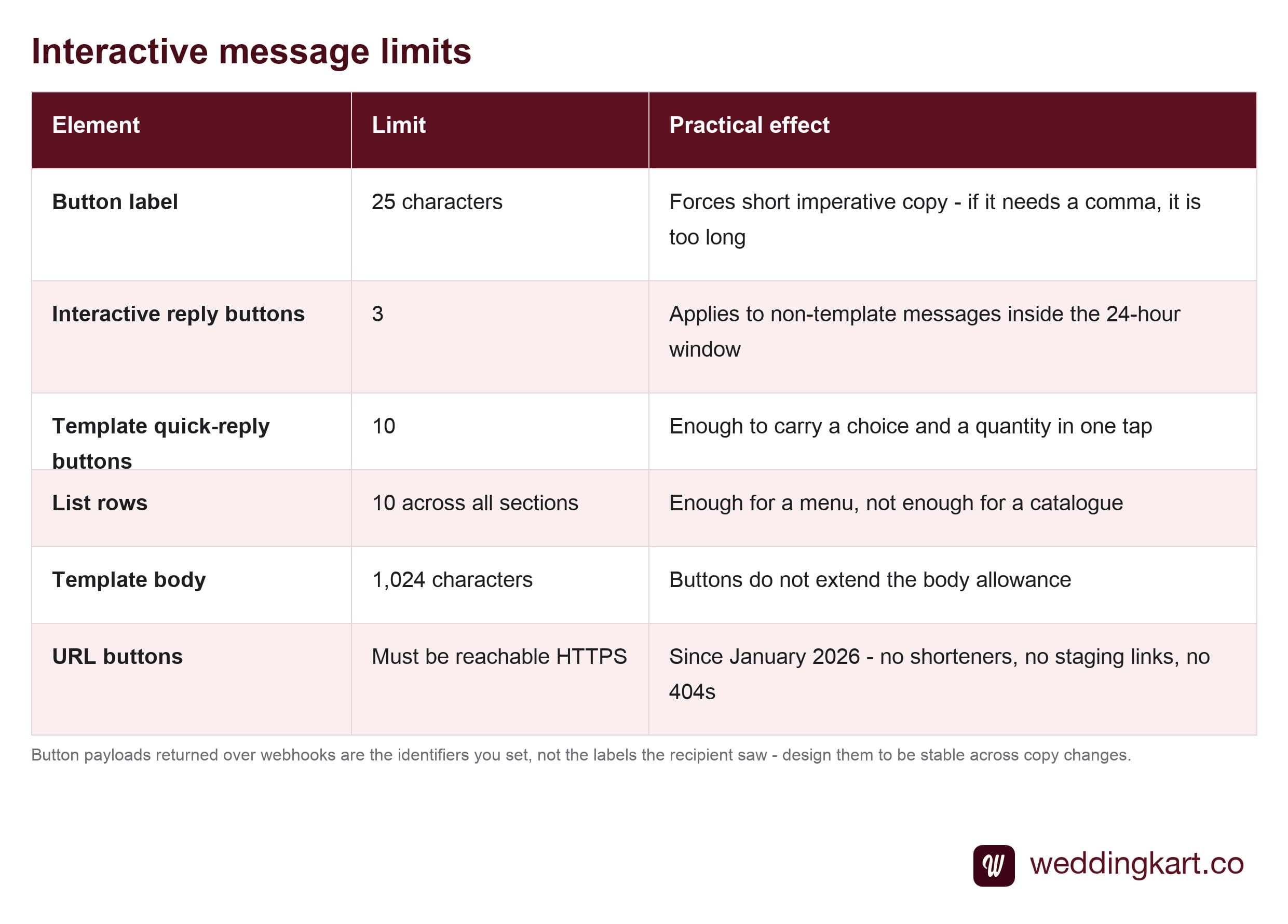
The 25-character button label is the one that bites. It is enough for an instruction and not enough for a sentence, which pushes all good button copy toward the imperative: Confirm attendance, See the schedule, Get directions. If a label needs a comma, it is too long.
Buttons in templates
This is where interactive messaging earns its keep, because templates are your only route to anyone who has not messaged you recently. Buttons are declared as part of the template and reviewed along with it — and crucially, template quick-reply buttons cap at ten, not three. We use all ten on a live RSVP template: one button for “not attending” and nine carrying party size, so status and headcount arrive in a single tap. A team that assumed the three-button limit applied would have built a two-step conversation for something that needs one.
In our experience the approval failures around buttons are almost never about the button concept and almost always about the example. A URL button with a variable in the path needs a valid example URL supplied, and since January 2026 every URL must be reachable HTTPS. A staging link, a shortener, or a 404 will fail review — so run curl -I over your buttons before submitting, as covered in the template approval guide.
What comes back to you
When someone taps a quick-reply button, you receive a webhook containing the button’s payload — an identifier you set when you built the template. Not the label they saw. The payload.
That distinction is worth designing around. Set payloads that are stable and meaningful to your system (rsvp_yes, rsvp_no) rather than mirroring the display text, because the display text will get reworded eventually and you do not want your response handling to depend on marketing copy. The mechanics of receiving these are in the webhooks guide.
When not to use them
Buttons are not free. Every option you offer is a decision you are asking someone to make, and three buttons where one clear sentence would do is worse, not better.
Skip them when the message is purely informational and no response is wanted — a venue change, a reminder. Adding a button there invites replies you have no plan for, and unanswered taps read to the recipient as being ignored. Use interactivity where you genuinely intend to act on the answer.
Tools referenced in this post
Try Weddingkart for your wedding
Guest lists, WhatsApp invites, RSVPs, countdowns and more - the AI layer for Indian weddings.
Related reading
Frequently Asked Questions
How many buttons can a WhatsApp message have?
It depends which kind of message. An interactive reply-button message - the sort you send inside an open 24-hour window - allows three. A template is different: quick-reply buttons on a template go up to ten. This catches teams out constantly, because they design a three-option flow around the interactive cap when the path they are actually using is templates. We run a live RSVP template with all ten in use, carrying party size in the button itself.
What is the difference between a reply button and a call-to-action button?
A reply button keeps the person inside WhatsApp: tapping it sends a structured response back to you, which your system receives over a webhook and can act on immediately. A call-to-action button leaves WhatsApp: it opens a URL or dials a number. The distinction matters for measurement - a reply button gives you a definite, attributable answer, whereas a URL button hands the person to your website and you have to pick the thread back up there.
Do interactive buttons work in template messages?
Yes, and this is where they matter most, because templates are how you reach anyone who has not messaged you in the last 24 hours. Buttons are declared as part of the template and reviewed with it. The most common approval failure is not the button itself but a missing or invalid example for a URL button, or a link that does not resolve - Meta checks that URLs are reachable HTTPS.
Why is my button label being cut off?
Button labels are capped at 25 characters and there is no ellipsis logic that will rescue a longer one - it simply will not pass. Twenty-five characters is tighter than it sounds once you try to write anything conversational, which is why good button copy is nearly always two or three words in the imperative: "Confirm attendance", "See the schedule", "Get directions".
Are interactive messages worth it over just asking people to reply?
For anything you intend to count, yes, decisively. Free-text replies arrive as "yes", "Yes 2 people", "we will be there", "haan" and a hundred other variants you then have to interpret, and interpretation is where the errors live. A tapped button returns a fixed payload, so the answer is unambiguous at the moment it arrives. Tapping also lowers the effort enough that more people respond at all.
Was this article helpful?
Share
By Weddingkart TeamLast updated