
Quick Answer
Why does Meta reject WhatsApp message templates?
Most rejections come from four causes, in order of frequency: variable problems (gaps in the numbering, a placeholder at the very start or end of the body, or too many variables relative to fixed text), the wrong category (submitting something promotional as utility), banned content (urgency language, competitor mentions, spelling errors, URL shorteners), and broken URLs in buttons. A fifth outcome is not a rejection at all and is worse: Meta silently approves your template as marketing instead of utility, which costs more and cannot be undone.
Last updated:
Why Meta Rejects WhatsApp Templates
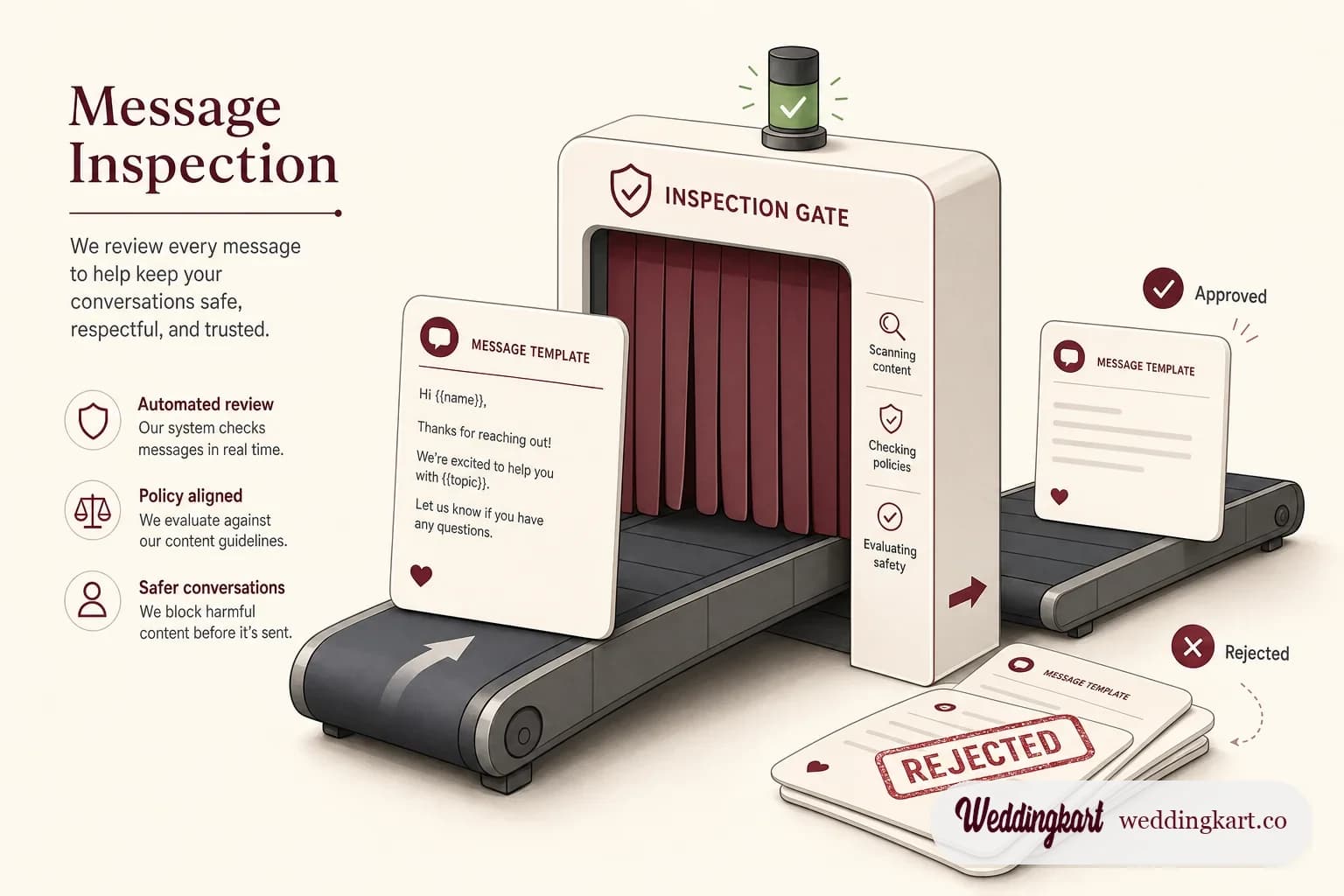
Template rejection feels arbitrary the first ten times it happens. It is not. Meta is running a checklist and a classifier, and once you know what each is looking for, the hit rate goes from coin-flip to nearly perfect.
What follows is partly Meta’s documented policy and partly what we have watched happen to our own submissions - including a few behaviours we have never seen written down anywhere, because they only show up if you submit enough templates to spot the pattern.
The hard limits
These are not judgement calls. Break one and the API rejects the request outright, before a reviewer ever sees it.
| Element | Limit |
|---|---|
| Body text | 1,024 characters |
| Header (text format) | 60 characters, at most one variable |
| Footer | 60 characters, and never a variable |
| Button label | 25 characters |
| Buttons per template | Quick-reply buttons up to 10; call-to-action buttons are far more limited |
| Consecutive line breaks in body | Maximum 2 - three in a row rejects |
| Header image minimum | 500 × 500 px - low-resolution art rejects |
| Templates per account | 250 unverified, up to 6,000 verified; each language counts |
| Review time | Under 24 hours typically, 48 hours at the outside |
Variables cause more rejections than content does
This surprises people, who assume review is about tone. In our experience the majority of hard rejections are structural, and they come from the placeholders.
- Numbering must be sequential with no gaps. Going
{{1}},{{3}}rejects. Meta expects a dense sequence starting at one. - No variable may lead or trail the body. A body that starts or ends with a placeholder throws error
2388299. A trailing full stop is sometimes not enough to save it - give the variable real words on both sides. - Fixed text should be at least 60% of the body. A body that is mostly placeholders looks like a spam mail-merge, and trips error
2388293. - Sample values are inspected, not ignored. This is the one people skip. If you pass
"Test"or"xyz"as your example, you are asking a reviewer to evaluate a template they cannot picture. Give real-looking values - Priya Sharma, Crystal Hall, Ground Floor - and approval rates go up measurably. - Footers never take variables. Error
2388073, every time.
The category is the expensive decision
Every template is marketing, utility, or authentication. This sets your per-message cost and how much recipient annoyance Meta will tolerate before acting. Since 9 April 2025 you cannot opt out of reclassification - the allow_category_change flag was removed. Submit as utility, and if Meta disagrees, it approves as marketing. There is no rejection to appeal against, and no notification that shouts at you.
Utility survives only when all of the following hold:
- The message is non-promotional - no offers, no upsell, not even a soft one
- It is triggered by something the person did, or is essential to them
- It refers to a specific transaction or event they already have with you
- It carries concrete reference details, not generic copy
Since 1 July 2025 that bar tightened further: utility must be non-promotional and either user-requested or essential. And repeat miscategorisation is not free - Meta restricts accounts that keep trying it from creating new utility templates at all.
What we have actually observed
Here is the part you will not find in Meta’s documentation. These are patterns from our own submission logs, and they changed how we write templates.
The classifier runs at submission, not during review. When you POST a template, the response comes back PENDING - but the category is already decided and already in the payload. So you do not have to wait a day to learn your verdict. Immediately GET /<waba>/message_templates?name=<name>&fields=name,status,category and read the category back. If it flipped, stop and rewrite now, because once review completes the category is locked.
Only the body is classified, so siblings inherit. WhatsApp requires a separate template per attachment type, which means one logical message becomes up to four submissions - text, image, video, document - sharing an identical body. Because the classifier reads the body, they all land in the same category. The practical move: submit the text variant alone first, confirm it came back utility, and only then submit the other three. If the text version flipped, you have saved yourself three wasted names.
Tense does not matter. Tone and structure do. We had two near-identical food announcements, one written in future tense (“will be served”) and one in present (“is now being served”). Both classified as utility. The classifier is not parsing time; it is judging whether the message reads operational or social.
These flipped our templates to marketing:
- Social closers - “See you there!”, “We can’t wait”, “Don’t miss”
- Exclamation marks. A single one is enough of a signal.
- Flowing prose with no labelled fields to anchor it
These survived as utility:
- Labelled structure -
Venue: {{2}},Open until: {{3}}- which reads like a receipt - Zero exclamation marks
- Operational closers. “Please reach the venue at your convenience” passes, because it tells the reader what to do. “See you there” fails, because it tells them what to feel.
That last distinction is the whole game, and it is a genuinely uncomfortable one to write against. The warmest, most human version of your message is the one most likely to be billed as marketing.
Content that auto-rejects
Meta will not approve templates that request sensitive data (passwords, PINs, card numbers), mimic WhatsApp system messages, use threatening or urgency language (“act now or lose access”), mention competitors, or fall into restricted categories such as alcohol, tobacco, weapons, or gambling.
Two more that catch people out. Spelling and grammar errors are grounds for rejection - reviewers really do act on them. And URL shorteners are banned outright. Since 1 January 2026 every link in a body or button must be a valid, reachable HTTPS URL. A staging link or a 404 will fail review, so run curl -I over your buttons before you submit.
Approval is not permanent
The most costly misconception in this whole area is that approval is a finish line. It is not. Meta keeps scoring a live template on how recipients react, and it can act on that at any time.
| Code | Meaning | What to do |
|---|---|---|
| 132000 | Parameter count does not match the template | A bug in your sending code, not in the template |
| 132001 | Template does not exist | Wrong name or language - or it was deleted or disabled |
| 132005 | Text too long after substitution | Trim the values you inject at send time |
| 132012 | Parameter format mismatch | You sent text where media was expected |
| 132015 | Template is paused for quality | Blocks or reports crossed a threshold. Fix audience and frequency; the pause lifts on its own |
| 132016 | Template is disabled permanently | Repeated pauses. It cannot be revived - build a new template under a new name |
Quality pausing matters more than it sounds if your sending is event-shaped. If a critical template gets paused the morning of the event, there is no support queue that will save you. The only real mitigation is a fallback template, already approved, under a different name.
How to submit so you pass
Two habits do most of the work. Submit in batches of three or four, not twelve. Bulk submissions attract pattern rejection. And submit your most obviously transactional templates first - it establishes a track record on the account before you ask it to judge anything borderline.
If a template does get reclassified, you have a 60-day appeal window through Business Support Home. Even when you do not intend to appeal, it is worth opening - it is the only place Meta explains its specific reasoning. For moving fast, though, rewriting and resubmitting under a new name beats waiting on an appeal.
The template system is the platform’s toll gate, and most of the frustration around it comes from treating it as a formatting exercise. It is a classification problem. Write for the classifier - labelled, operational, unexcited - and save the warmth for the messages you send inside the 24-hour window, where nobody is reviewing your wording at all.
Tools referenced in this post
Try Weddingkart for your wedding
Guest lists, WhatsApp invites, RSVPs, countdowns and more - the AI layer for Indian weddings.
Call our AI assistant, any time: +91 92409 54071
Related reading
Frequently Asked Questions
How long does WhatsApp template approval take?
Usually under 24 hours, and often within minutes. Meta’s stated ceiling is 48 hours. If a template sits in pending far longer than that, it is more often a sign that the WABA itself has a problem - unverified business, missing payment method - than that a human is still reading your five lines of text.
Can I edit a WhatsApp template after it is approved?
You can edit the body text of an approved template a limited number of times per month, and the edit goes back through review. What you cannot change is the category. If Meta approved it as marketing, rewriting the text will not move it back to utility. Your only options are to appeal within 60 days through Business Support Home, or to create a new template under a different name.
Why did my utility template get approved as marketing?
Because Meta’s classifier read persuasion in it. The triggers we have actually observed are subtle: an exclamation mark anywhere in the body, a social closer such as “See you there” or “We can’t wait”, and prose that reads like a friendly note rather than a labelled operational notice. Since April 2025 there is no opt-out - the allow_category_change flag was removed, so a template Meta thinks is marketing simply gets approved as marketing.
What does template status PAUSED mean?
It means recipients reacted badly enough - blocking, reporting, or ignoring - that Meta suspended the template. You will see error 132015 when you try to send it. The pause lifts automatically once quality recovers, but repeated pauses lead to a permanent disable (132016), which cannot be reversed. The fix is never the wording alone; it is the audience and the frequency.
How many templates can one WhatsApp Business Account have?
Up to 250 if your business portfolio is unverified, and up to 6,000 once it is verified. Every language version counts separately. Deleted names are not immediately reusable in practice - Meta reserves the names of stale pending and rejected templates too, which is why a resubmission under the same name often fails with error 2388024.
Was this article helpful?
Share
By Weddingkart TeamLast updated