
Quick Answer
What are the naming, formatting and translation rules for WhatsApp templates?
A template name may use only lowercase letters, numbers and underscores, up to 512 characters, and it can never be renamed. The body holds up to 1,024 characters, the header and footer 60 each, and a button label 25. Bold, italics, strikethrough and monospace work in the body; more than one blank line in a row does not. Variables are numbered ({{1}}, {{2}}) by default or named ({{guest_name}}), need a sample value, and cannot start or end the body. Meta never translates: each language is a separate template under the same name, with its own language code and its own review.
Last updated:
WhatsApp Template Naming, Formatting & Translations
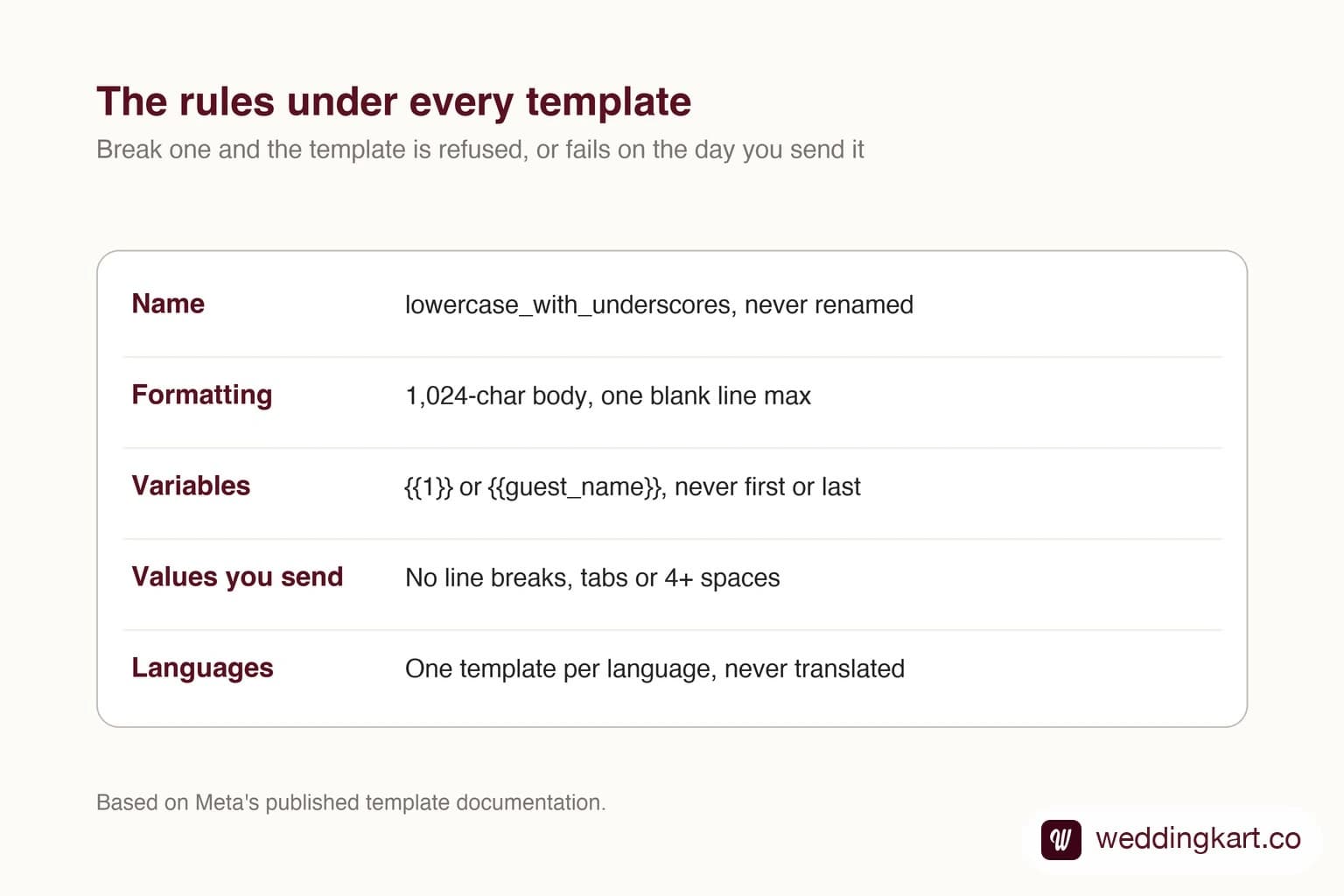
Most template advice is about the review: which words read as marketing, why a reminder got billed as a promotion. That is covered in why Meta rejects templates. This page is about the layer underneath it, the mechanical rules a template has to meet before the reviewer gets a look. Break these and the submission is refused outright, or approved and then fails on the day you send it.
There are four sets of them: the name, the formatting, the variables, and the languages.
Naming rules
A template name may contain only lowercase letters, numbers and underscores, and can be up to 512 characters long. No capitals, no spaces, no hyphens, no punctuation.
| Name | Accepted? |
|---|---|
| sangeet_reminder_1 | Yes |
| room_number_checkin | Yes |
| SangeetReminder | No - capital letters |
| sangeet reminder | No - a space |
| sangeet-reminder | No - a hyphen |
| reminder! | No - punctuation |
| msg_124a | Accepted, but tells your team nothing |
Guests never see the name. It exists for you, your team and your sending software. Two properties of it matter more than the character rules.
A name is permanent. You can edit an approved template’s content, but never its name. And a name you have submitted is effectively spent, even if the template was rejected or deleted: submitting again under the same name and language usually fails with error 2388024. So a name like reminder_final becomes a problem the day you need the next version.
Names are not unique. The same name can exist once per language. That is deliberate, and it is how translations work (more on that below).
A naming scheme that survives
Pick a scheme before you submit anything. The one we use is purpose, then a version number, then the attachment type:
rsvp_reminder_2- text onlyrsvp_reminder_2_image- same message with an image headerrsvp_reminder_2_document- same message with a PDF attached
The suffix matters because the header type is fixed per template. If you want to send the same reminder with an invitation card on some days and plain text on others, that is two templates, not one. A shared stem keeps them recognisable as one message. The version number means a rewrite becomes rsvp_reminder_3 instead of a hunt for a name that has not been used yet. Never reuse an old number for a different message; somebody’s notes will still point at the old one.
Formatting rules
These are hard limits. The API checks them on submission and refuses the template if any is broken.
| Part | Limit |
|---|---|
| Body | 1,024 characters, including spaces and emoji |
| Header (text) | 60 characters, at most one variable |
| Footer | 60 characters, no variables at all |
| Button label | 25 characters |
| Line breaks in the body | At most two in a row - one blank line between paragraphs |
| Templates created per hour | 100 per WhatsApp Business Account |
| Templates per account | 250 if the business portfolio is unverified; up to 6,000 once verified |
The 1,024 limit is for the body as written, with the placeholders in it. What the guest finally receives is longer once names and venues are filled in, and if that pushes the text over the limit the send fails with error 132005. Leave room for long names, and long venue names in particular.
Bold, italics and the rest
The body uses the same formatting marks as an ordinary WhatsApp chat:
| You type | Guest sees |
|---|---|
| *Venue:* Crystal Hall | Venue: in bold |
| _Dress code: pastels_ | The whole line in italics |
| ~4 PM~ 5 PM | 4 PM struck through, then 5 PM |
| ```WK-2041``` | A booking code in monospace |
Use bold for labels, not for shouting. A body made of labelled lines - Date, Venue, Reporting time - is easier to read on a phone, and in our experience it is also the shape most likely to be approved as utility rather than marketing. Whole sentences in capitals, rows of exclamation marks and walls of emoji all count against you in review.
Line breaks are the formatting rule people trip on most. One blank line between paragraphs is fine. Two blank lines in a row (three line breaks) and the template is refused. If you paste a draft in from a document, check for stray empty lines at the end too.
Variables
Variables are the slots filled in per guest when you send: their name, their event, their room number. There are two styles, and a template uses one or the other.
| Numbered (positional) | Named | |
|---|---|---|
| Looks like | {{1}}, {{2}}, {{3}} | {{guest_name}}, {{event_name}} |
| Default? | Yes, if you do not choose | Must be selected when creating |
| Rules | Start at 1, no gaps, in numeric order in the text | Lowercase letters and underscores, each name used once |
| Best for | Short templates in one language | Long templates, and anything you will translate |
Whichever style you choose, the same placement rules apply:
- Never start or end the body with a variable. “
{{1}}, your room is ready” is refused. “Hi{{1}}, your room is ready” is fine. The same goes for the last thing in the body. - Keep the fixed text in the majority. Five variables in a twelve-word sentence reads as a mail-merge and is refused. Put fixed labels around the values instead.
- Give every variable a sample value. Meta requires one for each, and the reviewer reads them. Priya Sharma and Crystal Hall, Ground Floor get approved; test and xyz invite a rejection.
- No variables in the footer, and at most one in a text header.
A template that passes all four:
Hi {{1}},

Here are your stay details for {{2}}'s wedding.

*Hotel:* {{3}}
*Room:* {{4}}

Please collect your key at the front desk.
It opens with fixed text, closes with fixed text, labels every value, and has one blank line between blocks.
The rule that only shows up on the day
Approval checks the template. It does not check the values you put into it, and those have rules too: a value cannot contain a line break, a tab, or four or more spaces in a row. Meta refuses the message if it does.
This is the failure that catches people out at a wedding, because guest data is messy. An address typed over two lines in a spreadsheet cell, a name with a trailing tab from a copy-paste, a hotel name padded with spaces. The template is approved, most guests get the message, and a handful silently fail.
The fix is to clean each value just before sending: replace every run of whitespace with a single space, and trim the ends. Weddingkart does this to every guest field it fills into a template, for exactly this reason.
Translations
Meta does not translate anything, neither the text nor the variables. A template in Hindi is written in Hindi by you and submitted as Hindi.
The mechanism is the shared name. You create wedding_reminder_1 in English with the language code en, then create wedding_reminder_1 again in Hindi with the code hi, and in Gujarati with gu. To your sending system they are one message in three languages. To Meta they are three templates. In practice that means:
- Each language is reviewed on its own. The English version being approved tells you nothing about the Hindi one. It is new wording, and it is judged as new wording.
- Each language counts against your template limit, so ten messages in four languages is forty templates.
- The language code must match the text. Hindi wording submitted under
enis refused, and so is a code chosen to dodge a rejection in another language. - Keep the variables identical. Same count, same meaning, same sample values. Otherwise the code that fills them in has to know which language it is dealing with, and that is where guests end up with their room number where their name should be.
- There is no automatic fallback. Send in a language that has no approved version and the message fails with error
132001. Your system has to check what is approved and choose.
Here is the same reminder in English and Hindi, as we keep them in our own template library. The structure is identical: labelled lines, nothing to sell, an instruction last.
Hi {{1}},

This is a reminder about {{2}}'s wedding.

📅 Date: {{3}}
📍 Venue: {{4}}
नमस्ते {{1}},
यह {{2}} की शादी के बारे में एक रिमाइंडर है।
📅 तारीख: {{3}}
📍 स्थान: {{4}}Word order is the hidden problem
Numbered variables have to appear in the text in numeric order: {{1}} before {{2}}. English and Hindi happen to agree in the reminder above, but often they will not. Hindi, Marathi, Tamil and Gujarati put the verb last and frequently want the names in a different order from English. With numbered variables you have to bend the sentence around the numbers.
Named variables do not have this problem. {{couple_names}} can go wherever the sentence needs it in each language. If you know from the start that a template will be translated, choose named variables.
A last practical point: write the translation yourself or have a native speaker check it. Reviewers reject for spelling and grammar, and a machine translation of a warm English invitation tends to come out either stiff or wrong. Families notice, too.
Before you submit
- The name is lowercase with underscores, fits your scheme, and has never been used before
- Body under 1,024 characters with room for long names; header and footer under 60; buttons under 25
- No more than one blank line in a row anywhere
- Variables numbered from 1 with no gaps, or named in lowercase; none at the start or end
- A realistic sample value for every variable
- Every language written by a person, submitted under its own code, with the same variables
- Your sending code strips line breaks, tabs and extra spaces from every value
None of this is the hard part of WhatsApp templates. The category decision is, and that is covered in why Meta rejects templates. But these rules are the ones that are easy to get exactly right, so it is worth getting them right before the first submission rather than after the tenth.
Tools referenced in this post
Try Weddingkart for your wedding
Guest lists, WhatsApp invites, RSVPs, countdowns and more - the AI layer for Indian weddings.
Call our AI assistant, any time: +91 92409 54071
Related reading
Frequently Asked Questions
Can I use capital letters or spaces in a WhatsApp template name?
No. Template names accept only lowercase letters, numbers and underscores, up to 512 characters. Wedding Reminder or wedding-reminder will be refused; wedding_reminder is fine. The name is only visible to you, never to the person receiving the message, so readability for your own team is all that matters.
Can I rename a WhatsApp template after submitting it?
No. You can edit the content of an approved template, but the name is fixed for its whole life. To change it, create a new template under the new name. Names you have used, including ones that were rejected, are effectively spent: resubmitting under the same name and language usually fails with error 2388024.
Does WhatsApp translate templates automatically?
No. Meta never translates template text or variables. If you want to message guests in Hindi and English, you write and submit both versions yourself, under the same template name with different language codes. Each version is reviewed on its own, so the English one being approved says nothing about the Hindi one.
Should I use numbered or named variables?
Numbered variables ({{1}}, {{2}}) are the default and work everywhere. Named variables ({{guest_name}}) are easier to read and harder to fill in the wrong order. If you plan to translate a template into languages with different word order, named variables are the safer choice, because positional ones have to appear in numeric order in the text.
Why does an approved template fail when I send it?
Often because of the values, not the template. Meta rejects a parameter value that contains a line break, a tab, or four or more spaces in a row. A guest address copied out of a spreadsheet cell with a line break in it is the classic case. Clean each value before sending: collapse every run of whitespace to a single space.
What happens if I send in a language that has no approved version?
The send fails with error 132001, which means the template does not exist in that language or is not approved yet. Meta does not fall back to another language for you. Your sending system has to check which languages are approved and pick one.
Was this article helpful?
Share
By Weddingkart TeamLast updated