
Quick Answer
Can a WhatsApp provider move its approved templates to a client's account?
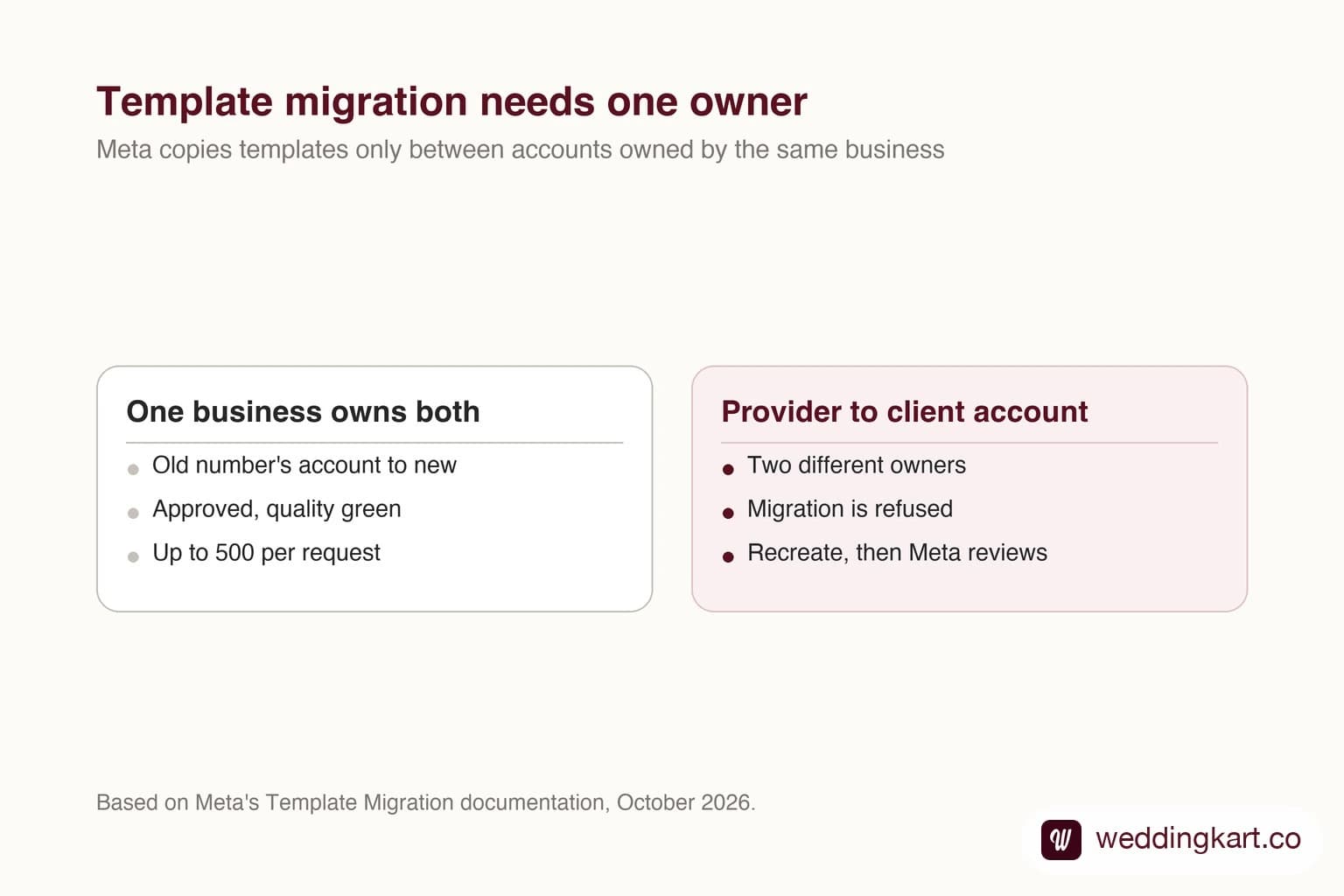
Not into an account the client owns. Meta's Template Migration API only copies templates between WhatsApp Business Accounts owned by the same Meta business, and Embedded Signup creates the client's account inside the client's own business portfolio. So a provider's approved templates cannot be copied across. The provider has to create each template again on the client's account, where Meta reviews it and may decide its category differently. Migration does work between accounts one business owns, such as an old number's account and a new one, for approved templates with a green or unknown quality rating.
Last updated:
WhatsApp Template Migration, Explained
An approved WhatsApp template looks like something you could hand over: a name, a few lines of text, a green “Active” label. So when an agency or software provider already has a set approved on its own account, the obvious request from a client is “just copy those to my number”.
Meta doesn’t see it that way. An approval belongs to the account it was granted on, and Meta’s tool for copying templates only works between accounts owned by the same business. Your provider’s account sits in their business; yours sits in yours. The honest answer to “can my provider migrate its templates to me?” is no. The templates are created again on your account and reviewed there, as if they were new — because to Meta, they are.
Why a provider can’t copy its templates to you
Three facts stack up.
- Templates belong to an account. Not to a phone number, and not to whoever wrote them. Each template lives inside one WhatsApp Business Account (often shortened to WABA), and Meta reviews, categorises and rates it there.
- Accounts belong to a business portfolio. When you connect through Embedded Signup, the account is created under your own Meta business portfolio. Your provider gets permission to send and to submit templates on it. It does not get ownership.
- Migration only works within one owner. Meta’s documentation says templates can only be migrated between accounts owned by the same Meta business. Provider to client crosses that line, so the request is refused.
The second point is the one to check with any provider. If a provider created your account inside its portfolio, the rule cuts the other way: it can move its templates in freely, and you can’t take any of them with you when you leave. Who owns the account decides both.
When migration does work
Migration is useful, just narrower than the name suggests. It works when one business owns both ends:
- Your old number’s account to your new one. If both accounts sit in your portfolio, the approved templates can be copied across instead of being written and reviewed again.
- Between a provider’s own accounts. An agency running several accounts inside its own portfolio can copy between them.
There are conditions even then. Only templates that are approved and rated green or unknown (new templates with no rating yet) qualify. One request handles up to 500 templates, and the reply lists which ones copied and which failed, with a reason for each. Nothing is actually moved: the original stays where it was, and Meta creates a new copy in the other account.
Two things don’t come along. Meta’s guide to its new account model says a migrated template restarts at a baseline quality rating and messaging tier, with a ramp-up of roughly two to four weeks. And the migration documentation doesn’t say what approval status the copy gets. The Copy button in WhatsApp Manager warns that copying “resets its status, quality rating, and messaging tier”. Treat a migrated template as one that may still need review before your send date, not as a guaranteed shortcut.
| Route | Works when | Approval on arrival | What starts over |
|---|---|---|---|
| Template Migration API | One business owns both accounts | Meta's documentation doesn't say; plan for review | Quality rating and messaging tier |
| Recreate on the client's account | Always, with access to the account | Full Meta review; category decided again | Everything - it is a new template |
| Meta Template Library | Always; utility wording only | Approved as written; edited text goes to review | Nothing, but the wording is Meta's |
| Add the new number to the same account | The number joins the existing account | Unchanged - templates belong to the account | Nothing to copy |
The last row is the one most people miss. If you are adding a second number rather than replacing a business, put it on the same WhatsApp Business Account. Every number on an account can use that account’s templates, so there is nothing to migrate.
What a provider can do instead
The route that always works is the plain one. The provider creates each template on your account through the API, using the access you granted when you connected, and Meta reviews it there. We do this for wedding planners who connect their own number to Weddingkart, and two lessons from our own records are worth passing on.
- Every variable needs an example value. In our September 2026 records, all 44 approved templates that contained a variable such as
{{1}}had example values attached. All 12 rejected ones were missing them. It is the cheapest rejection to avoid. - The category is decided again, per account. We ask for utility and Meta sometimes says marketing. One of our own message texts was approved on 15 customer accounts: utility on 6, marketing on 9. Same words, same submitter. Marketing messages cost more and count towards a per-person cap, so the category matters more than the approval itself.
The other option is Meta’s Template Library: pre-written utility templates with fixed wording, where you fill in only the details. Used as written, Meta’s own example shows them created already approved; customise the text and they go to review like any other. The wording is Meta’s, though, which suits a routine notice far better than an invitation in your own voice.
Meta’s new account model makes the wall thicker
From 23 September 2026, Meta began moving businesses onto what it calls Messaging accounts, with all businesses due to be moved by mid-October. Existing account IDs stay the same. The part that matters here: each provider working with a business gets its own Messaging account for it, and Meta describes templates, billing and metrics as completely isolated between providers. Templates set up through one provider stay in the Messaging account that provider works through.
Meta’s guide says a Messaging account can be owned by the client or by a partner, but it doesn’t say which applies to accounts created through Embedded Signup. If some turn out to be provider-owned, same-owner migration from a provider’s own accounts could become possible. We haven’t seen that confirmed, and Meta marks the whole model as subject to change.
What this means when you choose a provider
Don’t choose a provider for the size of its template library. “We have 200 approved templates” describes their account, not yours. The questions that matter are who submits templates on your account, how quickly, and what they do when Meta rejects one or files it as marketing.
The flip side is reassuring. Templates approved on an account you own stay on it if you stop working with a provider. Nobody has to migrate them back, because they never left.
On Weddingkart, this is why the two ways of sending behave differently. On the shared Weddingkart sender, the templates are ours and already approved, so there is nothing to wait for. When you connect your own number, Weddingkart picks up the templates already approved on that account, and new ones are submitted to Meta on your account and reviewed there. Connect and submit two to three weeks before your first big send.
Tools referenced in this post
Try Weddingkart for your wedding
Guest lists, WhatsApp invites, RSVPs, countdowns and more - the AI layer for Indian weddings.
Call our AI assistant, any time: +91 92409 54071
Related reading
Frequently Asked Questions
Can my WhatsApp provider transfer its approved templates to my account?
Not if your WhatsApp Business Account sits in your own Meta business portfolio, which is the normal result of Embedded Signup. Meta only migrates templates between accounts owned by the same business, so a provider's templates cannot be copied across. The provider has to create each template on your account, where it goes through Meta review. It can usually do that for you with the access you granted when you connected.
Can I move templates from my old WhatsApp number to a new one?
Yes, if both WhatsApp Business Accounts belong to the same business portfolio. Meta's Template Migration API copies templates that are approved and have a green or unknown quality rating, up to 500 per request. If the new number is added to the same WhatsApp Business Account instead of a new one, nothing needs copying at all: templates belong to the account, so every number on it can use them.
Does a migrated template keep its approval?
Meta's migration documentation does not say. The Copy button in WhatsApp Manager warns that copying a template resets its status, quality rating and messaging tier, and Meta's guide to its new account model says migrated templates restart at a baseline quality rating and tier, with a ramp-up of roughly two to four weeks. Check the copy's status in the new account before you plan a send around it.
Why was the same template utility for my provider and marketing on my account?
Because review and categorisation happen per account, and they are not fully consistent. In our own records, one message text approved on 15 customer accounts came back as utility on 6 and marketing on 9 - same words, same submitter. Marketing messages cost more and count towards a per-person cap, so check the category on your account, not just the approval.
If I leave my provider, do my templates come with me?
If the WhatsApp Business Account is in your portfolio, the templates are already on your account and stay there when the provider's access ends. If the provider created the account inside its own portfolio, the account and its templates are theirs, and migration cannot move them to you either, because the two accounts have different owners.
Was this article helpful?
Share
By Mayank JaiswalLast updated