
Quick Answer
Why is my WhatsApp Business Account not sending messages?
If setup completed cleanly, the number shows as connected and templates are approved but nothing actually sends, check the payment method on the Meta Business Portfolio first. Meta charges per delivered message, so an account with no valid billing is allowed to exist and be configured but not to send. The error is 131042, a business-eligibility payment error - the name points at billing, but it surfaces only on the first send attempt, long after setup looked finished. Attaching a valid payment method to the portfolio that owns the WhatsApp Business Account usually clears it.
Last updated:
WhatsApp Business Payment Method Setup
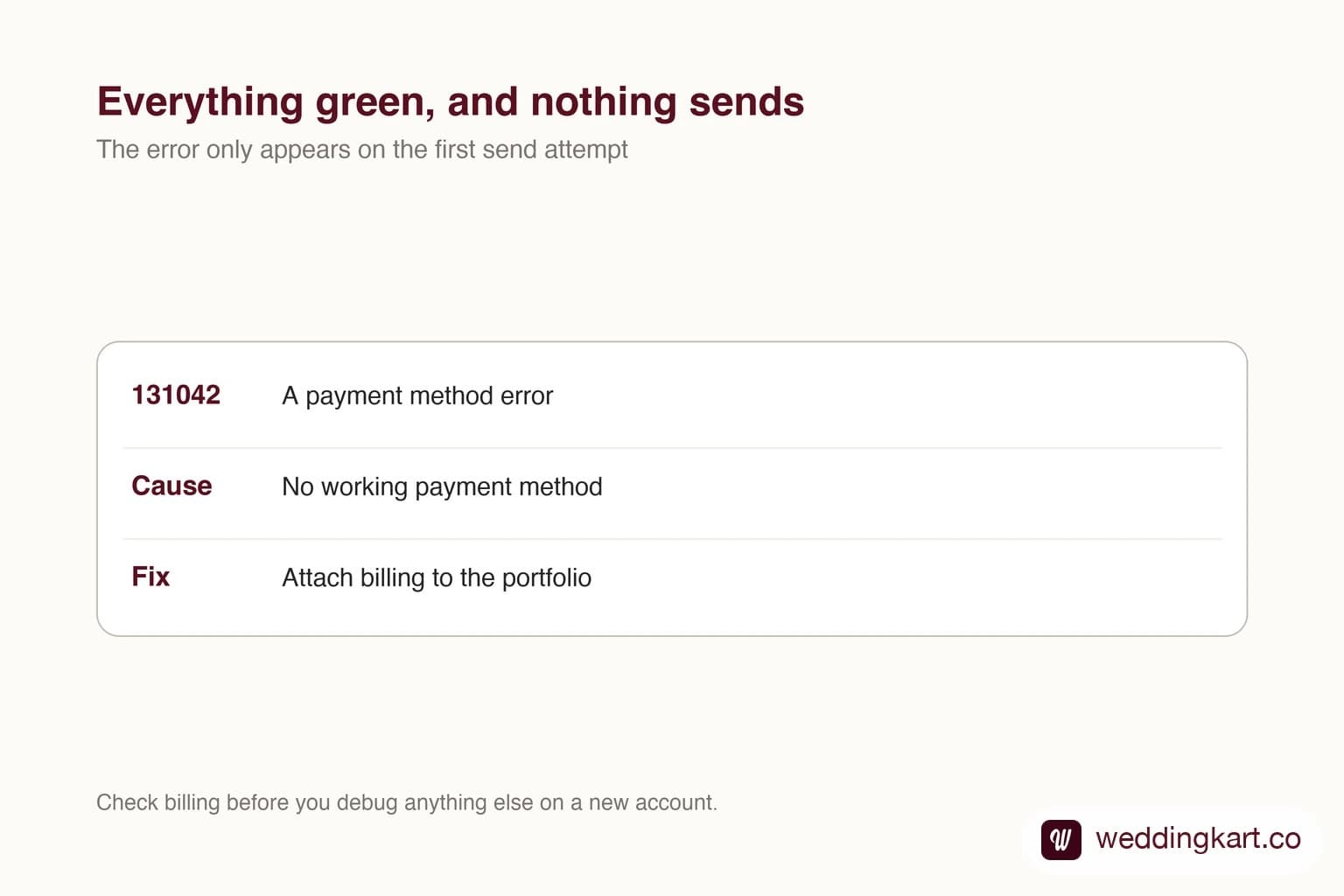
There is a specific failure on this platform that wastes more time than almost any other, because every visible signal says the setup worked.
The number is connected. Verification passed. Templates are approved and sitting there in green. You send the first invitation batch and nothing arrives. Nothing in the interface suggests why.
It is almost always billing
Meta charges per message delivered. An account with no payment method attached to its business portfolio is allowed to exist and be configured, but not to send. The two are separate permissions, which is exactly why onboarding completes so convincingly.
The error you get is 131042, a business-eligibility payment error. It names the problem, but it only appears on a send attempt - so people go looking through template settings and number configuration, which are all fine, and lose a day to it.
The order to check things in
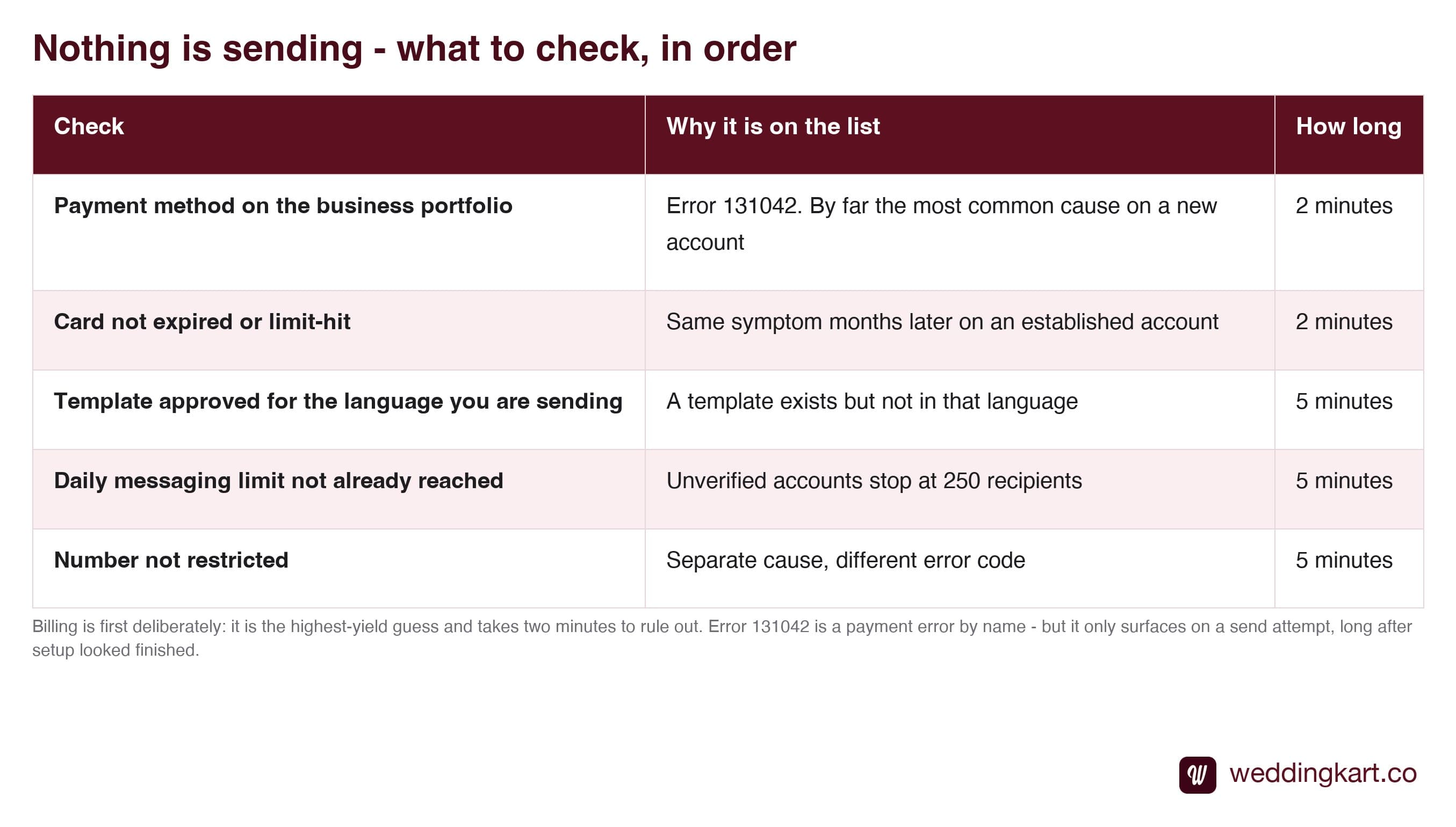
Billing goes first on that list deliberately. It is the highest-yield guess on a brand new account, it takes two minutes to rule out, and the other causes are much rarer.
Where the setting lives
In your Meta Business Portfolio at business.facebook.com, under billing and payment settings, attached to the business rather than to a personal ad account. People with an existing Facebook ads history sometimes assume their ad card covers it - it does not necessarily, because the payment method has to be associated with the portfolio that owns the WhatsApp account.
Which raises a question worth being sure about: if your WhatsApp account was created inside a provider’s portfolio rather than yours, they control this setting and you cannot fix it yourself. That is covered in who owns your number and data.
The version that catches established accounts
This is not only a new-account problem, and the returning version is nastier.
A card expires. A limit is hit. The business that has been messaging happily for eight months suddenly stops, with the same silent symptom and the same unhelpful code - and because setup was completed long ago, nobody thinks to look at billing.
If you run weddings seasonally, it is worth checking the card on the portfolio before the season rather than during it. A five-minute check in September is a much better trade than discovering it on the morning of a 400-guest send. For the other codes that produce silent failures, see WhatsApp API error codes.
Tools referenced in this post
Try Weddingkart for your wedding
Guest lists, WhatsApp invites, RSVPs, countdowns and more - the AI layer for Indian weddings.
Related reading
Frequently Asked Questions
What does WhatsApp error 131042 mean?
It is a business-eligibility payment error: your account is not currently eligible to send, and in practice that usually means no payment method on the portfolio, a card that has failed, or a credit line problem. The wording points at billing, but the error only appears on a send attempt - so people who saw setup complete without complaint tend to go hunting through template and phone-number settings first.
Why did setup succeed if billing was missing?
Because creating the account and sending messages are two different permissions. Meta lets you build the whole thing - portfolio, WhatsApp Business Account, connected number, approved templates - without any payment method, since none of that costs anything. Charging only starts when a message is delivered, so that is the first moment the missing billing matters.
Where do I add the payment method?
In your Meta Business Portfolio settings at business.facebook.com, under billing and payments, attached to the business rather than to a personal ad account. If your WhatsApp account sits in a provider's portfolio rather than your own, they hold this setting - which is one more reason to know whose portfolio you are in.
Do I need a credit card, or will a debit card work?
Meta accepts major cards and, in India, supports the usual local payment rails. The practical advice is to use a business card rather than a personal one, and to check it has not expired or hit a limit - a card that was fine at setup and fails three months later produces exactly the same symptom, with everything else still looking perfectly configured.
How do I know it has worked?
Send one real message to a number you control. Messages either deliver or they do not, and the 131042 error disappears immediately once billing is valid - there is no re-verification or waiting period. If it still fails afterwards, the cause is something else and worth checking against the error code reference rather than assuming billing again.
Was this article helpful?
Share
By Weddingkart TeamLast updated