
Quick Answer
What documents are needed for WhatsApp Business API in India?
You need one document that proves your business legally exists and shows both its registered name and address on the same page. A GST certificate is the easiest and approves fastest. Meta also accepts a Udyam or MSME certificate, a Shop and Establishment licence, or a Certificate of Incorporation for a Private Limited company or LLP. Alongside the document you need a business email on your own website domain and a live website showing your business name. A PAN card on its own is always rejected because it carries no address, and you do not need to be a Private Limited company - a proprietorship with GST is perfectly acceptable.
Last updated:
Documents Needed for WhatsApp Business API
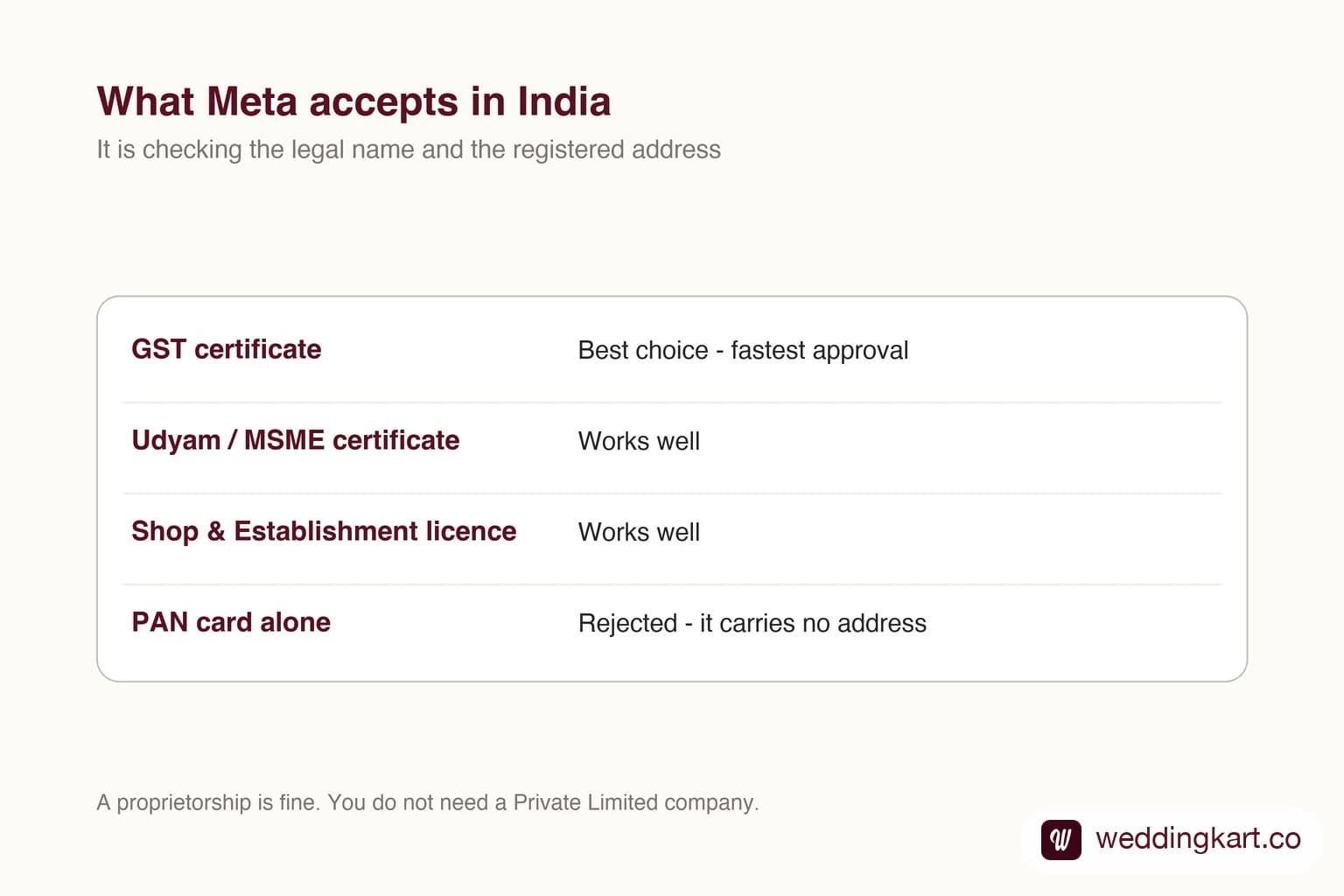
This is the step that stalls most event companies, and almost always for a reason that has nothing to do with whether their business is legitimate. It stalls because the wrong document was sent, or the right document was sent with the address typed slightly differently.
Here is exactly what Meta accepts in India, what it does not, and the small details that decide which way it goes.
What Meta is actually checking
One thing, in two parts: that your business legally exists, and where it is registered. That is why a document showing both the name and the address on the same page sails through, and a document showing only one of them does not.
Once you see it that way, the accept and reject list stops looking arbitrary.
Documents that work
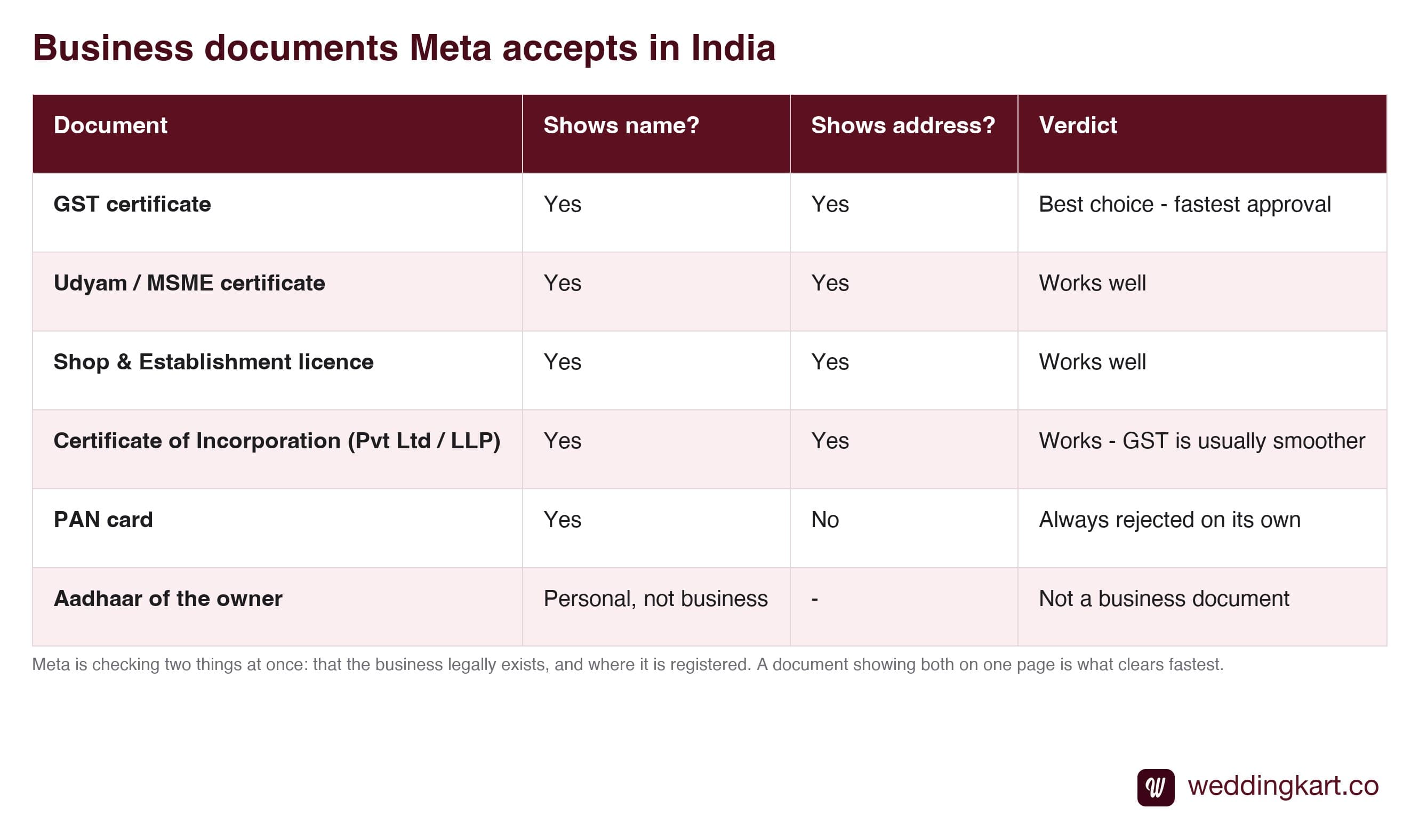
If you have GST, use GST. It is not that the others fail - they work - but GST carries both pieces of information Meta wants in a format its reviewers see constantly, and that tends to mean a faster decision with fewer follow-up questions.
The PAN card trap
Worth calling out on its own, because it catches almost everybody.
In India, PAN feels like the business identity document. It is the number on every invoice and every bank form. So people send it, reasonably, and it gets rejected - not because Meta doubts it, but because there is no address on it. It answers half the question.
Include it alongside something else if you want. Never send it as the only document.
The other two things
A document on its own is not the whole requirement. Meta also wants a business email on your own domain and a live website showing your business name.
The email is the one people underestimate. An address like yourcompany@gmail.com is usually rejected; you@yourcompany.com is not. Meta is using the domain as a second, independent signal that the business is yours - anybody can make a Gmail address claiming to be anybody.
The website does not need to be impressive. One page, your business name visible, loading over https. That is the bar. If you have neither a domain email nor a site, both are an afternoon and a few hundred rupees - and any provider worth using will help you rather than send you away.
The mistake that actually costs you time
Not the document. The typing.
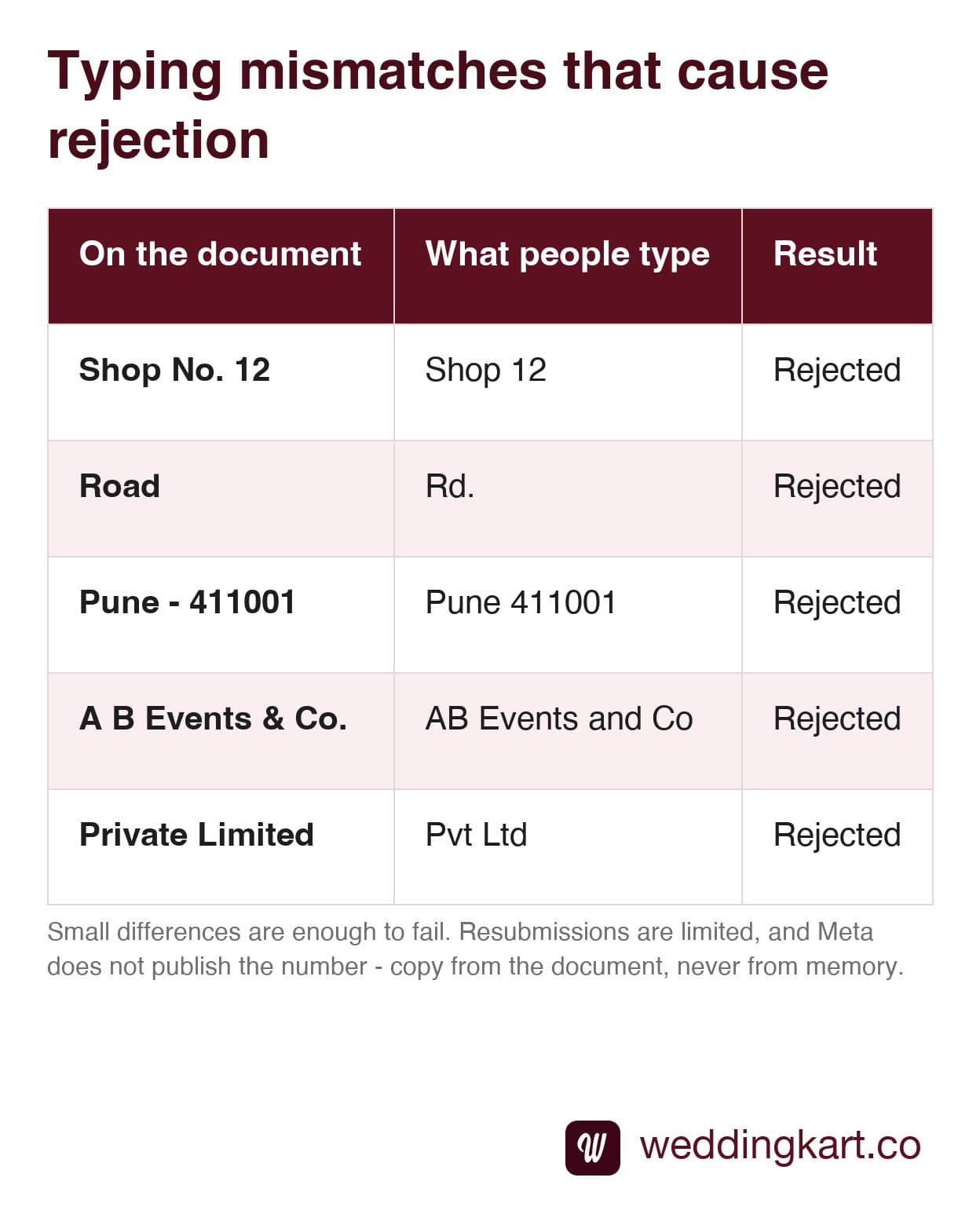
Any of those can be enough to fail, and every one of them looks like the same address to a human being. The check is not forgiving about how it is written - match the document exactly.
Resubmissions are limited before you are into support-ticket territory, which turns a two-day job into a two-week one. The fix costs nothing: put the document on the desk, and copy from it. There is more on recovering from a rejection in why verification gets rejected.
A sensible order to do this in
- Find your GST certificate. If you do not have GST, find your Udyam or Shop & Establishment.
- Check it is current, legible and shows both name and address.
- Make sure you have an email on your own domain - set one up if not.
- Check your website is live and shows the business name.
- Open the document and copy the name and address from it, exactly, into the form.
Do that and verification is mostly just waiting. Skip step five and you will do the whole thing three times. Once the documents are in, the next question is usually what happens to your daily sending limit - that is covered in messaging limits explained.
Tools referenced in this post
Try Weddingkart for your wedding
Guest lists, WhatsApp invites, RSVPs, countdowns and more - the AI layer for Indian weddings.
Related reading
Frequently Asked Questions
Is a GST certificate enough for WhatsApp Business verification?
In most cases yes, and it is the document we would always reach for first. It carries your registered business name and your address on a single page, which is exactly what Meta is checking, and it tends to approve faster than the alternatives. If you have GST, lead with it and keep anything else as backup.
Why is a PAN card rejected?
Because it has no address on it. Meta is verifying two things together - that the business exists and where it is registered - and a PAN card only answers the first. You can include it as a supporting document if you like, but it will never work as the only one. This catches a lot of people out because PAN feels like the obvious business identity document in India.
Can a proprietorship use WhatsApp Business API?
Yes. There is no requirement to be a Private Limited company or an LLP. A proprietorship with a GST certificate, a Udyam or MSME certificate, or a Shop and Establishment licence is perfectly acceptable. Meta is checking that a real, identifiable business exists, not what legal structure it happens to take.
Do I really need a website and a business email?
Yes, and both are quick to sort if you do not have them. The website is independent evidence that the business is real and operating - one page showing your business name is enough, as long as it loads over https. The email has to be on that same domain, something like yourname@yourcompany.com, because free Gmail, Yahoo and Outlook addresses are usually rejected. Neither is expensive and neither should be the thing that stops you.
What if my document is in a regional language?
Meta reviews documents from all over the world, but the safest path is a document where the business name and address are legible and match what you type exactly. If your registration is in a regional script and you are unsure, GST is again the pragmatic choice because its format is consistent and widely recognised. Submit a clear, flat, full-page scan rather than an angled photo.
Was this article helpful?
Share
By Weddingkart TeamLast updated