
Quick Answer
How do you contact Meta support for a WhatsApp Business problem?
Through Business Support Home at business.facebook.com/business-support-home, signed in with the Meta account that owns the business portfolio. There is no phone number and no general email. Support is most useful for things only Meta can do: reopening business verification after you have used up your attempts, appealing a template that was classified as marketing, and questions about an account restriction. It is least useful for things you can fix yourself, like a mistyped address. Include your business portfolio ID, your WhatsApp Business Account ID, the exact error text and a screenshot, or the first reply will simply ask for them.
Last updated:
How to Raise a Meta Support Ticket
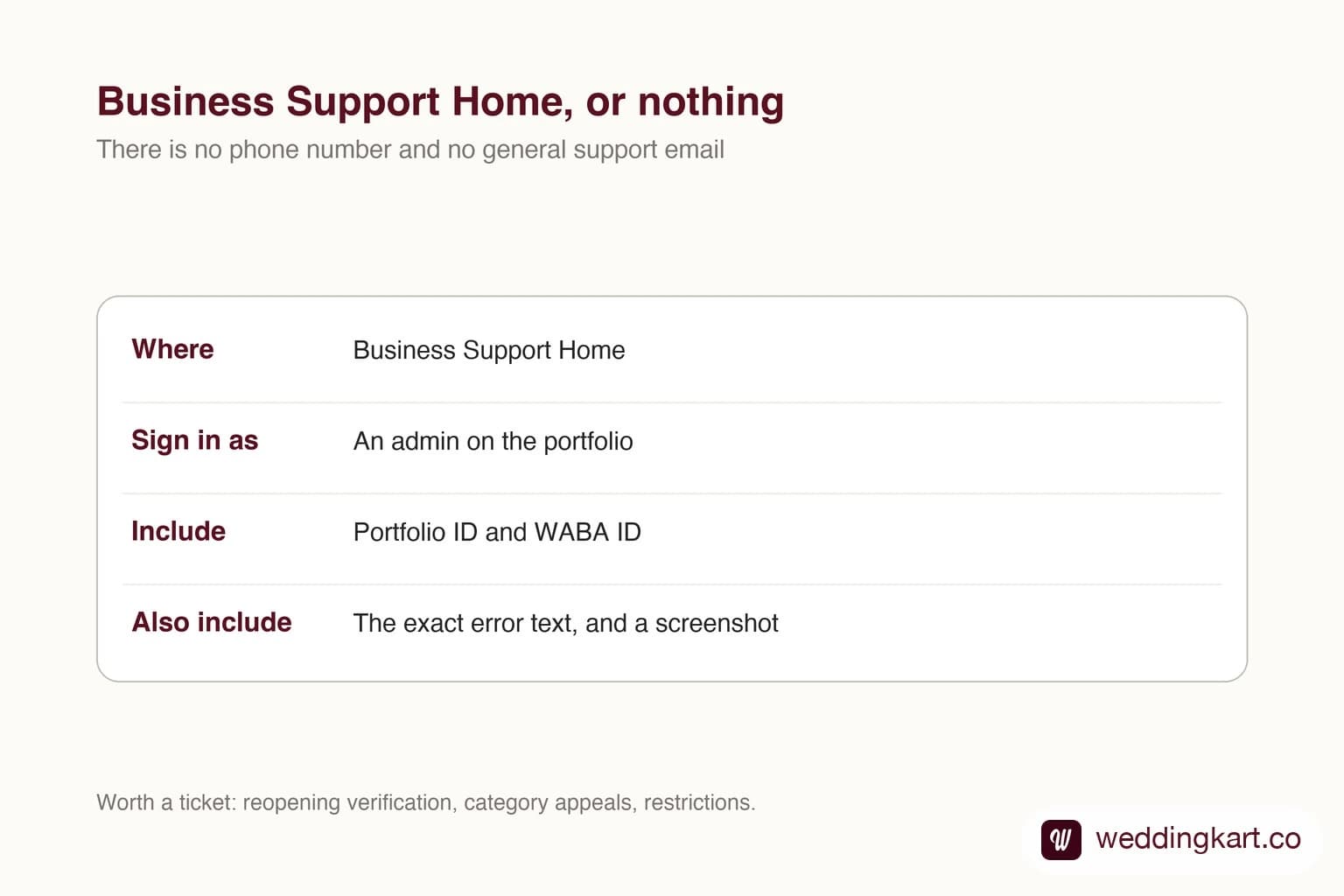
Meta support has a reputation for not existing. It does exist - it is just a web queue rather than a phone number, and how you open the case decides whether the first reply is useful or a request for information you should have included.
Where it lives
Business Support Home, at business.facebook.com. Sign in with the Meta account that owns the business portfolio - not a personal account that happens to have access, because the case options you see depend on what that account actually owns.
If your WhatsApp account was created inside a provider’s portfolio rather than yours, you may not see the relevant options at all, and the ticket has to come from them. That is one more consequence of whose portfolio it sits in.
When to open one, and when not to
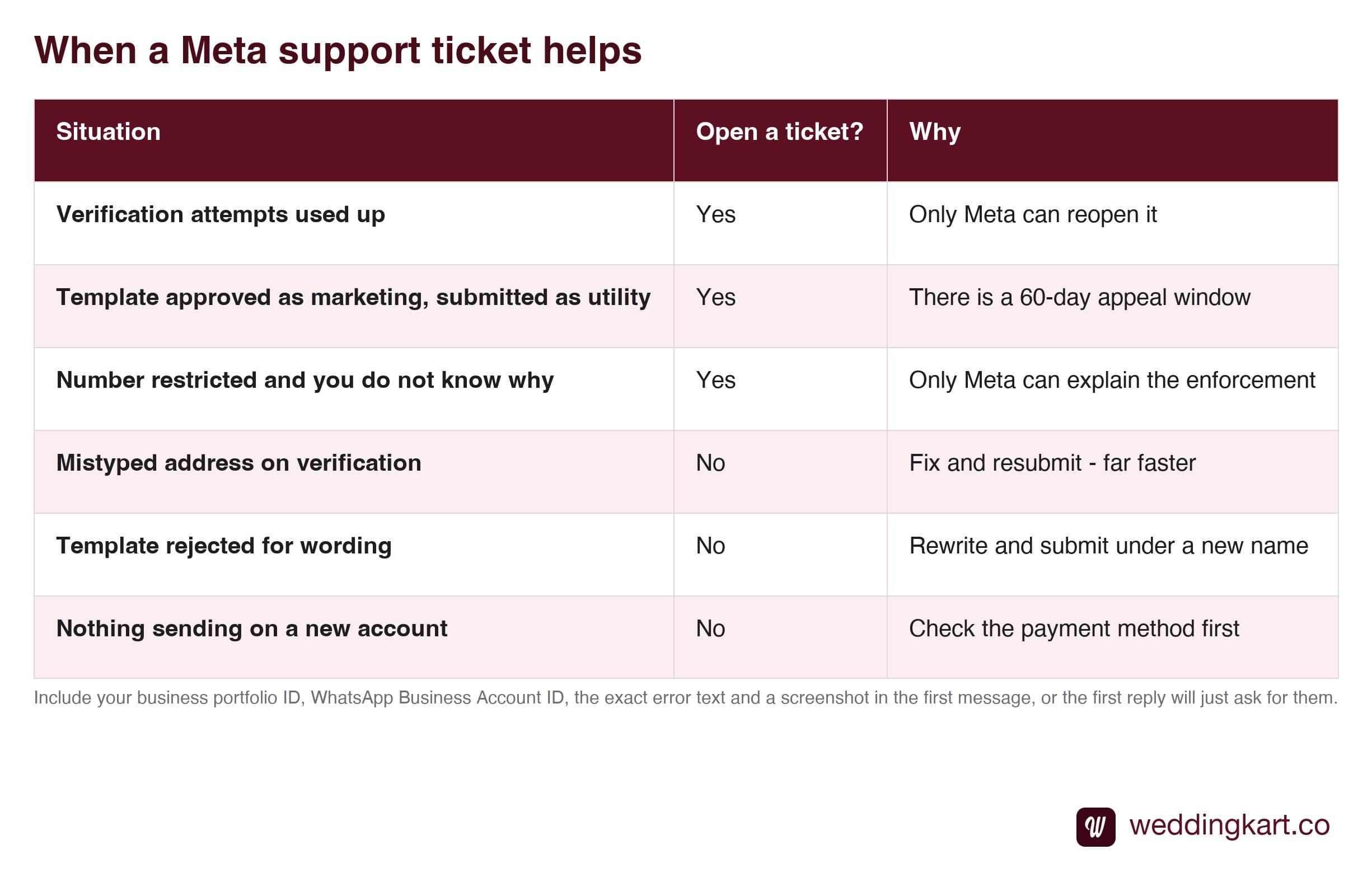
The distinction is simple: can anyone but Meta do this? If yes, do it yourself - it will be faster. If no, open the ticket, and open it properly.
What to put in the first message
Tickets fail slowly rather than loudly. You write a paragraph describing the problem, and two days later someone asks for your account ID. That round trip is avoidable.
Include all of this the first time: your business portfolio ID, your WhatsApp Business Account ID, the exact error text copied rather than paraphrased, a screenshot, and one plain sentence saying what outcome you want - “please reopen business verification” rather than “verification is not working”.
Copy the error rather than describing it. Error codes are the fastest route to the right team, and a paraphrase loses the code. Our reference for the common ones is WhatsApp API error codes, decoded.
While you wait
Do not hold everything for a reply. If a wedding is close and your verification is stuck, keep sending within the limit you currently have - an unverified account can still reach 250 unique people a day, which covers a smaller list entirely and makes a real dent in a larger one.
The mistake is treating the ticket as a blocker. It is a parallel process, and the wedding date does not move for it.
Ask your provider first
If you are working through a Business Solution Provider, ask them before opening your own case. They deal with these routinely, they know which category gets to the right queue, and they may have escalation paths that a direct customer ticket does not. It costs one message to ask and can save several days.
Tools referenced in this post
Try Weddingkart for your wedding
Guest lists, WhatsApp invites, RSVPs, countdowns and more - the AI layer for Indian weddings.
Related reading
Frequently Asked Questions
Does Meta have a phone number for business support?
No. There is no support phone line and no general email address for WhatsApp Business issues. Everything goes through Business Support Home, which is a web interface where you open a case and exchange messages. Anyone offering you a paid Meta support hotline is not selling you access to Meta.
When is a support ticket actually the right move?
When only Meta can act. The clearest cases are reopening business verification after you have used up your attempts, appealing a template that was classified as marketing when you submitted it as utility, and asking about a restriction on your account or number. For anything you can change yourself - a document, an address, a template rewrite - fixing and resubmitting is nearly always faster.
What should I include in the first message?
Your business portfolio ID, your WhatsApp Business Account ID, the exact error text copied rather than paraphrased, a screenshot, and one clear sentence saying what you want to happen. Tickets that arrive without identifiers get a first reply asking for them, which costs a full round trip - often a day - before anyone looks at the actual problem.
How long does Meta take to respond?
It varies widely, from within a day to considerably longer depending on the queue and the issue type. Plan for it rather than waiting on it: if a wedding is close, keep sending on whatever capacity you currently have while the ticket sits, instead of holding everything until a reply arrives.
Can my provider raise the ticket for me?
Often yes, and if they are a Business Solution Provider they may have escalation routes you do not. Ask - it costs nothing and their ticket may carry more weight than yours. If your WhatsApp account sits inside their business portfolio rather than your own, it may actually have to be them, since you will not see the case options for an asset you do not own.
Was this article helpful?
Share
By Weddingkart TeamLast updated